
Article
Lesson content
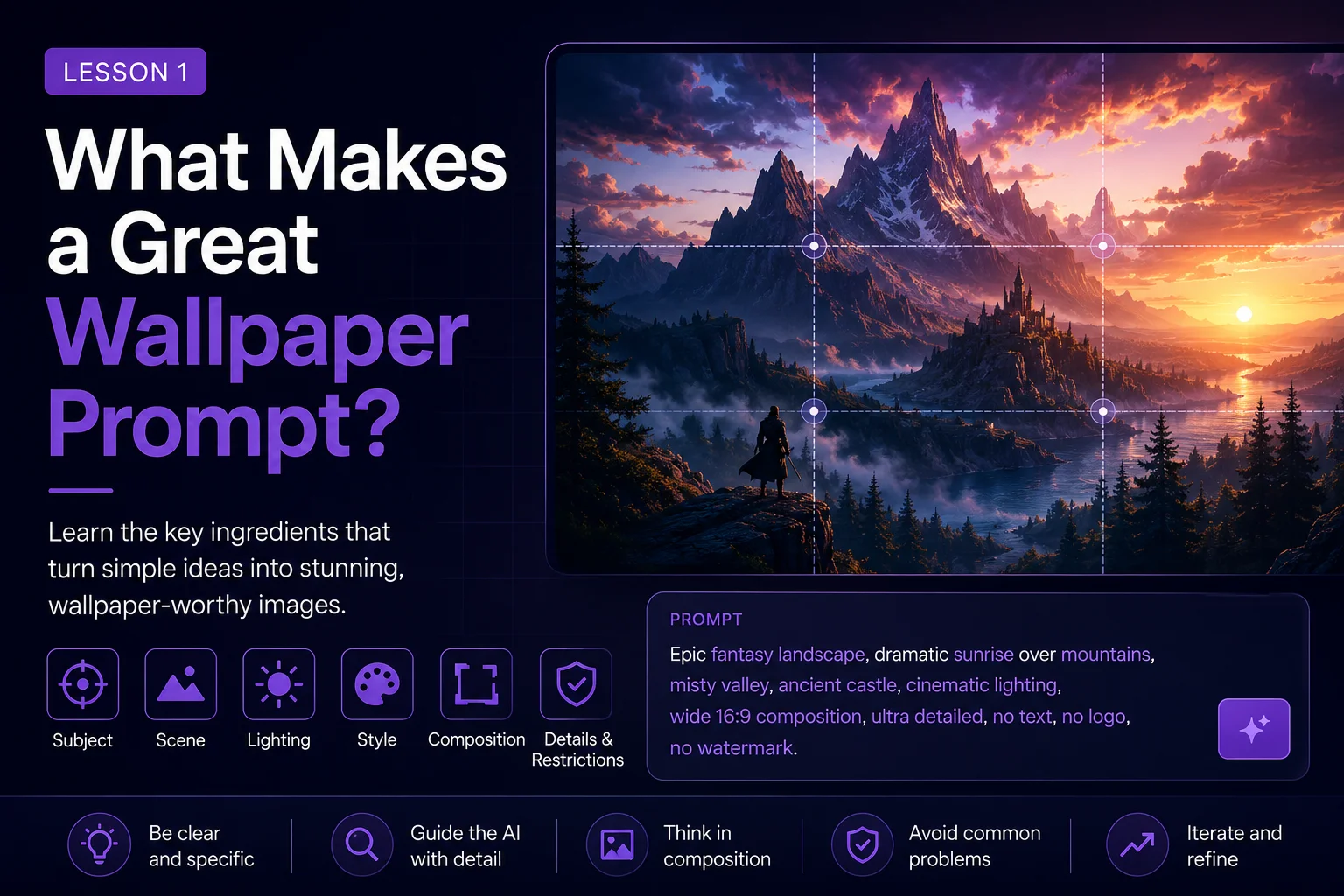
What Makes a Great Wallpaper Prompt?
AI image tools can create beautiful pictures very quickly, but not every beautiful AI image works well as a wallpaper.
Some images look impressive at first glance, then become difficult to use on a desktop, phone, or gallery page. The subject may be cropped badly. The image may be too busy. Important details may sit exactly where icons usually appear. Colors may be noisy, faces may be distorted, or the whole scene may feel random instead of intentional.
A great wallpaper prompt does more than ask for a nice image. It guides the AI toward a result that is clean, readable, well-composed, and useful as a screen background.
In this lesson, you will learn what separates a random AI image from a Skinbase-ready wallpaper.
Random AI Images vs. Wallpaper-Ready Images
A random AI image usually starts with a simple idea:
fantasy castle in the mountains
That can produce something beautiful, but the result is unpredictable. The castle may be too small, the mountains may dominate the scene, the lighting may feel strange, or the image may include unwanted text, fake logos, messy details, or confusing shapes.
A wallpaper-ready prompt is more focused:
A majestic fantasy castle on a distant mountain ridge, wide cinematic 16:9 desktop wallpaper composition, clear sky area for icons, soft golden sunrise lighting, atmospheric depth, detailed but clean fantasy environment, no text, no logo, no watermark.
The second prompt gives the AI useful direction. It describes the subject, scene, format, composition, lighting, mood, style, and restrictions.
A random prompt asks for an image.
A wallpaper prompt designs an image for a screen.
Great Wallpaper Prompts Have a Clear Purpose
Before writing a wallpaper prompt, ask yourself:
What should this image be used for?
A desktop wallpaper, mobile wallpaper, Skinbase gallery upload, fantasy artwork, sci-fi background, peaceful nature scene, and retro pixel-art image all need different decisions.
A desktop wallpaper usually needs:
Wide composition
Clean areas for icons
Strong atmosphere
Good readability at different screen sizes
No important subject too close to the edges
A mobile wallpaper usually needs:
Vertical composition
Strong central subject placement
Clean top and bottom areas
Clear silhouette
Less horizontal clutter
A Skinbase-ready wallpaper should also feel polished, intentional, and presentable in a gallery. It should look like something someone would want to save, collect, download, or feature.
The Image Must Work as a Background
A common beginner mistake is creating an image that looks more like a poster than a wallpaper.
Posters often use large central subjects, hard contrast, text, logos, and dramatic details everywhere. Wallpapers need more balance. They should look good behind icons, windows, widgets, and lock-screen elements.
A good wallpaper often has areas of visual rest. These are simpler, softer, or less detailed parts of the image where the eye can relax.
Useful prompt phrases include:
open sky
soft blurred background
clean negative space
wide empty area on the left
uncluttered foreground
simple atmospheric background
clear area for desktop icons
These phrases help the AI create images that are easier to use as real wallpapers.
Composition Matters More Than Detail
Many beginners try to improve prompts by adding more and more details. But too many details can make the result messy.
A clean wallpaper is not always the image with the most detail. It is the image with the best arrangement.
Composition means how the parts of the image are placed inside the frame.
For wallpapers, useful composition phrases include:
wide cinematic composition
balanced layout
subject slightly off-center
rule of thirds
strong silhouette
clean horizon line
foreground, midground, and background depth
clear background space
no clutter
Instead of asking only for more detail, ask for better placement.
Weak prompt:
A super detailed dragon, castle, forest, fire, clouds, magic, warriors, mountains, lake, stars, moon, glowing sword, epic fantasy, ultra detailed.
Better prompt:
A wide fantasy wallpaper showing a dragon flying above a distant castle, subject placed in the upper-right third, large misty valley below, soft moonlight, clear atmospheric background, readable silhouette, cinematic fantasy art, detailed but not cluttered.
The better version gives the AI structure. It does not only describe objects. It describes how the image should work.
A Good Wallpaper Has One Strong Main Idea
A weak prompt often includes too many ideas at once:
A cyberpunk city with robots, a spaceship, a warrior, rain, neon signs, dragons, planets, explosions, and a fantasy castle.
This sounds exciting, but the AI may combine everything into a confusing image.
A stronger wallpaper prompt has one clear main idea:
A rainy cyberpunk city street at night, glowing neon reflections on wet pavement, one lone figure walking in the distance, wide cinematic composition, moody blue and pink lighting, clean futuristic wallpaper.
This is easier to understand and easier for the AI to follow.
When writing a wallpaper prompt, ask:
What is the image mainly about?
If the viewer cannot understand the image in a few seconds, the prompt may be too crowded.
Clean Wallpapers Avoid Common AI Problems
AI-generated images can contain problems that make them less useful as wallpapers:
Strange hands or faces
Cropped heads
Broken anatomy
Random text
Fake logos
Watermarks
Messy objects
Overly busy backgrounds
Bad perspective
Blurry important details
Subjects cut off by the image edge
A good wallpaper prompt tries to prevent these problems before they happen.
Useful restriction phrases include:
no text
no logo
no watermark
no signature
no distorted anatomy
no cropped head
no cut-off subject
no messy background
no extra limbs
You do not need every restriction in every prompt. But when the image includes people, animals, faces, hands, detailed objects, or architecture, restrictions can help improve the result.
Aspect Ratio Is Part of the Prompt
A wallpaper prompt should match the final format.
For desktop wallpapers, common aspect ratios include:
16:9
16:10
21:9
For mobile wallpapers, common aspect ratios include:
9:16
3:4
4:5
For Skinbase wallpaper uploads, a wide format such as 16:9 is often a strong starting point.
Useful phrase:
wide 16:9 desktop wallpaper composition
This tells the AI that the image should be horizontal and screen-friendly. If you forget the aspect ratio, the AI may create an image that looks good but does not fit the intended use.
Style Should Support the Image
Style is important, but style alone does not make a great wallpaper.
A prompt like this is too vague:
beautiful digital art wallpaper
A better prompt uses style as one part of the full direction:
Peaceful mountain lake at sunrise, wide 16:9 desktop wallpaper, soft mist over the water, warm golden light, clean sky area, realistic digital painting style, calm atmospheric mood, no text, no watermark.
Here, the style supports the subject, mood, lighting, and composition.
Useful style phrases include:
realistic digital painting
cinematic fantasy art
clean sci-fi concept art
soft painterly landscape
retro pixel art
minimal abstract wallpaper
high-detail but clean composition
studio-quality illustration
The best style is the one that supports the image idea.
A Simple Wallpaper Prompt Formula
A strong wallpaper prompt usually includes these parts:
Subject
Scene
Composition
Mood
Lighting
Style
Wallpaper format
Restrictions
Simple formula:
Subject + scene + composition + mood + lighting + style + wallpaper format + restrictions
Example:
A lonely lighthouse on a rocky coast during a storm, wide 16:9 desktop wallpaper, lighthouse placed on the right third, dramatic ocean waves, dark clouds, cinematic blue-gray lighting, realistic digital painting style, atmospheric and clean composition, no text, no logo, no watermark.
This formula works for many genres, including fantasy, sci-fi, nature, abstract art, characters, vehicles, architecture, and retro pixel art.
Before and After Example
Basic prompt:
A cool sci-fi city wallpaper.
This may work, but it is too open. The AI has to guess the scene, mood, lighting, color palette, and composition.
Improved wallpaper prompt:
A futuristic sci-fi city skyline at night, wide 16:9 desktop wallpaper, glowing towers and flying vehicles in the distance, large clean sky area above the city, neon blue and violet lighting, cinematic atmosphere, sharp architectural silhouettes, detailed but uncluttered composition, no text, no logo, no watermark.
The improved version tells the AI:
What to show
Where to place the detail
What mood to create
What colors to use
That the result should work as a wallpaper
What to avoid
This is how you move from a random AI image to a usable wallpaper.
Skinbase Creator Checklist
Before uploading or saving a generated wallpaper, ask yourself:
Would this look good as a desktop or mobile background?
Is the main subject easy to understand?
Is the image too busy?
Are there visible AI artifacts?
Is anything important cropped?
Are there fake letters, logos, or watermarks?
Does the image have enough clean space?
Would the title, category, and tags be clear?
Does the image feel finished?
A great Skinbase wallpaper should feel polished, intentional, and usable.
Practice Exercise
Start with a simple idea:
A magical forest with glowing mushrooms.
Now improve it using the wallpaper formula:
A magical forest path filled with glowing blue mushrooms, wide 16:9 desktop wallpaper, soft fog between ancient trees, clear open space in the center, calm fantasy atmosphere, moonlight filtering through branches, detailed digital painting style, clean composition, no text, no logo, no watermark.
Now try your own.
Choose one simple idea and add:
Composition
Mood
Lighting
Style
Wallpaper format
Restrictions
Key Takeaways
A great wallpaper prompt is not just a request for a beautiful image. It is a clear creative direction for an image that works on a screen.
Good wallpaper prompts are:
Clear
Focused
Screen-friendly
Well-composed
Not too cluttered
Styled with purpose
Written with the final use in mind
Random prompts create random images. Wallpaper prompts create usable, polished, Skinbase-ready artwork.
In the next lesson, you will break down the full anatomy of a strong AI art prompt and learn how each part helps control the final image.
Course navigation