
Article
Lesson content
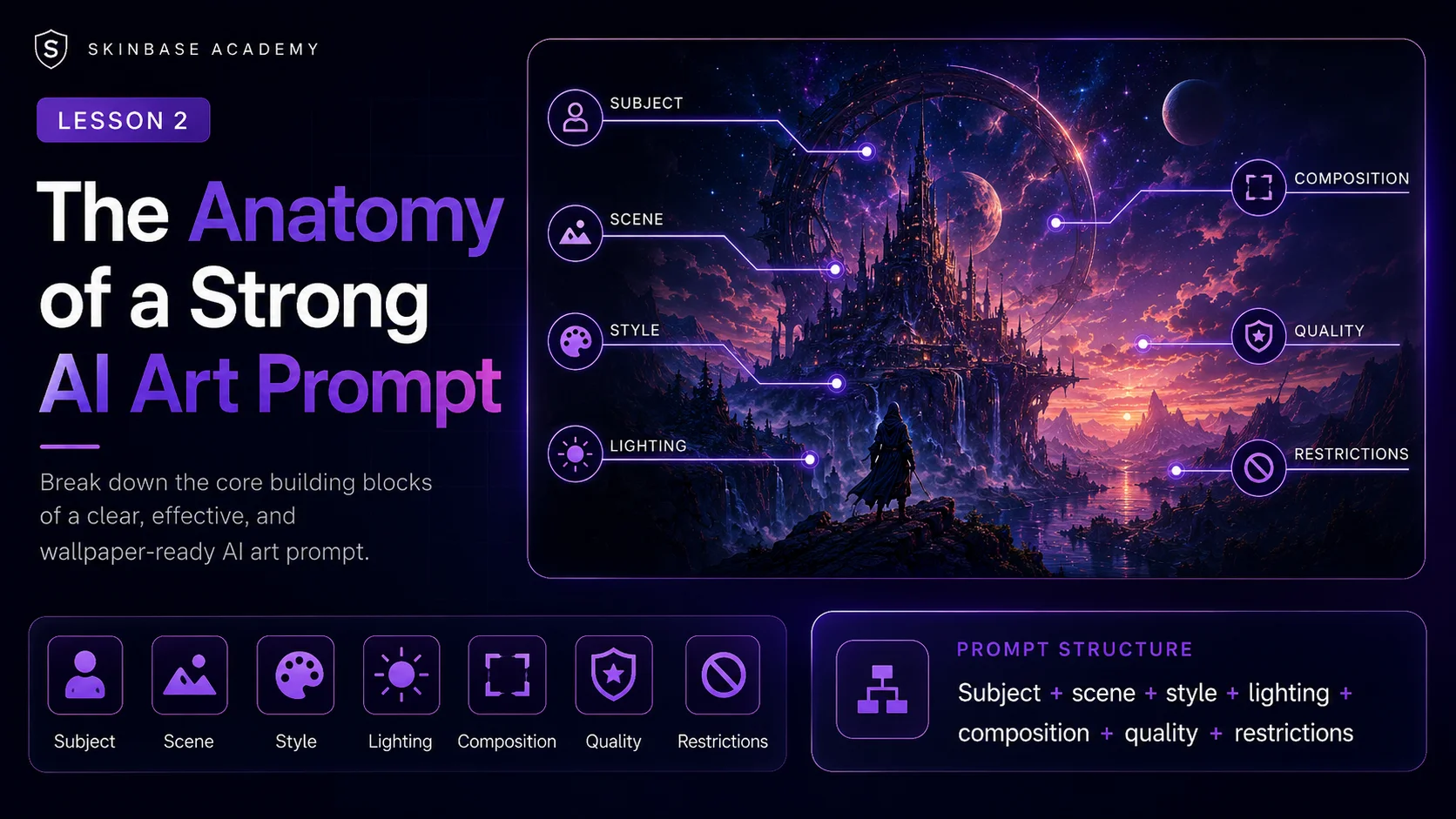
The Anatomy of a Strong AI Art Prompt
A strong AI art prompt is not just a long sentence filled with beautiful words.
A strong prompt is organized. It tells the AI what to create, where the scene happens, how the image should look, how it should be lit, how it should be composed, and what problems to avoid.
When you understand the parts of a prompt, you can control your results much better. Instead of hoping the AI creates something useful, you guide it toward a cleaner, more polished, wallpaper-ready image.
In this lesson, we will break a strong prompt into simple parts.
The basic structure is:
Subject + scene + style + lighting + composition + quality + restrictions
You do not always need every part, but knowing these building blocks makes your prompts much stronger.
1. Subject: What Is the Main Focus?
The subject is the main thing in the image.
It can be a person, animal, object, building, landscape, vehicle, creature, abstract shape, or entire environment.
Examples of subjects:
A lone astronaut
A fantasy castle
A dragon
A mountain lake
A cyberpunk city
A glowing crystal tree
A retro pixel-art spaceship
A peaceful forest path
The subject should be clear. If the AI does not understand the main focus, the image may become messy or random.
Weak subject:
fantasy stuff
Better subject:
a glowing fantasy castle built into a mountain cliff
Even better:
a glowing fantasy castle built into a mountain cliff, with tall towers, warm window lights, and waterfalls falling into a misty valley
The better version gives the AI a clearer target.
2. Scene: Where Is It Happening?
The scene tells the AI where the subject exists.
A subject alone is often not enough. A dragon could be anywhere. It could be in the sky, in a cave, on a mountain, in a city, underwater, or inside a castle.
The scene gives context.
Examples:
in a misty forest
above a futuristic city
on a rocky ocean coast
inside an ancient temple
under a star-filled night sky
on a distant alien planet
beside a quiet mountain lake
in a cozy magical village
Subject only:
a dragon
Subject with scene:
a dragon flying above a misty mountain valley at sunrise
Now the image has direction.
For wallpapers, scenes are especially important because the background often matters as much as the main subject. A wallpaper is not only about what appears in the image. It is also about the atmosphere around it.
3. Style: What Should It Look Like?
Style controls the visual language of the image.
The same subject can look completely different depending on style.
Example subject:
a castle on a hill
Different styles:
a realistic medieval castle on a hill
a painterly fantasy castle on a hill
a dark gothic castle on a hill
a retro pixel-art castle on a hill
a clean sci-fi concept art castle on a hill
a soft watercolor castle on a hill
Each style gives the AI a different visual direction.
Useful style phrases include:
realistic digital painting
cinematic fantasy art
clean sci-fi concept art
soft painterly illustration
retro pixel art
16-bit game art style
minimal abstract wallpaper
photorealistic landscape
stylized 3D render
high-end editorial illustration
For Skinbase wallpapers, style should support the image. Do not add too many styles at once.
Weak style direction:
realistic pixel art watercolor oil painting anime 3D fantasy concept art
This gives mixed instructions.
Better style direction:
cinematic fantasy digital painting
Or:
retro 16-bit pixel art wallpaper
Choose one main style and keep it consistent.
4. Lighting: How Is the Image Lit?
Lighting changes the mood of an image very strongly.
The same scene can feel peaceful, dramatic, scary, magical, or futuristic depending on the light.
Examples of lighting phrases:
soft sunrise lighting
golden sunset light
moonlit atmosphere
dramatic storm lighting
neon city glow
cinematic rim light
soft diffused light
glowing magical light
cold blue night lighting
warm cozy window light
Basic prompt:
a forest path
Improved with lighting:
a forest path with soft morning sunlight shining through the trees
More atmospheric:
a misty forest path with soft golden morning sunlight shining through ancient trees, calm magical atmosphere
Lighting helps the AI understand the emotional tone.
For wallpapers, lighting also affects readability. Very harsh lighting can create too much contrast. Very dark lighting can hide details. Very noisy lighting can make the image uncomfortable as a background.
Good wallpaper lighting is often clear, atmospheric, balanced, matched to the mood, and not too harsh or muddy.
5. Composition: How Is Everything Arranged?
Composition is one of the most important parts of a wallpaper prompt.
Composition tells the AI how to place the subject and background inside the frame.
For wallpaper prompts, this is critical because the image must work on a screen.
Useful composition phrases:
wide 16:9 composition
cinematic landscape framing
subject placed on the right third
subject slightly off-center
centered distant subject
large open sky area
clean space on the left for icons
balanced foreground and background
strong silhouette
clear horizon line
no clutter near the edges
Weak prompt:
a sci-fi city
Better prompt:
a futuristic sci-fi city skyline at night, wide 16:9 wallpaper composition, city placed in the lower third, large clean sky above, glowing towers and distant flying vehicles
The better version controls the layout.
A strong wallpaper prompt should think about space. Not every part of the image needs to be full of detail. Empty space can make the image more usable and more elegant.
6. Quality: How Polished Should It Be?
Quality words tell the AI the expected level of finish.
Useful quality phrases include:
high-resolution wallpaper
clean detailed artwork
polished digital painting
sharp focus on the main subject
crisp silhouettes
smooth gradients
refined details
professional concept art quality
detailed but uncluttered
clean final render
But quality words should not replace clear direction.
Weak prompt:
epic ultra detailed masterpiece best quality wallpaper
Better prompt:
a wide 16:9 fantasy wallpaper showing a distant glowing castle above a misty valley, soft sunrise lighting, clean sky area, cinematic fantasy digital painting, detailed but uncluttered, no text, no watermark
The better prompt includes quality, but also explains what the image should be.
Quality words are useful, but they work best when the subject, scene, style, lighting, and composition are already clear.
7. Restrictions: What Should the AI Avoid?
Restrictions help reduce common AI problems.
These can be written as simple negative instructions.
Common restrictions:
no text
no logo
no watermark
no signature
no cropped subject
no cropped head
no distorted face
no extra limbs
no broken hands
no messy background
no blurry subject
no random letters
no low-quality artifacts
For wallpapers, the most useful restrictions are often:
no text, no logo, no watermark, no signature, no clutter, no cropped subject
When generating people or characters, add:
no distorted face, no extra limbs, no broken hands, no cropped head
When generating landscapes, add:
no messy details, no noisy background, no unnatural perspective
Restrictions cannot guarantee a perfect result, but they help guide the AI away from common mistakes.
The Full Prompt Formula
A strong beginner-friendly formula is:
Subject + scene + style + lighting + composition + quality + restrictions
Example:
A peaceful mountain lake surrounded by pine trees, realistic digital painting style, soft sunrise lighting, wide 16:9 desktop wallpaper composition, large clean sky reflection on the water, calm atmospheric mood, high-resolution wallpaper, detailed but uncluttered, no text, no logo, no watermark.
Let’s break it down.
Subject: A peaceful mountain lake surrounded by pine trees
Style: Realistic digital painting style
Lighting: Soft sunrise lighting
Composition: Wide 16:9 desktop wallpaper composition, large clean sky reflection on the water
Mood: Calm atmospheric mood
Quality: High-resolution wallpaper, detailed but uncluttered
Restrictions: No text, no logo, no watermark
This structure gives the AI a complete creative direction.
Example: Fantasy Wallpaper Prompt
Basic idea:
a fantasy castle
Strong prompt:
A majestic fantasy castle built into a mountain cliff, waterfalls falling into a misty valley below, cinematic fantasy digital painting style, soft golden sunrise lighting, wide 16:9 desktop wallpaper composition, castle placed on the right third, large open sky area on the left, atmospheric depth, detailed but clean environment, no text, no logo, no watermark.
Why it works:
The subject is clear.
The scene is specific.
The style is focused.
The lighting creates mood.
The composition is wallpaper-friendly.
The restrictions remove common problems.
Example: Sci-Fi Wallpaper Prompt
Basic idea:
a futuristic city
Strong prompt:
A futuristic sci-fi city skyline at night, glowing towers and distant flying vehicles, clean sci-fi concept art style, neon blue and violet lighting, wide 16:9 desktop wallpaper composition, city placed in the lower third, large atmospheric sky above, sharp silhouettes, polished high-resolution wallpaper, no text, no logo, no watermark.
Why it works:
It gives the city a clear time and mood.
It leaves clean space in the sky.
It avoids fake text and logos.
It works as a desktop background.
Example: Character Wallpaper Prompt
Basic idea:
a fantasy warrior
Strong prompt:
A heroic fantasy warrior standing on a rocky mountain pass, distant kingdom in the background, cinematic fantasy illustration style, dramatic sunset rim lighting, wide 16:9 wallpaper composition, full body visible, subject slightly off-center, strong readable silhouette, detailed armor, clean atmospheric background, no cropped head, no extra limbs, no distorted face, no text, no watermark.
Why it works:
It protects the character from bad cropping.
It asks for a full visible body.
It keeps the background clean.
It gives the subject a strong silhouette.
For character wallpapers, always think about cropping. Many AI tools accidentally cut off heads, hands, feet, weapons, or hair. Clear composition instructions help.
Example: Retro Pixel-Art Wallpaper Prompt
Basic idea:
pixel art spaceship
Strong prompt:
A retro 16-bit pixel art spaceship flying above an alien planet, inspired by classic computer game backgrounds, limited color palette, crisp pixel edges, wide 16:9 wallpaper composition, large starfield area, planet horizon in the lower third, clean readable silhouette, no text, no logo, no watermark.
Why it works:
It defines the retro style.
It mentions limited palette and crisp pixels.
It creates a wide wallpaper layout.
It keeps the spaceship readable.
Retro prompts often work better when you mention constraints, such as limited colors, crisp pixels, tile-like readability, or classic game background style.
Common Prompt Mistakes
Mistake 1: Too Vague
Weak:
cool wallpaper
Better:
A calm mountain lake at sunrise, wide 16:9 desktop wallpaper, soft mist, warm golden light, clean sky reflection, realistic digital painting, no text, no watermark.
Mistake 2: Too Many Subjects
Weak:
dragon, robot, castle, spaceship, forest, cyberpunk city, warrior, explosion, moon, ocean
Better:
A dragon flying above a distant fantasy castle at night, wide cinematic wallpaper, moonlit clouds, clean atmospheric composition, no text, no watermark.
Mistake 3: Style Conflict
Weak:
photorealistic watercolor pixel art anime 3D oil painting
Better:
cinematic fantasy digital painting
Mistake 4: No Composition
Weak:
beautiful sci-fi city with neon lights
Better:
A futuristic neon city skyline, wide 16:9 desktop wallpaper, city in the lower third, clean atmospheric sky above, blue and violet lighting, no text, no watermark.
Mistake 5: No Restrictions
Weak:
fantasy character wallpaper
Better:
A fantasy character wallpaper, full body visible, clean background, no cropped head, no distorted face, no extra limbs, no text, no watermark.
Beginner Template
Use this template when creating your own wallpaper prompts:
A [subject] in/at [scene], [style], [lighting], [mood], [composition], [quality], [restrictions].
Example:
A glowing crystal tree in an ancient forest, cinematic fantasy digital painting, soft moonlight, magical calm atmosphere, wide 16:9 desktop wallpaper composition, tree placed slightly off-center with clean open space around it, detailed but uncluttered, no text, no logo, no watermark.
This template is simple, but powerful.
Skinbase Creator Tip
When writing prompts for Skinbase, think like both an artist and a viewer.
The artist asks:
Is this idea creative and visually interesting?
The viewer asks:
Would I actually use this as a wallpaper?
A strong prompt should satisfy both.
It should create something beautiful, but also usable. It should have atmosphere, but not too much clutter. It should have detail, but not chaos. It should feel polished enough to belong in a gallery.
Practice Exercise
Start with this simple idea:
a cyberpunk street
Now add each part of the anatomy.
Subject:
a lone figure walking through a cyberpunk street
Scene:
a rainy cyberpunk street at night with neon signs and wet pavement
Style:
cinematic sci-fi concept art
Lighting:
blue and pink neon reflections
Composition:
wide 16:9 desktop wallpaper, figure placed in the lower-right third, clean dark space on the left
Quality:
polished high-resolution wallpaper, detailed but uncluttered
Restrictions:
no text, no logo, no watermark, no distorted face
Final prompt:
A lone figure walking through a rainy cyberpunk street at night, wet pavement reflecting blue and pink neon lights, cinematic sci-fi concept art style, wide 16:9 desktop wallpaper composition, figure placed in the lower-right third, clean dark space on the left, polished high-resolution wallpaper, detailed but uncluttered, no text, no logo, no watermark, no distorted face.
Now try your own prompt using the same structure.
Key Takeaways
A strong AI art prompt has clear parts:
Subject
Scene
Style
Lighting
Composition
Quality
Restrictions
The goal is not to make the longest prompt possible. The goal is to give useful direction.
For wallpaper prompts, composition and clarity are especially important. A great image should not only look impressive. It should work as a background, feel polished, and be ready for Skinbase.
In the next lesson, you will learn how to think like a wallpaper creator and design prompts specifically for real screen use.
Course navigation
Continue this course
Previous lesson
Wallpaper Prompt Engineering for Skinbase Creators · Lesson 01
What Makes a Great Wallpaper Prompt?
Learn what separates random AI images from clean, usable, Skinbase-ready wallpapers.
Next lesson
Wallpaper Prompt Engineering for Skinbase Creators · Lesson 03
Thinking Like a Wallpaper Creator
Learn how to design AI prompts for clean, readable, screen-friendly wallpapers.