
Article
Lesson content
Introduction
AI-assisted digital art is artwork created with the help of artificial intelligence tools.
These tools can help creators generate images, explore ideas, test different styles, suggest compositions, create variations, and move from a simple concept to a visual result faster than traditional workflows alone.
But the most important word is assisted.
AI does not need to replace the creator. Instead, it can become part of the creative process. The creator still makes the important decisions.
The creator chooses the idea.
The creator decides the subject, mood, style, composition, colors, and final direction.
The creator reviews the generated result, selects the best version, fixes problems, prepares the final image, and decides how the artwork should be presented.
AI can help create the pixels, but the creator gives the artwork purpose, meaning, and quality.
For example, an AI tool can generate a fantasy forest wallpaper. But the creator decides whether the forest should feel peaceful, mysterious, dark, magical, cinematic, retro, or minimal. The creator also checks if the image has problems, such as fake text, strange objects, blurry details, or unwanted marks.
On Skinbase, AI-assisted artwork can be a powerful way to explore many creative directions, including:
wallpapers;
fantasy scenes;
sci-fi concepts;
abstract designs;
characters;
icons;
skins;
interface themes;
creative worlds.
The goal is not to upload random generated images.
The goal is to create polished, interesting, and meaningful artwork with creative intention. A strong AI-assisted artwork should feel selected, reviewed, improved, and prepared before it is shared with the community.
In this lesson, you will learn what AI-assisted digital art means, how it is different from raw AI-generated images, and why the creator still matters.
AI-generated vs AI-assisted
There is an important difference between simply generating an image and creating finished artwork.
An AI-generated image is usually created from a prompt and exported directly from an AI tool. The creator writes a prompt, presses generate, chooses one result, and saves it. Sometimes the result may look interesting, but it may still contain mistakes or feel unfinished.
An AI-assisted artwork goes further.
In AI-assisted artwork, AI is part of the creative process, but it is not the whole process. The creator uses AI as a starting point, then reviews, improves, edits, prepares, and presents the final image with care.
For example, a creator may:
use AI to explore a starting idea;
generate several versions and compare them;
choose the strongest result;
edit the image in Photoshop, GIMP, Krita, Affinity Photo, Photopea, or another editor;
fix hands, faces, text artifacts, strange shapes, lighting problems, or composition issues;
remove fake text, logos, signatures, or watermark-like marks;
crop or resize the image for wallpaper, mobile, cover, icon, or gallery use;
upscale the image if needed;
improve contrast, colors, sharpness, and framing;
write a clear title;
add a useful description;
choose accurate tags;
select the correct category;
present the artwork honestly to the community.
This extra creative work is important.
A raw AI image may be only a result. An AI-assisted artwork feels more intentional because the creator made decisions after generation.
For example, this is closer to AI-generated:
Generate one fantasy forest image and upload it immediately.
This is closer to AI-assisted:
Generate several fantasy forest versions, choose the best one, remove fake text, improve the crop, adjust colors, prepare it as a desktop wallpaper, add a proper title, description, tags, and upload it as a polished artwork.
The difference is not only the tool. The difference is the creator’s involvement.
AI can help create the first image, but the creator decides whether it is good enough, what should be improved, and how it should be shared.
A good rule:
AI-generated is the output. AI-assisted is the creative workflow.
On Skinbase, the best AI-assisted artwork should feel selected, cleaned, prepared, and presented with intention.
Why AI can be useful for digital artists
AI tools can help creators move from imagination to visual exploration very quickly.
Sometimes you have an idea in your mind, but it is difficult to see what it could look like. You may know the mood, subject, colors, or atmosphere you want, but you may not yet know the final composition.
AI can help with this early creative stage.
For example, imagine you want to create:
A peaceful fantasy island floating above soft clouds.
Without AI, you might need to sketch many rough concepts before you find the right direction. With AI, you can quickly generate several visual ideas, compare them, and decide which version has the strongest mood, composition, and potential.
One version may have better lighting.
Another may have a stronger island shape.
Another may have more interesting colors.
Another may feel more suitable as a wallpaper.
The creator still makes the choice, but AI helps make the exploration faster.
AI can help with:
brainstorming visual ideas;
testing different moods and styles;
creating wallpaper concepts;
exploring color palettes;
generating backgrounds;
making concept art;
creating inspiration for skins, icons, and interface themes;
producing news cover images or editorial visuals;
building consistent visual worlds;
creating variations from one idea;
finding new directions when you feel stuck.
AI is especially useful when a creator has a strong idea but needs help visualizing it.
It can also be useful when a creator wants to explore many creative directions before committing to one final artwork.
For example, the same idea can be tested in different styles:
fantasy island as a cinematic digital painting
fantasy island as retro pixel art
fantasy island as a clean 3D render
fantasy island as a soft watercolor illustration
fantasy island as a dark mysterious night scene
This kind of exploration can help creators discover what works best.
But AI should not replace creative judgment. Not every generated result is good. Some images may be messy, generic, or unfinished. The creator still needs to choose carefully, improve the best result, and prepare it properly.
A good rule:
AI helps you explore faster, but the creator decides what is worth finishing.
On Skinbase, this can be very useful for creating wallpapers, digital art, worlds, icons, skins, and visual stories. AI can help you start, but your creative decisions turn the result into artwork.
The creator still matters
A good AI-assisted artwork does not happen by accident.
AI can generate an image, but it does not fully understand your creative goal in the same way you do. It does not know what you want to communicate, what feeling you want the artwork to have, or whether the final result is good enough for your audience.
That is the creator’s role.
The creator makes many important decisions:
What should the image show?
What mood should it have?
Should it feel dark, peaceful, futuristic, retro, cute, dramatic, cinematic, pixel-art, or minimal?
What style fits the idea best?
Which generated version is strongest?
What should be removed?
What should be improved?
Is the image clean at full size?
Is the image suitable for upload?
Does the image respect the Skinbase rules?
Does the title describe the artwork well?
Are the tags useful for discovery?
Is the category correct?
Would this artwork be interesting or useful for the community?
AI can produce pixels, but the creator gives the artwork direction, meaning, and quality control.
This is why selection and editing are so important. A creator may generate many images, but only one or two may be strong enough to become finished artwork. The rest may be useful experiments, but they do not all need to be uploaded.
For example, you might generate ten versions of a sci-fi city wallpaper.
One version may have the best colors.
Another may have the strongest lighting.
Another may have better architecture.
Another may have fewer artifacts.
Another may look impressive but contain fake text or broken buildings.
The creator decides which version is worth continuing.
After that, the creator may crop the image, remove artifacts, adjust colors, sharpen important details, write a good title, add accurate tags, choose the correct category, and present the artwork honestly.
These choices matter.
Good AI-assisted art is not about pressing one button. It is about guiding the process from idea to final presentation.
A good rule:
AI can generate the image, but the creator decides what becomes artwork.
On Skinbase, this creator responsibility is important. The best uploads should feel selected, reviewed, improved, and prepared with care.
Example workflow
A simple AI-assisted workflow can help you move from an idea to a finished Skinbase upload.
You do not need to follow a complicated process. The goal is to slow down, make better creative decisions, and prepare the artwork properly before publishing.
A simple workflow could look like this:
Start with an idea.
Write a clear prompt.
Generate several variations.
Choose the strongest image.
Check the image at full size.
Fix visual problems.
Crop or resize the image for its final use.
Improve colors, lighting, and details if needed.
Add a title, description, tags, and category.
Upload the artwork to Skinbase.
Learn from feedback and improve future work.
Let’s look at a simple example.
Start with this idea:
A retro Amiga-inspired tropical island wallpaper with chunky pixel art, bright shoreline, palm trees, and crisp dithering.
This is already a good idea because it has a subject, style, and some visual details. It tells us that the artwork should be a tropical island, that it should feel retro, and that the style should be pixel art.
Now we can turn it into a stronger prompt:
Retro Amiga-inspired pixel art island, chunky color palette, bright shoreline, palm trees, turquoise water, crisp dithering, overhead scene composition, nostalgic 1990s computer art mood, clean pixel details, wide 16:9 high-resolution wallpaper, no text, no watermark.
This prompt is stronger because it gives the AI more direction.
It includes:
Subject:
Retro tropical island
Style:
Amiga-inspired pixel art
Details:
Bright shoreline, palm trees, turquoise water
Mood:
Nostalgic 1990s computer art mood
Composition:
Overhead scene composition, wide 16:9 wallpaper
Technical notes:
Clean pixel details, high-resolution wallpaper
Negative notes:
No text, no watermark
After generating the image, the creator should not upload it immediately. The image still needs review.
Check the result carefully:
Does it really look like pixel art?
Does the island shape look good?
Are the colors clean and attractive?
Is the dithering crisp?
Does it work as a wallpaper?
Are there fake letters, logos, or watermark-like marks?
Is the image too busy?
Does it need cropping or cleanup?
If the image looks good, prepare it for upload.
Possible title:
Pixel Island Memory
Possible description:
A retro Amiga-inspired tropical island wallpaper with chunky pixel art, bright shoreline, palm trees, turquoise water, and crisp dithering. Created with AI assistance and prepared as a nostalgic desktop wallpaper.
Possible tags:
pixel art, Amiga-inspired, retro, tropical island, palm trees, turquoise water, dithering, wallpaper, nostalgia, digital art, AI-assisted
Possible category:
Wallpapers / Pixel Art / Retro
This is the difference between simply generating an image and preparing finished AI-assisted artwork.
The prompt starts the process. The creator finishes it.
What makes a good AI-assisted artwork?
A strong AI-assisted artwork is not only an image that looks nice at first glance.
It should feel clear, polished, and intentional. The viewer should be able to understand what the artwork is about, what mood it creates, and why it was worth sharing.
A good AI-assisted artwork usually has:
a clear subject;
a strong mood;
good composition;
clean details;
no unwanted text or watermark;
no broken anatomy or strange objects;
a suitable resolution;
a good title;
useful tags;
a category that matches the content;
a sense of creative intention.
Let’s break this down.
A clear subject means the viewer can quickly understand the main idea of the image.
For example, the subject might be:
a peaceful fantasy forest
a futuristic city at night
a retro robot mascot
a floating island above clouds
a glowing mountain lake
If the subject is unclear or too crowded, the artwork may feel confusing.
A strong mood means the image has a clear feeling. It might feel peaceful, mysterious, dramatic, futuristic, nostalgic, magical, dark, or playful. Mood is important because people often connect with artwork emotionally.
A good composition means the image is arranged well. The subject is placed in a useful position, the image feels balanced, and the viewer’s eye can move through the artwork naturally. For wallpapers, composition is especially important because the image should work on a real screen.
Clean details mean the image has been checked carefully. There should not be strange AI artifacts, messy objects, fake text, broken shapes, or blurry areas that make the image look unfinished.
For character artwork, this means checking hands, faces, eyes, clothing, and body proportions.
For architecture, this means checking windows, doors, stairs, bridges, and perspective.
For wallpapers, this means checking the whole image at full size, including corners and edges.
A good AI-assisted artwork should also have no unwanted text, watermark, logo, or fake signature. These can make the image look copied, unfinished, or misleading.
Resolution also matters. If the image is meant to be a wallpaper, it should be large enough and sharp enough for screen use. A beautiful image can still feel weak if it is too small, blurry, or badly cropped.
The presentation matters too.
A good title helps people remember the artwork.
Useful tags help people discover it.
The correct category helps Skinbase place it where it belongs.
A clear description can explain the idea, mood, style, or AI-assisted workflow.
For example, this feels unfinished:
Title:
AI image 01
Tags:
cool, test, random
This feels more prepared:
Title:
Glowing Morning Forest
Tags:
fantasy forest, glowing flowers, morning light, mist, peaceful, nature, wallpaper, digital art, AI-assisted
The best AI-assisted artworks feel curated, not random.
They show that the creator made decisions. The creator selected the best version, checked the details, fixed problems, prepared the image, and presented it with care.
A good rule:
Strong AI-assisted artwork should feel chosen, improved, and ready to share.
On Skinbase, this is what separates a quick generated image from a polished creative upload.
Common beginner mistakes
Beginners often make similar mistakes when using AI image tools.
This is normal. AI tools are easy to start with, but creating strong AI-assisted artwork still takes practice. The most common problem is not that beginners generate bad images. The problem is that they often upload too quickly, before checking and preparing the final result.
Common beginner mistakes include:
uploading the first result without checking it;
using vague prompts like “make beautiful art”;
ignoring strange details in the image;
leaving fake text, logos, signatures, or watermarks;
using too many unrelated styles in one prompt;
forgetting to crop the image properly;
uploading images with poor resolution;
adding weak tags or no description;
choosing the wrong category;
publishing images that look unfinished.
One common mistake is uploading the first result immediately.
The first image may look good in a small preview, but it may not be the strongest version. It may also contain hidden problems. A better workflow is to generate several versions, compare them, and choose the one with the best composition, mood, and quality.
Another common mistake is writing prompts that are too vague.
For example:
make beautiful art
This does not give the AI enough direction. A better prompt explains the subject, mood, style, lighting, composition, and final use.
Better example:
A peaceful fantasy forest wallpaper with glowing blue flowers, soft morning light, gentle mist, detailed digital painting style, wide 16:9 desktop wallpaper composition, high-resolution, no text, no watermark.
Beginners also often ignore small AI mistakes.
These can include fake text, strange hands, distorted faces, broken objects, messy backgrounds, blurry areas, or watermark-like marks. These problems may not be obvious at first, but they can make the artwork feel unfinished when viewed at full size.
Before publishing, always zoom in and check the details.
Look for:
broken objects;
unreadable text;
strange hands;
distorted faces;
messy backgrounds;
fake signatures;
watermark-like marks;
unwanted logos;
blurry or low-quality areas.
Another mistake is using too many unrelated styles in one prompt.
For example:
realistic anime cartoon pixel art watercolor 3D oil painting fantasy wallpaper
This gives the AI too many conflicting directions. It is usually better to choose one main style.
Better:
detailed cinematic digital painting
Or:
retro pixel art with crisp dithering
Or:
clean 3D render style
Cropping is also important. A good image can become weaker if the crop is wrong. A desktop wallpaper should usually be wide. A mobile wallpaper should be vertical. A cover image may need empty space for text. An icon should be centered and readable.
Metadata is another common weak point.
A strong image with a title like:
AI image 01
and tags like:
cool, test, random
feels unfinished.
A better upload includes a clear title, useful description, accurate tags, and the correct category.
Good AI-assisted art still needs review.
A simple rule is:
Do not upload when the image is generated. Upload when the artwork is prepared.
Taking a little extra time to check, clean, crop, title, tag, and categorize the artwork can make a big difference. This is what helps an AI-generated result become a polished Skinbase upload.
Responsible use of AI on Skinbase
Skinbase is a creative community, so AI should be used with respect.
AI tools can help creators make beautiful wallpapers, fantasy scenes, sci-fi concepts, abstract designs, icons, skins, and creative worlds. But creators should still think carefully about what they upload and how they present it.
Responsible AI use means creating and sharing artwork in a way that is honest, respectful, and useful for the community.
Creators should avoid uploading images that:
copy living artists too closely;
imitate copyrighted characters;
contain fake logos or fake brands;
include misleading signatures or watermarks;
present AI output as fully handmade work if it was not;
flood the community with low-quality generated images;
include fake text or unreadable marks that make the image look unfinished;
use misleading titles, tags, or categories;
copy existing artwork too closely.
AI-assisted artwork should be presented honestly.
If an image was created with AI help, it is good practice to mention AI as part of the workflow, especially when Skinbase provides AI-related fields, tags, or categories.
This can be simple.
Example:
Created with AI assistance and refined for wallpaper use.
Or:
AI-assisted digital artwork, selected from several generations and cleaned up before upload.
Being honest about AI does not make the artwork less valuable. It shows that the creator is transparent about the process.
The important part is quality and intention.
A creator should not use AI only to generate many random images and upload them as fast as possible. That can hurt the browsing experience and make the community feel less curated.
A better approach is:
Generate many ideas, but upload only the strongest and most polished work.
Responsible use also means respecting other creators. Instead of asking AI to copy a specific living artist, describe the visual qualities you want.
Instead of:
in the style of a specific living artist
Use:
detailed fantasy illustration, soft painterly textures, dramatic lighting, rich colors, cinematic composition
This keeps the prompt creative without trying to copy someone’s personal artistic identity too closely.
Creators should also avoid copyrighted characters, official logos, fake brands, and images that look like official posters or advertisements if they are not official.
A good rule:
Be inspired by genres, moods, and visual ideas, but create something original.
The goal is not to hide the tool.
The goal is to use the tool creatively and responsibly.
On Skinbase, strong AI-assisted artwork should feel honest, polished, original, and ready for the community.
Key takeaways
AI-assisted digital art uses AI as a creative helper.
AI can help generate ideas, create images, test styles, explore moods, and speed up the creative process. But AI is only one part of the workflow.
The creator still controls the most important decisions:
the idea;
the subject;
the mood;
the style;
the composition;
the final selection;
the editing;
the title;
the description;
the tags;
the category;
the final presentation.
Raw AI output is not always finished artwork.
A generated image may look interesting, but it still needs review. It may contain fake text, strange objects, watermark-like marks, broken anatomy, poor composition, or low-resolution details.
Good AI-assisted artwork needs:
careful selection;
full-size quality checking;
cleanup when needed;
correct crop and resolution;
useful metadata;
accurate category;
honest presentation;
creative intention.
Skinbase creators should use AI responsibly.
That means avoiding misleading uploads, low-quality spam, copied styles, copyrighted characters, fake logos, fake signatures, and unfinished images.
The strongest AI-assisted artworks are not just generated.
They are selected, improved, prepared, and presented with care.
A good final rule to remember:
AI can help create the image, but the creator turns it into artwork.
Practical exercise
Create a simple AI-assisted artwork concept.
Start with one short idea:
A peaceful fantasy forest wallpaper with glowing flowers and soft morning light.
Now improve it by adding style, mood, composition, and technical details:
A peaceful fantasy forest wallpaper, glowing blue flowers, soft morning light, gentle mist, wide cinematic composition, detailed digital painting, calm mood, high-resolution wallpaper, no text, no watermark.
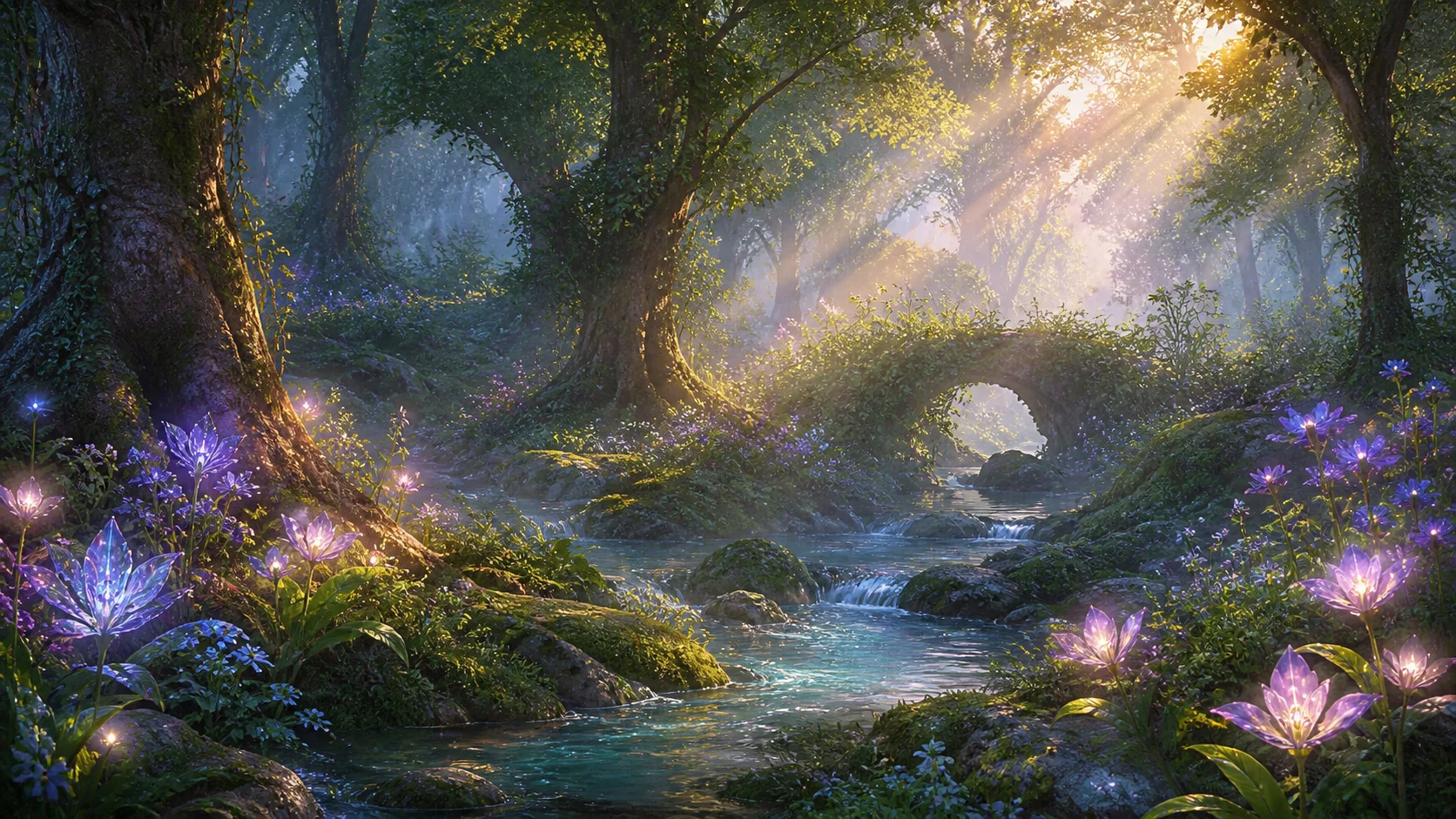
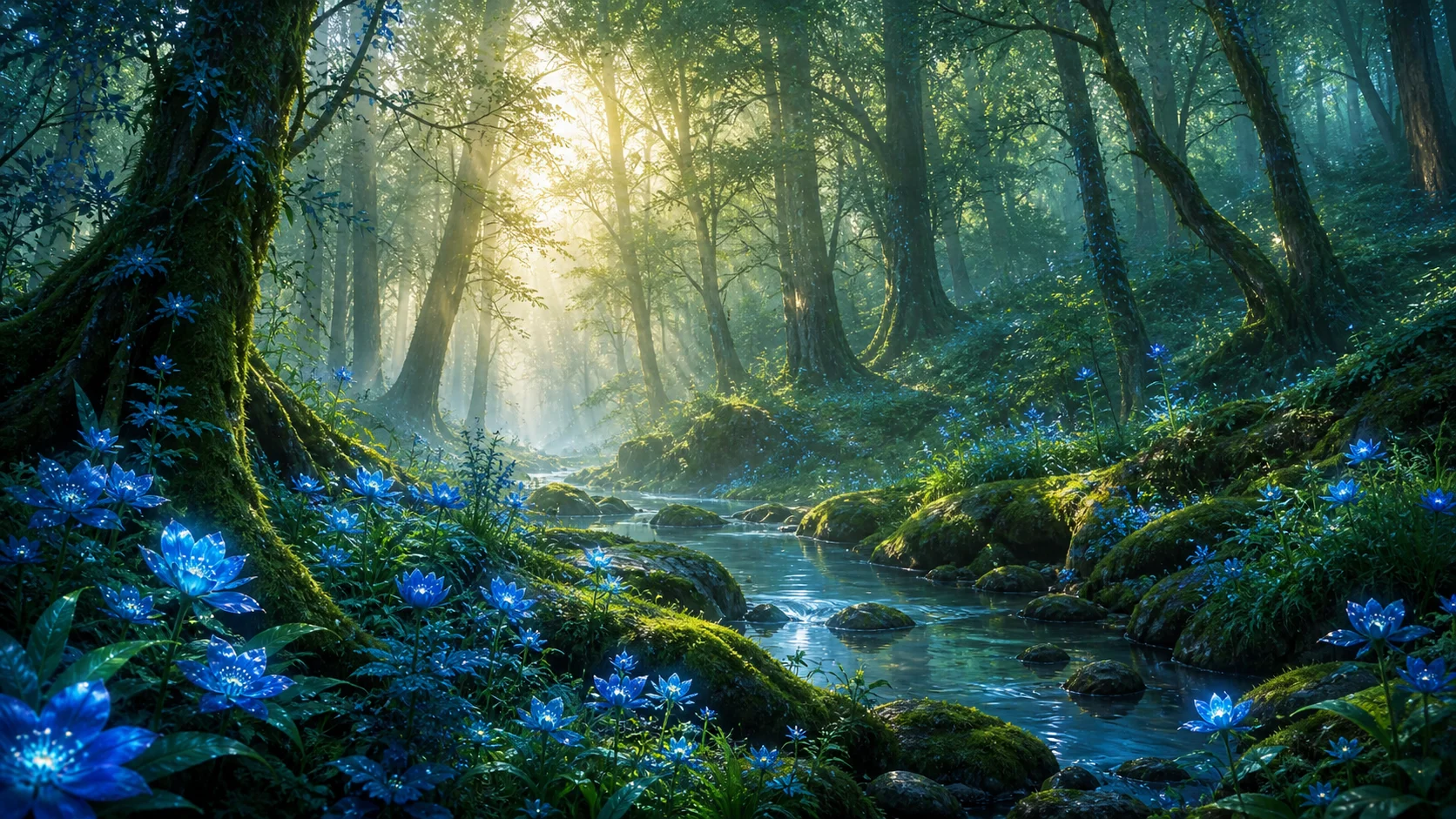
Before generating or uploading the image, ask yourself:
Is the subject clear?
Is the mood clear?
Is the image suitable as a wallpaper?
What problems should I check before uploading?
What title would fit the artwork?
Which tags would help people discover it?
Does the final result feel polished?
Possible title:
Glowing Morning Forest
Possible tags:
fantasy forest, glowing flowers, morning light, peaceful, mist, wallpaper, digital art, AI-assisted, nature, cinematic
Final note
AI-assisted digital art is a creative workflow, not just a shortcut.
Used well, AI can help creators explore ideas, test styles, build worlds, create wallpapers, and discover new visual directions. It can make the creative process faster, but it does not remove the need for taste, judgment, editing, and responsibility.
The creator still matters.
The creator chooses the idea, guides the prompt, selects the best result, checks the details, fixes problems, prepares the image, and presents it with care.
On Skinbase, the best AI-assisted artwork should feel intentional, polished, and worth sharing.
It should not feel like a random generated image. It should feel like a finished creative piece that was selected, improved, and prepared for the community.
A simple way to remember this lesson is:
AI can help you start the artwork.
Your creative decisions make it finished.
Course navigation