
Article
Lesson content
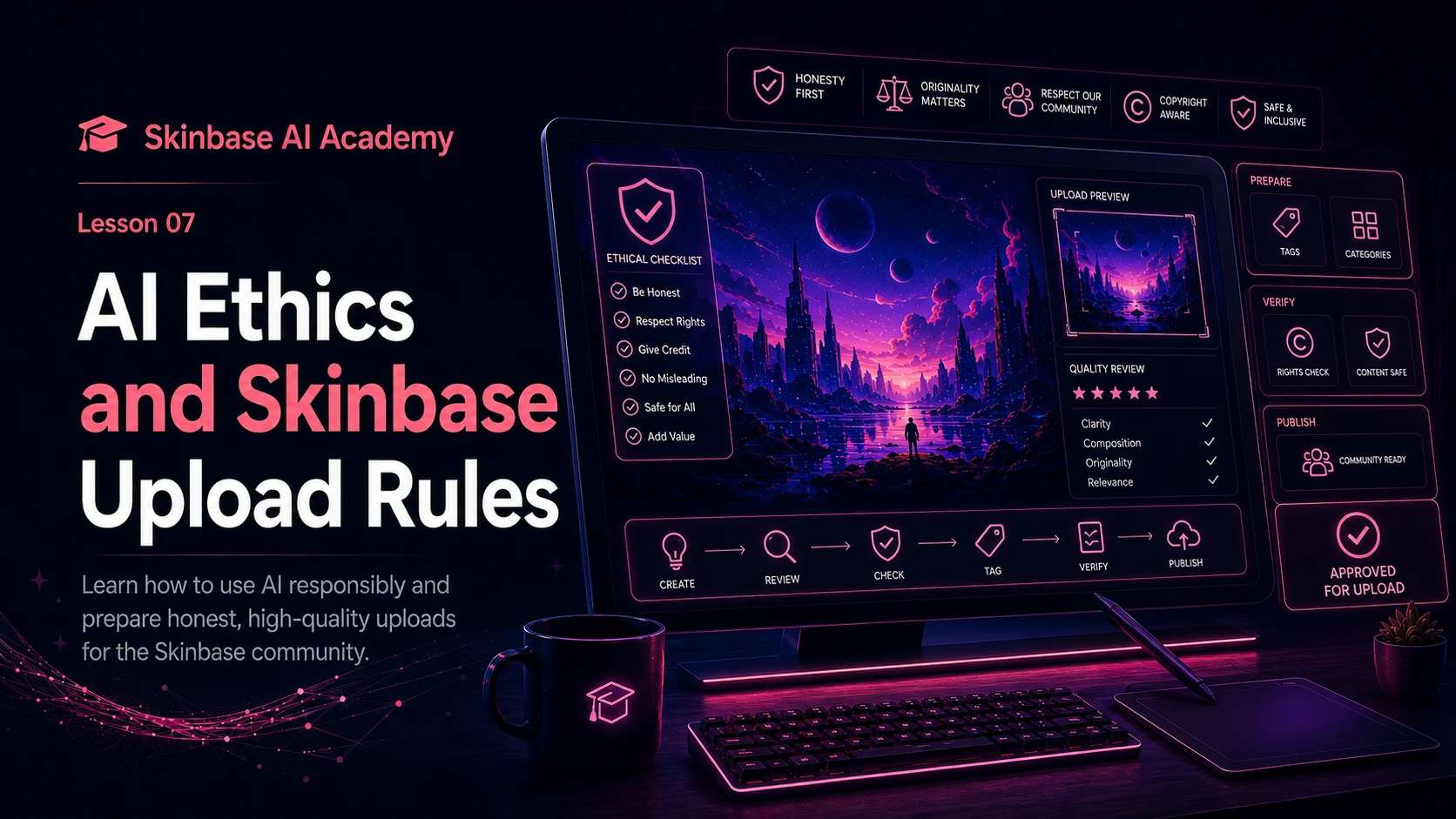
Introduction
AI-assisted digital art can be exciting, creative, and useful.
It can help you explore ideas, create wallpapers, design fantasy worlds, test styles, build concepts, and improve your creative workflow. But with this power comes responsibility.
AI should not be used only to generate as many images as possible and upload them without care. A good creator thinks about quality, honesty, originality, copyright, community trust, and how the artwork is presented.
On Skinbase, AI-assisted artwork should feel intentional, polished, and respectful.
That means creators should ask important questions before uploading:
-
Is this artwork honest?
-
Is it good quality?
-
Does it contain fake text, logos, or watermarks?
-
Does it copy a real artist too closely?
-
Does it imitate copyrighted characters or brands?
-
Is it properly titled, tagged, and categorized?
-
Would this artwork be useful or interesting to the community?
AI ethics is not about stopping creativity. It is about using AI in a way that respects artists, viewers, communities, and platforms.
In this lesson, you will learn the basic rules and good practices for uploading AI-assisted artwork to Skinbase.
The goal is simple:
Use AI creatively, honestly, and responsibly.
1. What does AI ethics mean?
AI ethics means thinking about how AI is used and whether that use is fair, honest, respectful, and responsible.
For digital art, this includes questions like:
-
Did I create something original, or am I copying someone too closely?
-
Am I being honest about using AI?
-
Does my image contain protected characters, logos, or brands?
-
Could the artwork mislead viewers?
-
Is the image safe and appropriate for the community?
-
Is the final result polished enough to upload?
-
Am I flooding the platform with low-quality images?
AI ethics is not only about legal rules. It is also about trust.
If people feel misled, copied, or overwhelmed by low-quality uploads, the community becomes weaker. If creators are honest, careful, and respectful, the community becomes stronger.
A good Skinbase creator uses AI as a creative helper, not as a shortcut to spam the gallery.
2. Be honest about AI assistance
If AI was part of the creative process, be honest about it.
This does not make the artwork less valuable. AI-assisted work can still involve creativity, selection, cleanup, editing, cropping, metadata, and presentation.
A simple note can be enough:
Created with AI assistance and refined for wallpaper use.
Or:
AI-assisted digital artwork, selected from several generations and cleaned up before upload.
Or:
Created using AI as part of the concept and finishing workflow.
Honesty helps viewers understand the artwork better.
It also helps Skinbase organize AI-assisted content properly. If the platform has AI-related tags, fields, categories, or labels, use them correctly.
Do not present AI-assisted artwork as fully handmade if it was not. This can damage trust with viewers and other creators.
A good rule:
Be proud of the workflow, but be honest about the tools.
3. AI-generated vs AI-assisted: why the difference matters
There is a difference between a raw AI-generated image and a finished AI-assisted artwork.
An AI-generated image is usually created from a prompt and exported directly from an AI tool.
An AI-assisted artwork has more creator involvement.
The creator may:
-
write and refine the prompt;
-
generate several versions;
-
choose the strongest result;
-
remove artifacts;
-
fix colors and contrast;
-
crop or resize for wallpaper use;
-
remove fake text or watermark-like marks;
-
prepare title, description, tags, and category;
-
present the image honestly.
This extra work matters.
Skinbase should encourage polished AI-assisted artwork, not random unfinished generations.
A raw AI output may be interesting, but it is not always ready to upload. A finished artwork should feel reviewed, prepared, and intentional.
4. Do not upload low-quality AI spam
One of the biggest problems with AI image tools is quantity.
It is easy to generate many images quickly. But that does not mean every image should be uploaded.
Low-quality AI spam can hurt a creative community.
Examples of low-quality uploads include:
-
many similar images uploaded at once;
-
images with obvious AI mistakes;
-
images with fake text or watermark-like marks;
-
unfinished images with no cleanup;
-
poor titles like “AI image 001”;
-
missing descriptions;
-
random or misleading tags;
-
images that do not fit the chosen category;
-
repeated prompts with almost no creative selection.
Quality is more important than quantity.
Skinbase should feel like a place for curated digital artwork, not a dumping ground for every generated image.
A good rule:
Generate many, upload only the best.
5. Avoid copying living artists too closely
Do not use AI to copy a living artist’s style too closely.
It is better to describe the visual qualities you want instead of naming a specific living artist.
Instead of writing:
in the style of [living artist name]
Try describing the look:
detailed fantasy illustration, soft painterly textures, dramatic lighting, rich colors, cinematic composition
Or:
clean minimal vector style, simple shapes, soft pastel palette, modern editorial design
This helps you create a direction without copying a specific creator’s identity.
It is fine to learn from general art movements, historical styles, or broad visual concepts. But avoid prompts that are clearly meant to imitate a specific contemporary artist.
A good rule:
Use style descriptions, not living artist imitation.
6. Avoid copyrighted characters and brands
Be careful with copyrighted characters, logos, brands, and protected franchises.
Do not upload AI artwork that directly imitates well-known copyrighted characters, official mascots, game characters, movie characters, comic characters, or brand identities unless you have permission.
Examples to avoid:
-
official superhero characters;
-
famous game characters;
-
movie franchise characters;
-
branded logos;
-
company mascots;
-
copied product designs;
-
fake official posters;
-
fake brand advertisements.
Instead, create original concepts.
Rather than:
a wallpaper of a famous copyrighted space warrior
Create:
an original sci-fi explorer in a futuristic desert landscape, cinematic lighting, wide 16:9 wallpaper composition
Rather than:
a famous cartoon mouse character as a robot
Create:
an original friendly robot mascot with rounded shapes, expressive glowing eyes, playful mood, clean 3D render style
Original work is safer, more respectful, and more valuable for Skinbase.
A good rule:
Be inspired by genres, not by copying protected characters or brands.
7. Avoid fake logos, fake signatures, and watermarks
AI images sometimes contain fake logos, fake signatures, or watermark-like marks.
These should be removed before uploading.
They can appear in:
-
image corners;
-
clothing;
-
posters;
-
signs;
-
sky areas;
-
artwork borders;
-
user interface panels;
-
small detailed objects.
Even if they are not real logos, they can make the artwork look copied or unfinished.
Before uploading, zoom in and check carefully.
Use negative notes such as:
no text, no watermark, no logo, no signature, no brand names
If a fake mark appears anyway, remove it manually or generate a cleaner version.
A good Skinbase upload should not contain fake signatures, fake watermarks, or misleading branding.
8. Be careful with fake text
AI tools often generate fake text.
This can appear on signs, books, screens, posters, clothing, interface panels, and banners.
Fake text may look acceptable in a small preview, but at full size it often becomes unreadable or broken.
For most artwork, avoid text inside the AI image unless you plan to add it manually later.
Use negative notes such as:
no text, no letters, no words, no typography, no fake UI text
For covers and article images, it is often better to generate the background without text and then add the final typography yourself in a design tool. This gives you cleaner, readable, professional results.
A good rule:
If the text matters, add it manually.
9. Respect people and identity
Be careful when creating images of real people.
Do not create misleading, harmful, or disrespectful images of real people. Do not create fake images that could confuse viewers or make it look like someone did something they did not do.
For Skinbase, it is usually better to focus on original characters, fictional scenes, abstract art, landscapes, icons, skins, wallpapers, and creative worlds.
If you create human-like characters, make them original.
Avoid using AI to impersonate real people, create fake endorsements, or mislead viewers.
A good rule:
Create original people and characters, not misleading copies of real people.
10. Respect community safety
Skinbase should be a creative and welcoming space.
AI-assisted artwork should respect community standards.
Avoid uploading content that is hateful, harassing, exploitative, excessively violent, sexually inappropriate, or designed to shock or harm others.
Also avoid content that targets real people or groups in a harmful way.
Even if an AI tool can generate something, that does not mean it belongs on Skinbase.
Before uploading, ask:
-
Is this respectful?
-
Is it safe for the community?
-
Could it harm or target someone?
-
Does it fit the purpose of Skinbase?
-
Would I be comfortable seeing this in a public gallery?
A good rule:
Use creativity to build, not to harm.
11. Choose accurate titles
A title should describe the artwork clearly.
Avoid misleading titles.
Weak title:
Real photo from Mars
Better title:
Dream of Mars Valley
Weak title:
Official game poster
Better title:
Futuristic Battle Arena Concept
Weak title:
Handmade oil painting
Better title:
AI-Assisted Fantasy Castle Artwork
The title should not claim something false.
If the image is AI-assisted, do not describe it as a real photograph, official poster, or fully handmade painting unless that is true.
Good titles help viewers understand the artwork and build trust.
12. Use accurate descriptions
The description should give useful context.
It can explain:
-
what the image shows;
-
the mood or idea;
-
the intended use;
-
whether AI was used;
-
whether the image was edited or refined.
Example:
A cinematic fantasy castle wallpaper with golden sunset lighting and dramatic clouds. Created with AI assistance, selected from several generations, and prepared for desktop wallpaper use.
This is honest and useful.
Avoid descriptions that mislead viewers.
Bad description:
Official artwork from a fantasy game.
Better description:
Original fantasy game-inspired concept artwork created with AI assistance.
A good description helps the viewer understand the artwork without confusion.
13. Use accurate tags
Tags should describe the artwork honestly.
Good tags describe:
-
subject;
-
style;
-
mood;
-
format;
-
genre;
-
workflow.
Example:
fantasy castle, sunset, cinematic, wallpaper, digital art, AI-assisted, landscape, epic, mountain
Avoid tags that are unrelated only because they are popular.
If the image is not cyberpunk, do not tag it as cyberpunk.
If the image is not pixel art, do not tag it as pixel art.
If the image is not a real photograph, do not tag it as photography.
If the image was created with AI assistance, use AI-related tags where appropriate.
Accurate tags improve discovery and keep Skinbase organized.
A good rule:
Tags should describe the artwork, not advertise it dishonestly.
14. Choose the correct category
The category should match the artwork.
A fantasy forest wallpaper should not be placed in a technology category just to get more views. A sci-fi robot icon should not be placed in nature. A mobile wallpaper should not be categorized as a desktop skin if it is not one.
Correct categories help users browse Skinbase more easily.
They also help recommendations, search, and related artwork.
Ask:
-
What is the main type of artwork?
-
Where would users expect to find it?
-
Does the category match the final image?
-
Is this a wallpaper, icon, skin, artwork, cover, or concept?
A good rule:
Use the category for the main type of artwork. Use tags for details.
15. Upload only work you have reviewed
Do not upload images without checking them.
Before publishing, review:
-
full-size image quality;
-
fake text;
-
watermarks;
-
logos;
-
signatures;
-
anatomy problems;
-
distorted objects;
-
bad crop;
-
poor resolution;
-
wrong category;
-
weak metadata.
A simple final checklist:
-
Is the image clean?
-
Is the subject clear?
-
Is the resolution good?
-
Is the title useful?
-
Is the description honest?
-
Are the tags accurate?
-
Is the category correct?
-
Did I mention AI assistance if needed?
-
Would I be proud to show this artwork?
If the answer is yes, the artwork is ready.
If not, edit it, regenerate it, or skip the upload.
16. Do not flood the community
AI tools make it easy to create many images quickly.
But uploading too many similar images can hurt the browsing experience.
Instead of uploading 30 similar fantasy forests, choose the best one or two.
Ask:
-
Which version is strongest?
-
Which one has the best composition?
-
Which one has the cleanest details?
-
Which one feels most original?
-
Which one would viewers actually enjoy?
Skinbase should reward quality, not volume.
A good creator curates their work.
A good rule:
Generate many, select carefully, upload responsibly.
17. Think about originality
AI tools are trained on many visual patterns, so generated images can sometimes feel familiar or generic.
Try to add your own creative direction.
You can make your work more original by choosing:
-
a specific subject;
-
a unique mood;
-
a custom color palette;
-
an unusual setting;
-
a personal theme;
-
a Skinbase world concept;
-
a story idea;
-
a carefully designed composition;
-
manual edits;
-
a custom title and description.
Weak idea:
fantasy landscape
More original idea:
a quiet floating island garden above soft clouds, with glowing blue flowers, ancient stone ruins, and a warm sunrise atmosphere
Originality often comes from specific choices.
A good rule:
The more intentional your idea, the less generic the result.
18. Respect the difference between inspiration and copying
Inspiration is normal. Copying is different.
Inspiration means learning from general ideas, genres, moods, or techniques.
Examples of inspiration:
-
fantasy landscapes;
-
cyberpunk cities;
-
retro pixel art;
-
gothic architecture;
-
sci-fi spaceships;
-
dreamy abstract wallpapers;
-
old computer art aesthetics.
Copying means trying to reproduce a specific artist, character, logo, brand, or existing artwork too closely.
Better approach:
Create an original dark gothic fantasy castle with dramatic clouds and golden sunset lighting.
Avoid:
Copy this exact famous castle artwork.
Better approach:
Create an original retro pixel-art island with a nostalgic 1990s computer mood.
Avoid:
Make it look exactly like a specific copyrighted game scene.
A good rule:
Be inspired by broad creative directions, but make the final artwork your own.
19. Good AI upload example
Here is an example of a responsible Skinbase upload.
Prompt idea:
A peaceful fantasy forest wallpaper with glowing blue flowers, soft morning light, gentle mist, wide 16:9 composition, detailed digital painting style, high-resolution, no text, no watermark.
Creator workflow:
-
generated several versions;
-
chose the strongest composition;
-
removed a small fake mark in the corner;
-
adjusted brightness and contrast;
-
cropped for desktop wallpaper use;
-
checked the image at full size;
-
added accurate metadata.
Title:
Glowing Morning Forest
Description:
A peaceful fantasy forest wallpaper with glowing blue flowers, soft morning light, and gentle mist. Created with AI assistance, selected from several generations, and refined for desktop wallpaper use.
Tags:
fantasy forest, glowing flowers, morning light, mist, peaceful, nature, wallpaper, digital art, AI-assisted, cinematic
Category:
Wallpapers / Fantasy / Nature
This upload is honest, polished, and useful.
20. Bad AI upload example
Here is an example of a weak upload.
Image:
A generated fantasy forest with fake text on a sign, strange glowing shapes, and a watermark-like mark in the corner.
Title:
AI image 0004
Description:
cool pic
Tags:
cool, art, random, trending, photo, cyberpunk
Category:
Technology
Problems:
-
weak title;
-
poor description;
-
misleading tags;
-
wrong category;
-
fake text was not removed;
-
watermark-like mark was not checked;
-
no clear creative presentation;
-
likely uploaded too quickly.
This kind of upload does not help the community.
A better choice would be to clean the image, rename it properly, use accurate tags, choose the correct category, or skip the upload.
21. Basic Skinbase AI upload checklist
Before uploading AI-assisted artwork, use this checklist.
Image quality
-
The image is clean.
-
The subject is clear.
-
The resolution is good.
-
The crop is correct.
-
The image works for its intended purpose.
-
There are no obvious AI artifacts.
Text and marks
-
No fake text.
-
No watermark.
-
No fake signature.
-
No unwanted logo.
-
No misleading brand marks.
Originality and respect
-
The artwork does not copy a living artist too closely.
-
The artwork does not imitate copyrighted characters or brands.
-
The image does not mislead viewers.
-
The content is respectful and community-safe.
Metadata
-
The title is clear.
-
The description is useful and honest.
-
Tags are accurate.
-
The category matches the artwork.
-
AI assistance is mentioned if needed.
Final decision
-
I reviewed the image at full size.
-
I selected this image intentionally.
-
I would be proud to show this artwork.
If the artwork passes this checklist, it is much more likely to be a good Skinbase upload.
Key takeaways
AI-assisted artwork should be honest, polished, and respectful.
Do not upload raw AI output without review.
Mention AI assistance when appropriate.
Avoid copying living artists too closely.
Avoid copyrighted characters, brands, logos, fake signatures, and watermarks.
Use accurate titles, descriptions, tags, and categories.
Do not flood the community with many low-quality or nearly identical images.
Generate many ideas, but upload only the strongest work.
The best Skinbase uploads feel intentional, curated, and ready for the community.
Practical exercise
Choose one AI-assisted artwork you created or plan to create.
Before uploading it, review it using this checklist:
-
Open the image at full size.
-
Check for fake text, logos, signatures, and watermarks.
-
Check for strange AI artifacts.
-
Confirm that the artwork does not copy a specific artist, character, or brand.
-
Decide whether the image is polished enough to upload.
-
Write a clear title.
-
Write an honest description.
-
Add accurate tags.
-
Choose the correct category.
-
Mention AI assistance if needed.
Example final metadata:
Title:
Glowing Morning Forest
Description:
A peaceful fantasy forest wallpaper with glowing blue flowers, soft morning light, and gentle mist. Created with AI assistance, selected from several generations, and refined for desktop wallpaper use.
Tags:
fantasy forest, glowing flowers, morning light, mist, peaceful, nature, wallpaper, digital art, AI-assisted, cinematic
Category:
Wallpapers / Fantasy / Nature
Now ask yourself:
-
Is this artwork honest?
-
Is it polished?
-
Is it respectful?
-
Is it useful or interesting for Skinbase?
-
Would I be proud to publish it?
If yes, the artwork is ready to share.
Final note
AI can help creators make beautiful and imaginative artwork.
But good AI-assisted art is not only about generation. It is also about responsibility.
A Skinbase creator should care about honesty, quality, originality, and community trust.
Use AI as a creative helper.
Review your work carefully.
Respect other creators.
Avoid misleading uploads.
Share only the artwork that feels ready.
That is how AI-assisted creativity can become a positive part of the Skinbase community.
Course navigation
Continue this course
Previous lesson
Lesson 06
Negative Prompts and Quality Control
Negative prompts help tell AI tools what to avoid. In this lesson, Skinbase creators learn how to reduce common AI image mistakes and check artwork carefully before uploading.
Next lesson
Lesson 08
Preparing AI Artwork for Upload
Before AI-assisted artwork is uploaded, it should be checked, cleaned, resized, titled, tagged, and prepared properly. In this lesson, Skinbase creators learn how to turn a generated image into a polished upload-ready artwork.