
Article
Lesson content
Creating a Faithful AI Remaster
Now that the original Dream Island image has been analyzed and prepared, we can create the first AI remaster.
This lesson focuses on the most controlled version of the workflow: a faithful remaster. The goal is to improve the image while keeping it clearly connected to the original 2001 artwork.
This is not the stage for fantasy villages, boats, bridges, meteors, castles, or major story changes. Those can come later. First, we need to prove that the original image can be upgraded without losing its identity.
What Makes a Remaster Faithful?
A faithful remaster improves technical quality while preserving the original creative direction.
For Dream Island, that means we want to preserve:
the rocky island layout
the reflective water
the low landscape viewpoint
the dramatic cloudy sky
the mysterious dreamlike mood
the open wallpaper composition
the mossy green rock surfaces
the feeling of an isolated island world
The AI should improve the surface quality, not replace the concept.
A useful rule is:
If someone who knows the original cannot recognize the remastered version, the image has changed too much.
Start with a Clear Intention
Before writing the prompt, define the intention of this pass.
For this lesson, the intention is:
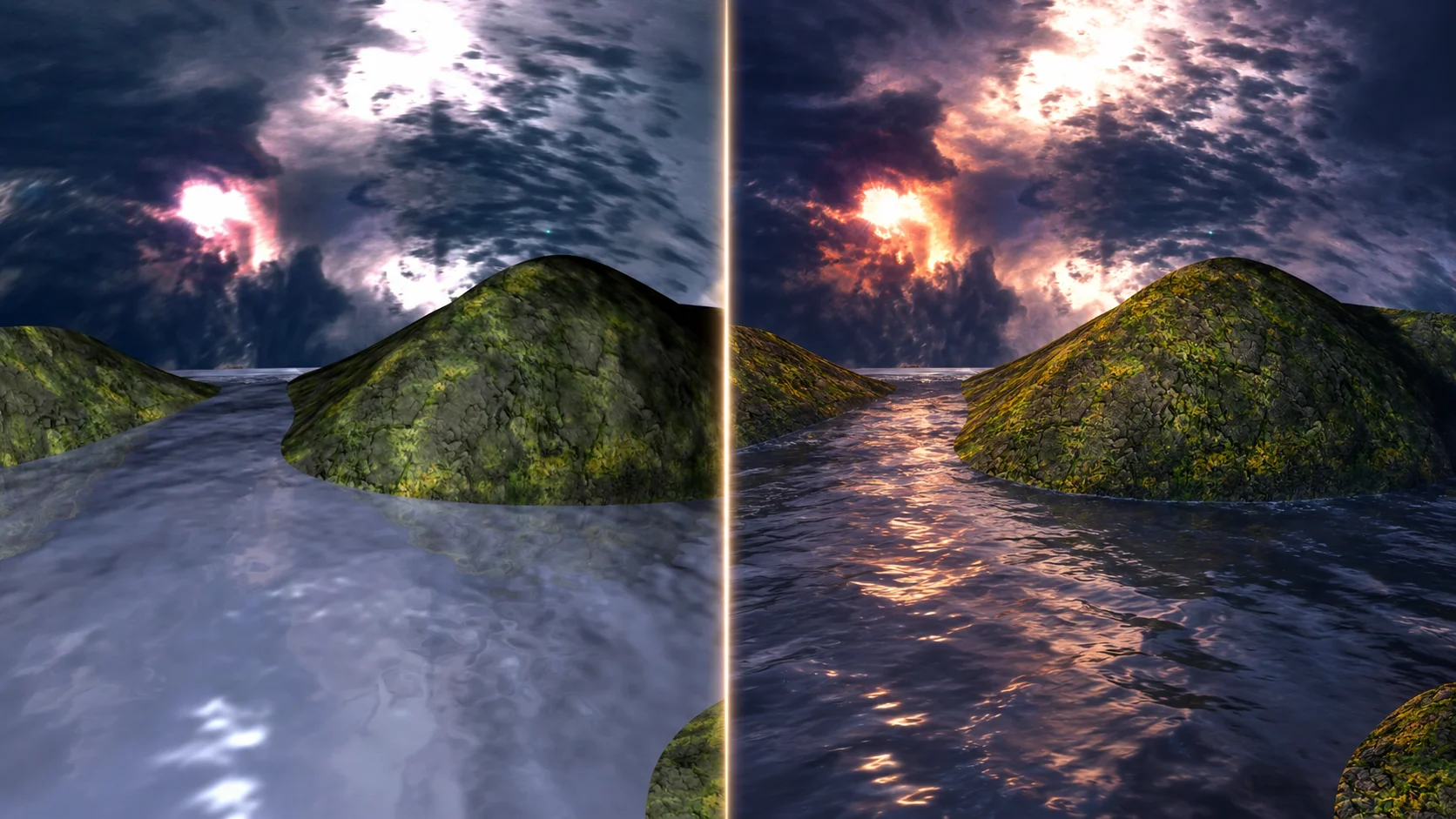
Create a modern cinematic version of Dream Island that keeps the original composition, subject, and mood, while improving lighting, water, sky, rock texture, atmosphere, and wallpaper quality.
This sentence should guide the whole generation.
Without this intention, it is easy to over-prompt the image and accidentally create a completely new scene.
Use the Original as a Reference
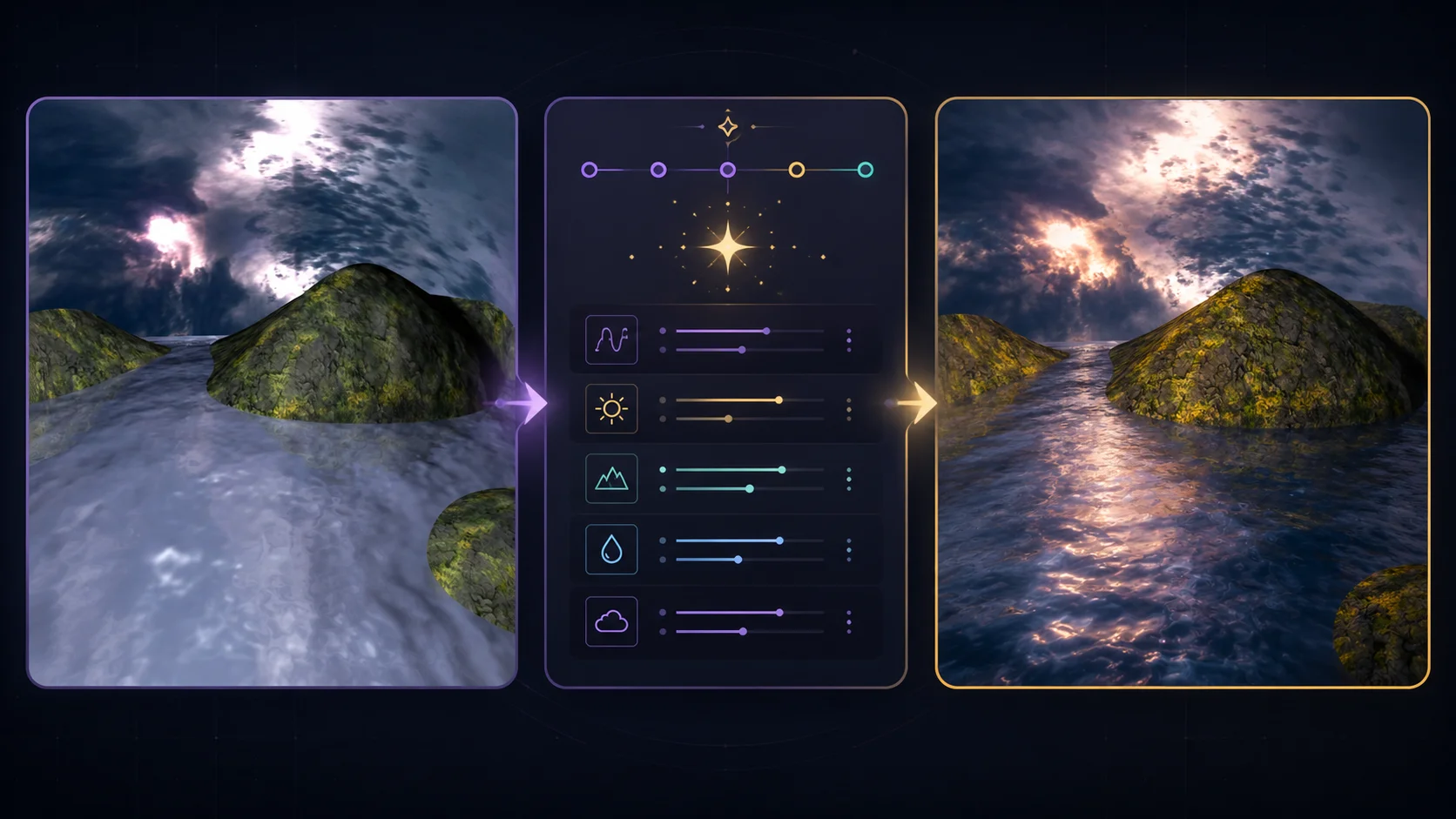
A faithful remaster works best with an image-to-image workflow. Instead of only describing the artwork with text, use the prepared Dream Island source image as a visual reference.
The reference image tells the AI:
where the islands are placed
how much sky and water should be visible
what the camera angle looks like
what the main silhouette should be
how the scene is structured
The text prompt then explains how the image should be improved.
Recommended Prompt
Use a prompt that is specific but controlled.
text Use the original 2001 Dream Island landscape wallpaper as a visual reference. Preserve the same rocky island placement, reflective water channel, low camera angle, dramatic cloudy sky, mossy green rock surfaces, and mysterious dreamlike atmosphere. Create a faithful modern cinematic remaster with improved lighting, realistic water reflections, detailed wet rock textures, natural moss, soft atmospheric mist, richer cloud depth, subtle sunset glow, high dynamic range, and wallpaper-ready clarity. Keep the composition close to the original and avoid adding new story objects.
This prompt gives the AI enough direction to improve the image, but it also clearly says what must remain stable.
Recommended Negative Prompt
A negative prompt helps prevent the AI from moving too far away from the original.
text no village, no castle, no boats, no bridge, no people, no animals, no meteors, no fantasy buildings, no modern buildings, no text, no logo, no watermark, no unreadable letters, no extreme color saturation, no cartoon style, no distorted rocks, no plastic water, no completely different camera angle
The negative prompt is important because many AI models try to add extra visual drama. For this lesson, we want restraint.
Control the Strength
Most image-to-image tools allow some type of strength, denoise, creativity, or guidance setting.
For a faithful remaster, do not set this too high.
A useful starting range is:
low to medium strength for preserving composition
medium prompt guidance for improving materials and lighting
avoid maximum creativity settings
If the strength is too low, the image may barely improve. If the strength is too high, the AI may replace the island, change the sky, or invent a different scene.
The best faithful remaster usually comes from a balanced setting where the source image still controls the structure.
Generate Several Variations
Do not expect the first result to be final.
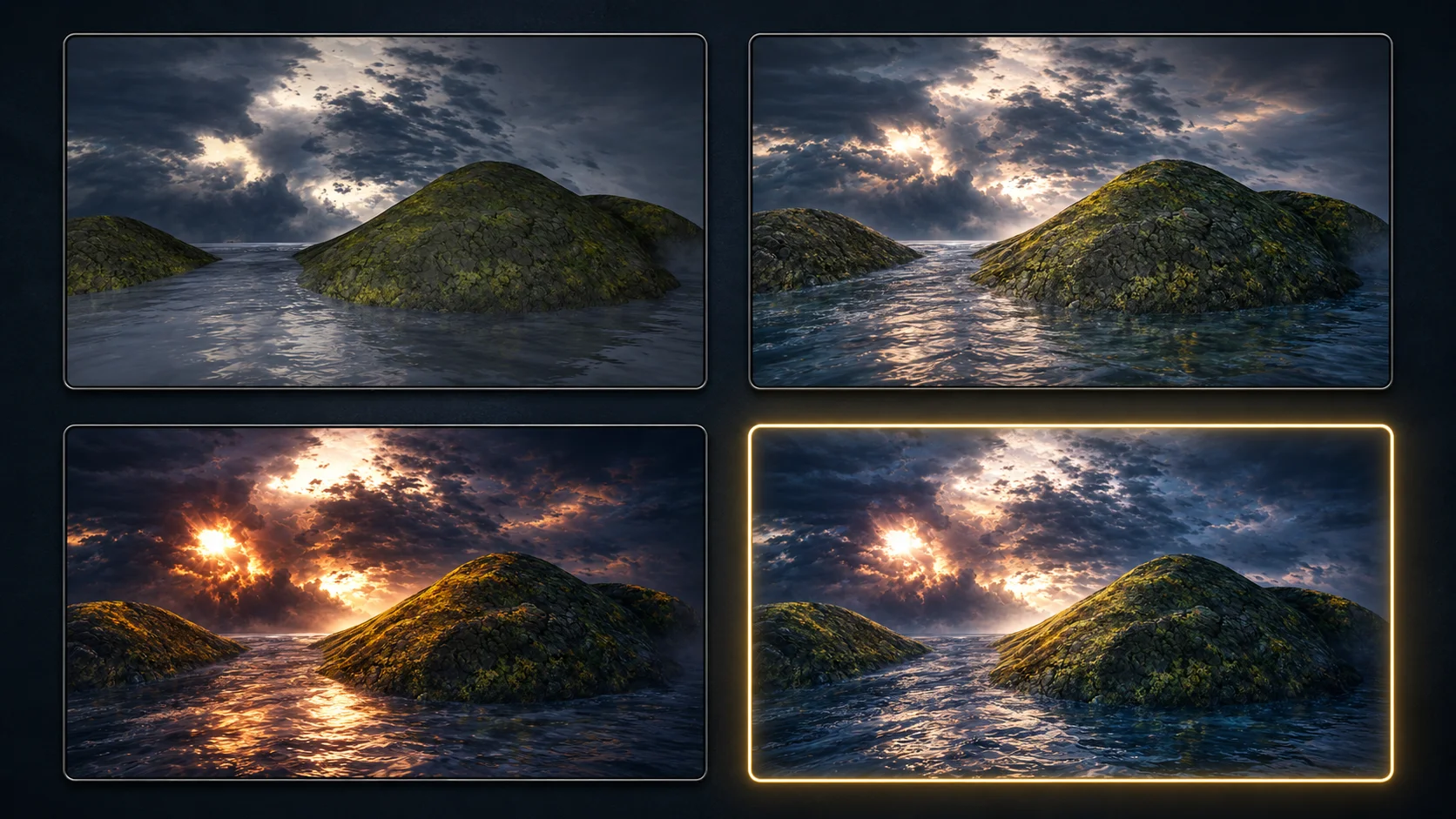
Generate several controlled variations and compare them. For each version, ask:
Does it still feel like Dream Island?
Is the main island shape still recognizable?
Did the water remain important?
Did the sky keep the same dramatic role?
Is the result cleaner and more cinematic?
Did the AI add objects that do not belong yet?
Are there artifacts, fake text, broken rock shapes, or strange reflections?
A faithful remaster is selected, not guessed.
What to Improve in This Pass
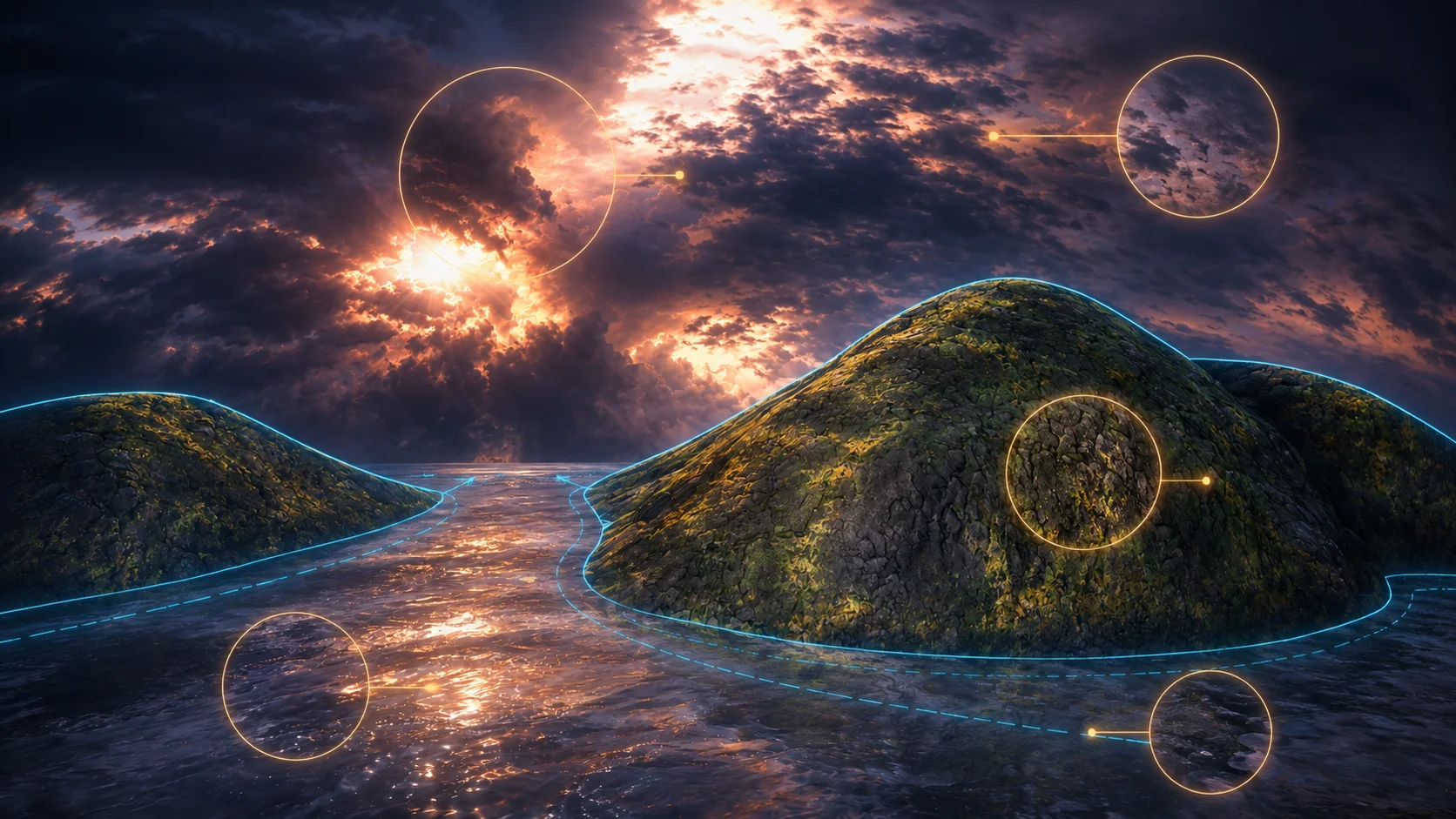
In the first faithful remaster, focus on technical and atmospheric improvements.
Water
The water should become more natural and reflective. Look for gentle waves, believable highlights, better depth, and a stronger connection to the sky.
Rocks
The rocks should gain sharper texture, wet surfaces, cracks, moss variation, and more realistic light response.
Sky
The sky should become deeper and more cinematic, but it should not turn into a completely different weather system.
Atmosphere
Soft mist, distant haze, and subtle glow can help the scene feel larger and more immersive.
Color
The color can become richer, but avoid making the image too saturated or artificial. Dream Island should still feel mysterious and atmospheric.
What to Avoid in This Pass
Do not use this first remaster to add a new story.
Avoid adding:
fantasy houses
lanterns
boats
bridges
characters
birds or swans
meteors
magical portals
castles
dramatic fire or explosions
These elements can be beautiful later, but they change the purpose of the image. The faithful remaster should remain close to the original.
Comparing Against the Original
Place the original and remastered version side by side.
The remaster should feel like a modern version of the same idea. The image should be sharper, deeper, and more polished, but the core scene should still be obvious.
A good faithful remaster usually has this balance:
same composition
better lighting
better materials
better atmosphere
cleaner wallpaper quality
no unnecessary new objects
If the new version looks impressive but unrelated, save it as an experiment and try again with lower strength or stricter prompt language.
Refining the Prompt
If the result changes too much, make the prompt stricter.
Add phrases like:
keep the island shapes close to the source image
preserve the original camera angle
do not add new objects
maintain the same landscape structure
faithful remaster, not a redesign
If the result is too plain, make the improvement language stronger.
Add phrases like:
more cinematic lighting
richer atmospheric depth
more detailed rock and moss surfaces
stronger water reflections
modern high-resolution wallpaper finish
The goal is not one perfect prompt. The goal is controlled iteration.
Saving the Best Version
When you find a strong result, save it with a clear name.
Example:
dream-island-2026-faithful-remaster-v1
dream-island-2026-faithful-remaster-v2
dream-island-2026-faithful-remaster-selected
Also save the prompt and settings used to create it. This makes the process repeatable and useful for teaching.
For a Skinbase Academy workflow, the prompt is part of the lesson. Students should understand why the image improved, not only see the final result.
Faithful Remaster Checklist
Before moving to the next lesson, review your selected image with this checklist:
The original Dream Island composition is still recognizable.
The main rocky island remains the central subject.
The reflective water is still important.
The dramatic sky still defines the mood.
Lighting and materials are improved.
The image looks cleaner and more wallpaper-ready.
No unwanted text, logos, or fake signatures were generated.
No major story objects were added too early.
The result feels like a remaster, not a replacement.
If the image passes this checklist, it is ready for the next stage.
Lesson Takeaway
A faithful AI remaster is about control. The AI should improve the image, but the original artwork should still lead the direction.
For Dream Island, the first successful remaster should feel like the same scene rebuilt with better lighting, richer water, stronger atmosphere, and modern wallpaper quality.
In the next lesson, we will focus more deeply on the visual materials: water, rock, moss, and sky.
Course navigation
Continue this course
Previous lesson
AI Remaster Lab: Dream Island 2001 → 2026 · Lesson 03
Preparing a 2001 Render for AI
Prepare an older digital render for AI remastering by cleaning, cropping, documenting, and protecting the original source.
Next lesson
AI Remaster Lab: Dream Island 2001 → 2026 · Lesson 05
Improving Water, Rock, Moss, and Sky
Learn how to improve the key natural materials in Dream Island without changing the original scene.