
Article
Lesson content
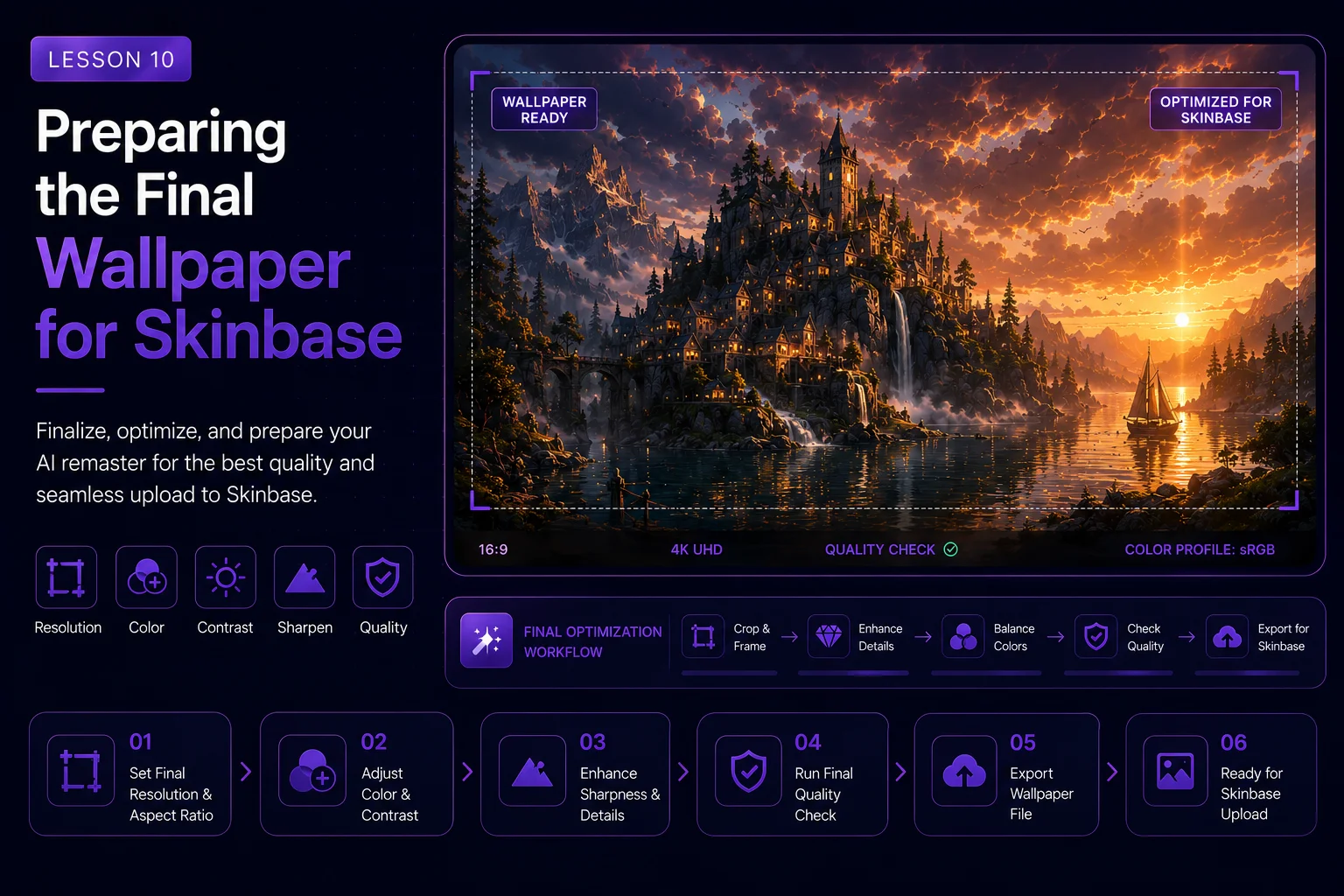
Preparing the Final Wallpaper for Skinbase
After comparing the different Dream Island remaster versions, the next step is preparing the selected final image for Skinbase. This lesson focuses on export quality, metadata, honest labeling, tags, description, and presentation.
A good AI remaster is not finished when the image looks beautiful. It also needs to be prepared clearly so viewers understand what it is, where it came from, and how it connects to the original artwork.
Start with the Selected Final
Before uploading, decide which version you are preparing.
For this course, there are usually two strong final directions:
a faithful remaster that stays close to the original Dream Island composition
a creative fantasy reinterpretation that adds village, boats, bridge, lanterns, and story atmosphere
Do not mix the labels. If the image is faithful, call it a remaster. If the image adds major new story elements, call it a reinterpretation.
Clear labeling builds trust.
Inspect the Final Image
Before export, review the image at full size.
Check for:
fake text or unreadable marks
distorted houses or roofs
broken bridges
strange boat shapes
unnatural reflections
over-sharpened edges
noisy details
duplicated objects
strange water contact around rocks
artifacts in the sky
Small AI mistakes can be easy to miss in a preview, but they become obvious after upload. Clean them before publishing.
Check Wallpaper Usability
A Skinbase wallpaper should work as a real desktop background, not only as a small artwork preview.
Check:
the main subject is clear
the image has enough breathing room
the sky and water are not too cluttered
details do not fight for attention everywhere
contrast is strong but not harsh
the image works at full screen
the image still looks good as a thumbnail
For Dream Island, useful breathing room can come from the sky, water, mist, and darker shadow areas.
Export at High Quality
Export the final wallpaper in a clean, high-quality format.
Recommended approach:
keep a lossless master file for your archive
export a high-quality upload version
avoid excessive compression
avoid repeated re-saving
keep the final image sharp but not over-sharpened
preserve natural color gradients in sky and water
If you are preparing multiple sizes, make sure each one is generated from the final master, not from an already compressed copy.
Prepare Useful Versions
For a course or upload workflow, it helps to prepare more than one version.
Suggested files:
original 2001 source image
faithful remaster final
creative reinterpretation final
before-and-after comparison image
course thumbnail crop
social teaser crop
This makes the artwork useful across the Skinbase artwork page, Academy lesson pages, news posts, and social promotion.
Avoid Fake Text Inside the Image
AI-generated text often looks broken. If the final image contains fake signs, fake signatures, unreadable marks, or random letters, remove them before upload.
Credits should be added in the description and metadata, not as corrupted AI text inside the artwork.
For Dream Island, the final image should not contain fake logos, watermarks, unreadable labels, or random decorative text.
Write an Honest Title
The title should clearly explain the project.
Possible titles:
Dream Island 2026 Remaster
Dream Island AI Remaster
Dream Island: Fantasy Village Reinterpretation
Dream Island 2001 to 2026
Dream Island Reimagined
For a faithful version, use language like remaster or enhanced version.
For a fantasy version, use language like reinterpretation, reimagined, or inspired by.
Write a Clear Description
The description should explain the relationship between the new image and the original artwork.
Example for a faithful remaster:
text A modern AI-assisted remaster of the original 2001 Dream Island artwork. The island composition, reflective water, dramatic sky, and mysterious atmosphere were preserved, while the lighting, water detail, rock texture, moss, and overall wallpaper presentation were rebuilt for a cleaner modern result.
Example for a creative reinterpretation:
text A creative AI-assisted reinterpretation of the original 2001 Dream Island artwork. The rocky island, water channel, and dramatic sky concept were preserved, while the scene was expanded into a cinematic fantasy village with warm lights, boats, bridge detail, mist, and stronger story atmosphere.
The description should be honest, concise, and useful for viewers.
Credit the Original Source
When a remaster is based on an earlier artwork, always credit the original source.
For this course, mention:
original artwork title: Dream Island
original year: 2001
original creator if known
original concept or tool context if relevant
that the new result is AI-assisted
This is especially important when publishing a reinterpretation. Viewers should understand that the final image has a history.
Choose Strong Tags
Tags help people discover the artwork.
Recommended tags for this project:
text ai-remaster, dream-island, landscape, wallpaper, fantasy-landscape, cinematic, digital-art, before-after, reimagined, water, rocks, moss, dramatic-sky, atmosphere, skinbase-academy
For the fantasy village version, add:
text fantasy-village, lanterns, boats, bridge, worldbuilding, cozy-fantasy
For the faithful remaster, add:
text faithful-remaster, restoration, classic-wallpaper, image-enhancement
Use tags that describe the actual image. Do not add unrelated popular tags only for visibility.
Suggested Category
Dream Island is best treated as a landscape wallpaper.
Suggested category direction:
text Wallpapers / Landscape
For the fantasy village version, it can also fit fantasy landscape discovery, but the base category should still remain landscape-focused.
Add AI Transparency
AI transparency does not weaken the artwork. It makes the process clearer and more professional.
Use wording such as:
text AI-assisted remaster based on the original Dream Island artwork.
Or:
text AI-assisted creative reinterpretation of the original Dream Island scene.
Avoid making the final image sound like an untouched 2001 render if it has been rebuilt with AI.
Prepare Before-and-After Presentation
This project is ideal for a before-and-after presentation.
Useful comparison formats:
original vs faithful remaster
faithful remaster vs fantasy reinterpretation
step-by-step image sequence
side-by-side comparison
before-and-after slider
For Skinbase Academy, the comparison is part of the learning experience. It shows how each stage changed the image.
Final Upload Checklist
Before publishing, check:
the final image is clean and high quality
the image has no fake text or unwanted watermark
the title clearly describes the version
the description explains the original source
the AI-assisted process is disclosed
the category is correct
tags are relevant
the image works as a wallpaper
the thumbnail crop is readable
the final version is not mislabeled
If the image passes this checklist, it is ready for Skinbase.
Suggested Metadata Example
Use this as a starting point for the final upload.
text Title: Dream Island 2026 AI Remaster Category: Wallpapers / Landscape Tags: ai-remaster, dream-island, landscape, wallpaper, cinematic, digital-art, water, rocks, moss, dramatic-sky, before-after Description: A modern AI-assisted remaster of the original 2001 Dream Island artwork. The original island, reflective water, and dramatic sky concept were preserved, while lighting, atmosphere, rock texture, moss detail, and wallpaper presentation were rebuilt for a modern cinematic result.
For the fantasy version:
text Title: Dream Island 2026 Fantasy Village Reinterpretation Category: Wallpapers / Landscape Tags: ai-remaster, dream-island, fantasy-village, landscape, wallpaper, cinematic, lanterns, boats, bridge, atmosphere, reimagined Description: A creative AI-assisted reinterpretation of the original 2001 Dream Island artwork. The rocky island, water channel, and dramatic sky were preserved, while the scene was expanded into a cinematic fantasy village with warm lights, boats, bridge detail, mist, and story atmosphere.
Lesson Takeaway
Preparing the final wallpaper is part of the creative workflow. Export quality, metadata, tags, description, transparency, and presentation all affect how the artwork is understood.
For Dream Island, the final upload should celebrate both the original 2001 artwork and the new AI-assisted result. The strongest presentation is honest, clean, well-labeled, and visually ready for Skinbase.
Lesson navigation
Continue in order
Previous lesson
AI Remaster Lab: Dream Island 2001 → 2026 · Lesson 09
Comparing Versions and Choosing the Best Final
Learn how to compare every Dream Island remaster version and choose the strongest final image for publication.
Next lesson
AI Remaster Lab: Dream Island 2001 → 2026 · Lesson 11
Final Challenge: Remaster One of Your Own Old Artworks
Apply the full AI remaster workflow to one of your own older artworks and prepare a finished before-and-after result.