
Article
Lesson content
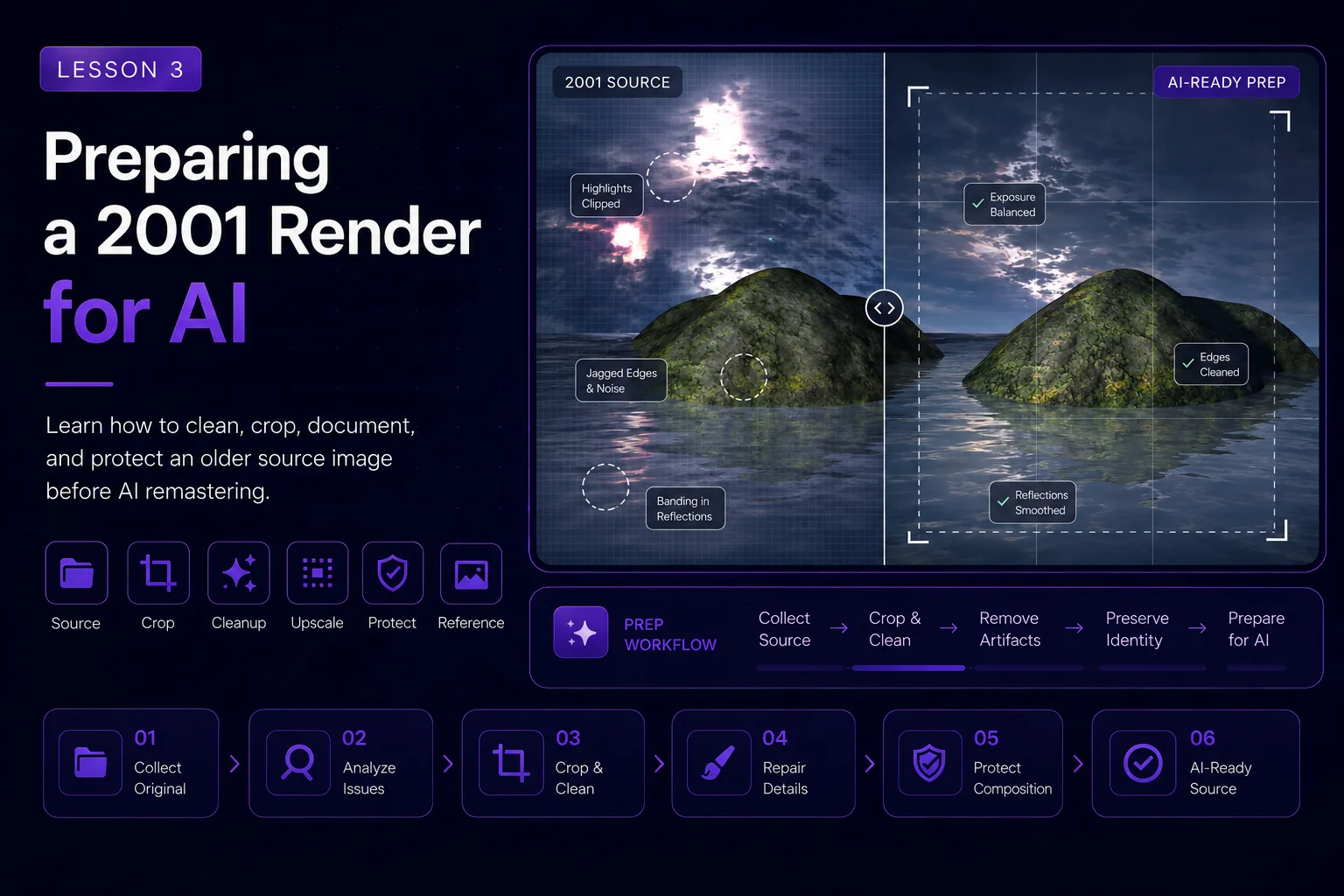
Preparing a 2001 Render for AI
Before we ask AI to improve an old artwork, we need to prepare the source image properly. This step is easy to skip, but it has a major impact on the final result.
A clean source image gives the AI clearer information. A messy source image can confuse the AI, exaggerate old artifacts, copy unwanted text, or change the composition too aggressively.
In this lesson, we prepare the original Dream Island render so it can become a useful reference for a controlled AI remaster.
Start by Protecting the Original
The first rule is simple: never overwrite the original file.
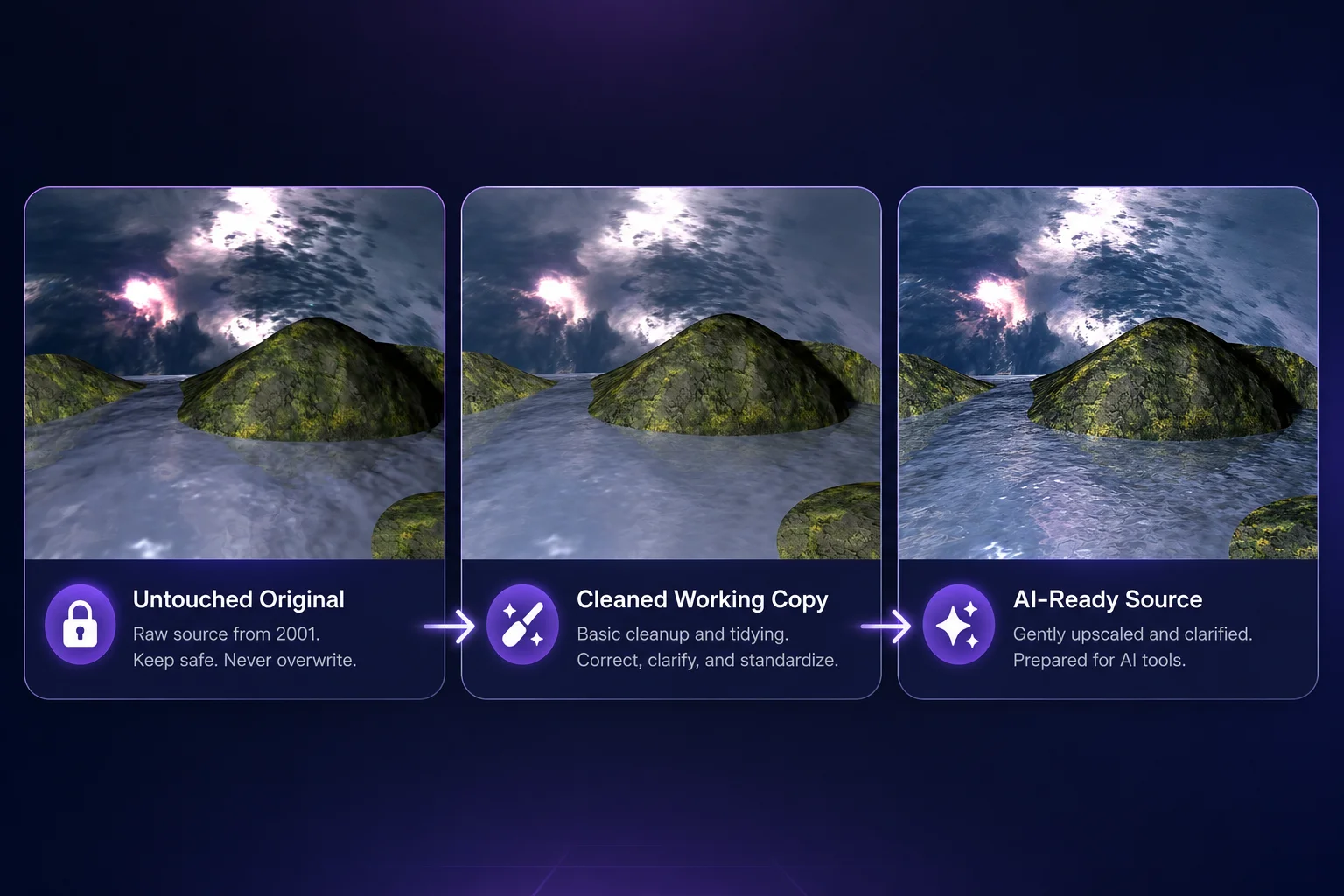
Create a safe working folder and keep at least three versions:
the untouched original image
a cleaned working version
the AI-ready source version
The original image is your historical reference. Even if you later create a much better version, you should always be able to return to the 2001 artwork and compare the result.
For a Skinbase remaster project, this also helps with transparency. You can show the real before-and-after process instead of only showing the final image.
Check the Source Image
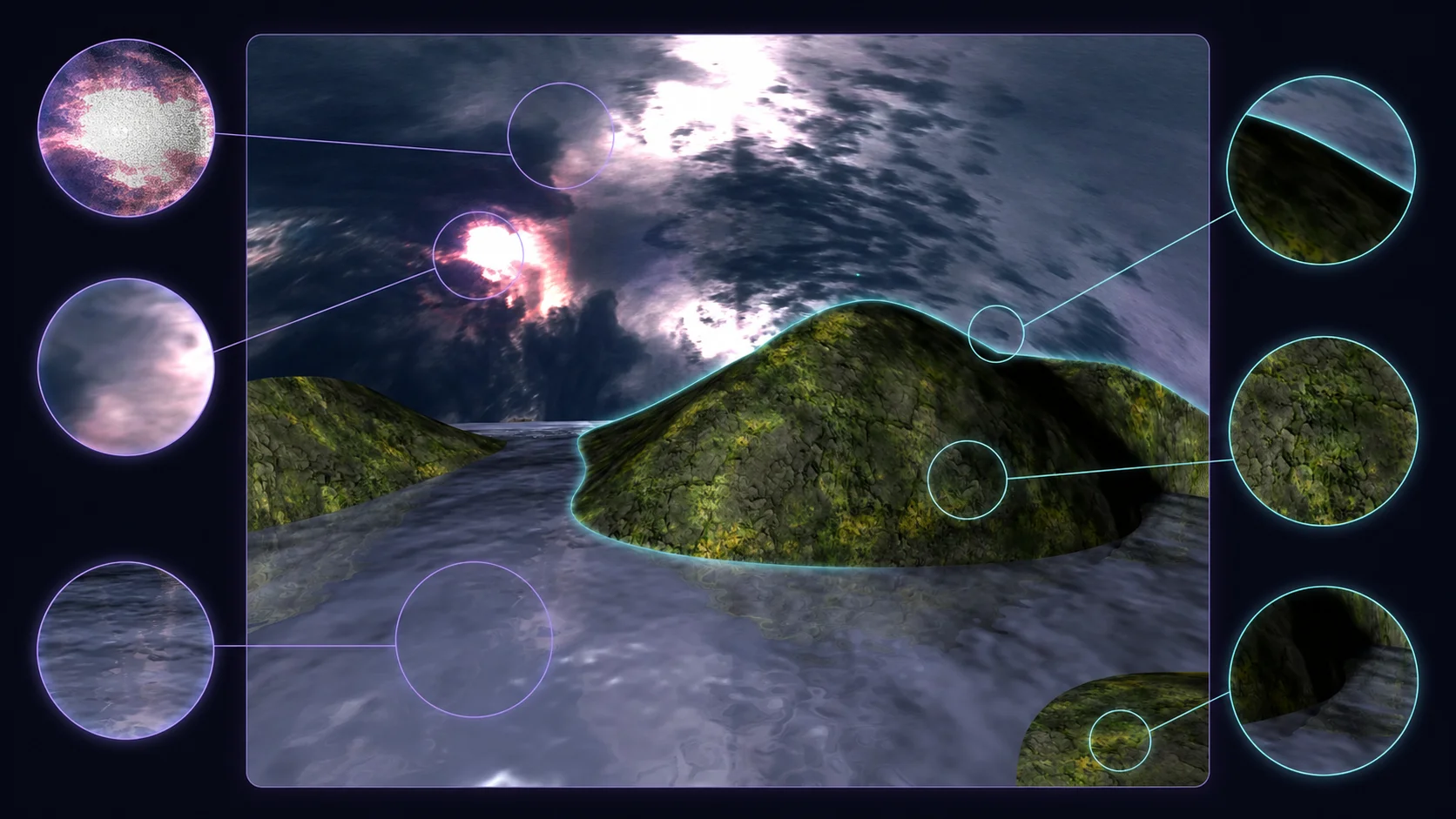
Before editing, inspect the original image carefully.
Look for:
image resolution
compression artifacts
visible noise
old watermark or signature text
hard edges
blurry areas
stretched proportions
color banding
low-detail textures
important composition lines
For Dream Island, the most important source details are the island placement, water channel, dramatic sky, and mossy rock surfaces. These must remain readable in the prepared version.
Decide What to Keep
Preparation does not mean removing everything that looks old. Some imperfections may be part of the artwork’s identity.
Before cleaning, decide what should stay:
main island shapes
original camera angle
water direction
sky position
overall mood
historical look for comparison
Then decide what can be cleaned:
compression noise
unwanted text in the corner
small visual artifacts
weak contrast
overly dark details
low-resolution blur
This gives you a clear editing plan.
Crop Carefully
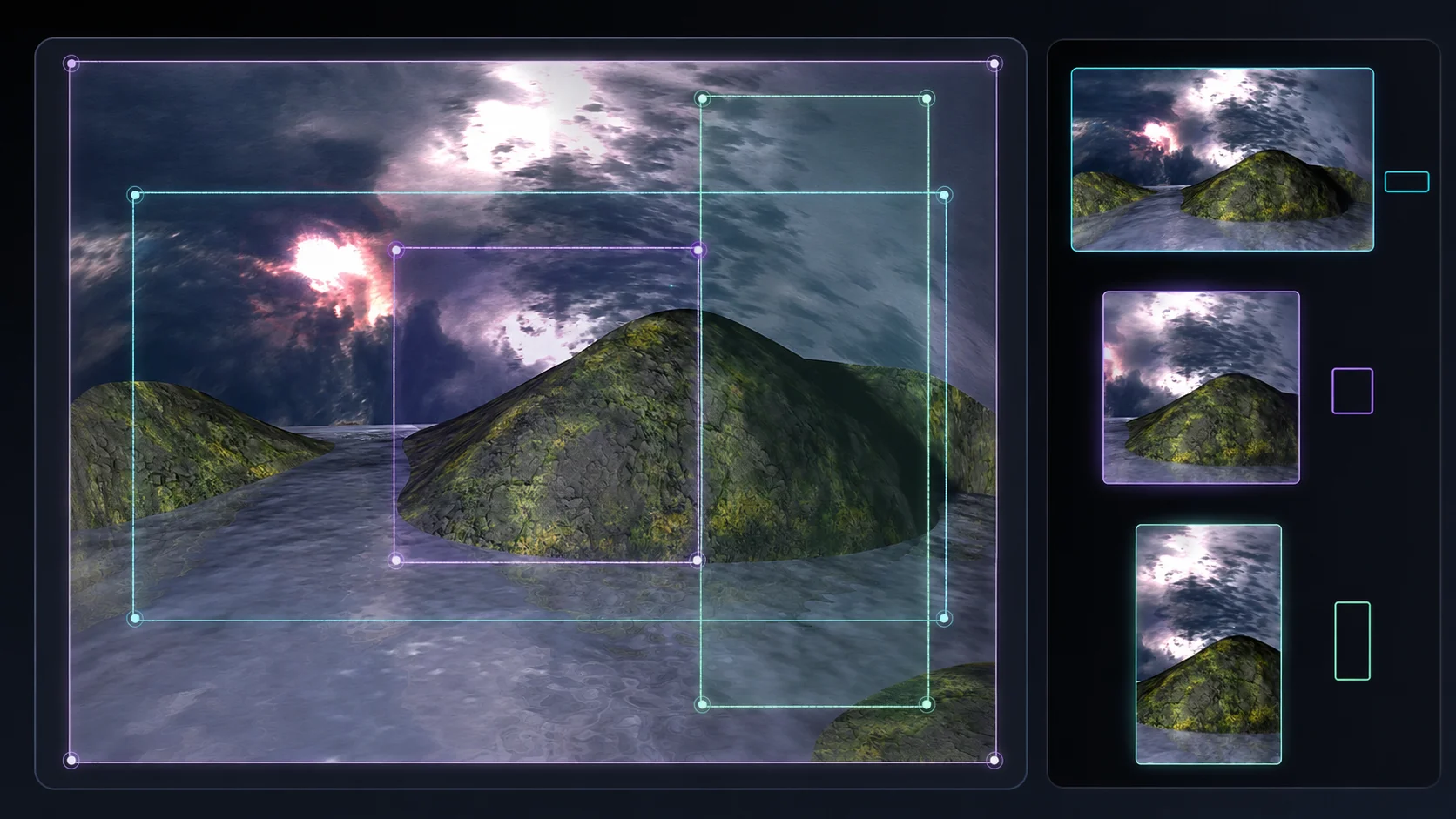
Old wallpapers often use aspect ratios that are different from modern display formats. Dream Island was created as a classic wallpaper, so the original aspect ratio is part of its history.
For the AI source, you can prepare multiple crops:
original aspect ratio for historical accuracy
16:9 crop for modern wallpaper output
square or vertical crop only if needed for thumbnails
Do not crop too tightly at this stage. AI tools need context. If you remove too much sky, water, or side space, the AI may rebuild the scene incorrectly.
A good rule:
Prepare wide and clean first. Crop for final presentation later.
Remove Unwanted Text Only If Needed
If the original image contains a signature, date, or label, decide whether it should remain.
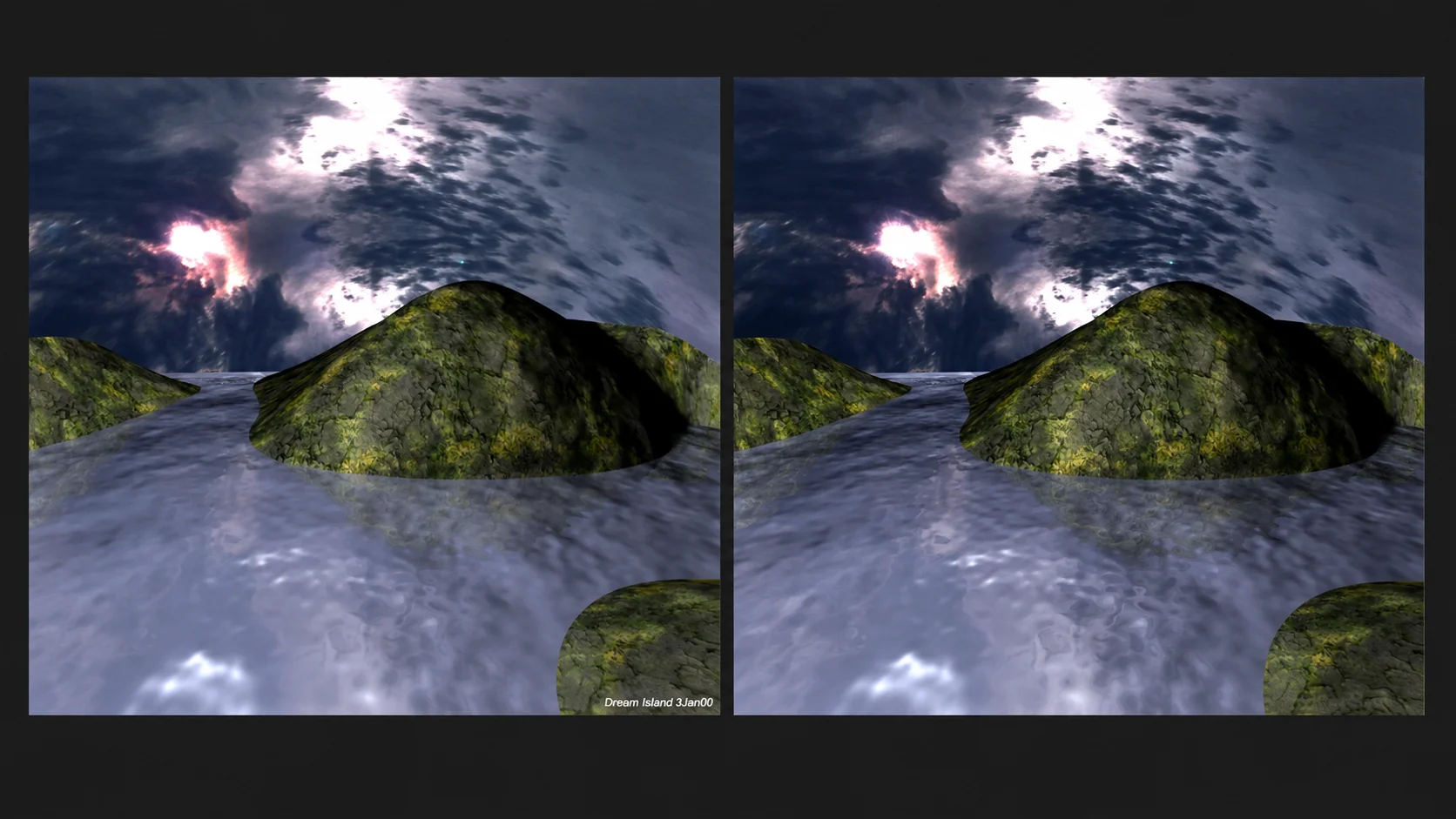
For a faithful archive version, it may be useful to keep it. For an AI remaster source, visible text can create problems because AI may copy it incorrectly or generate strange unreadable letters.
For most AI remaster workflows, create two versions:
archive version with original text preserved
AI-ready version with text removed or cropped out
When publishing the final remaster, credit should be written in the artwork description, not embedded as broken AI-generated text inside the image.
Improve Basic Clarity
Before AI generation, make small technical improvements only.
You can adjust:
exposure
contrast
shadow visibility
color balance
sharpness
noise reduction
Keep these changes gentle. The goal is not to manually finish the remaster. The goal is to make the source easier for AI to understand.
Avoid extreme edits such as:
heavy saturation
strong sharpening halos
artificial HDR filters
excessive blur
aggressive color changes
replacing large parts of the image manually
If the source becomes too stylized before AI processing, the AI may follow the wrong direction.
Upscale Before AI, But Do Not Overdo It
Upscaling can help older images, especially if the AI tool uses the source image as a visual reference.
A practical workflow is:
Keep the untouched original.
Make a cleaned copy.
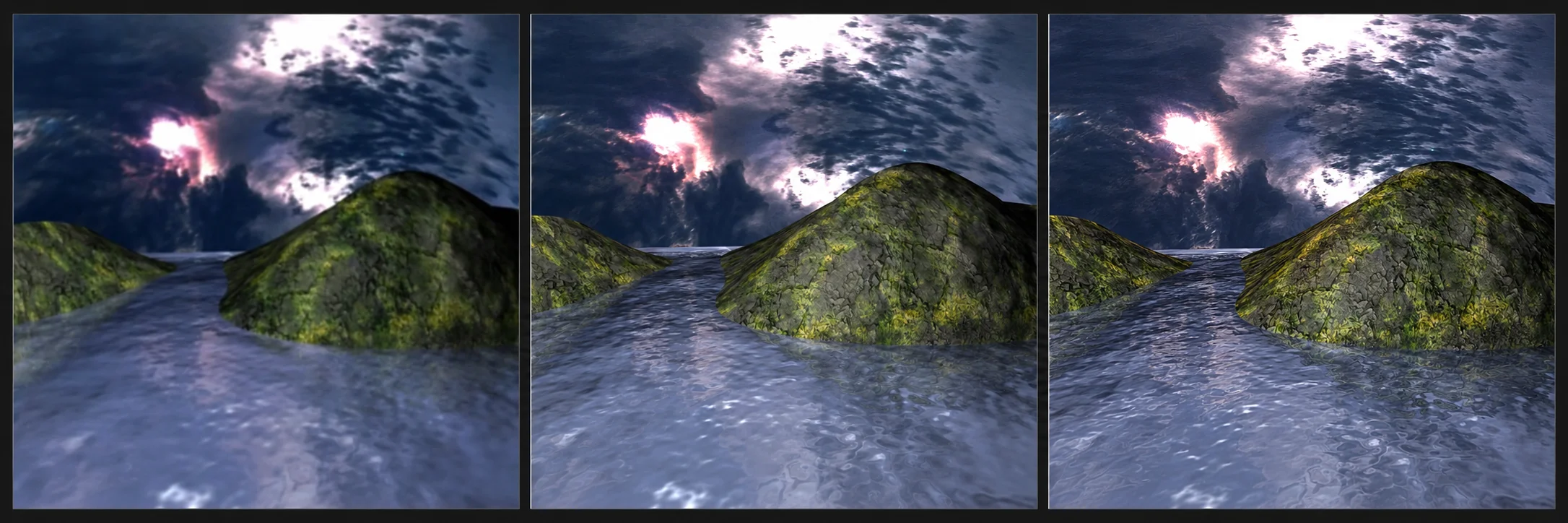
Upscale the cleaned copy by 2x.
Use the upscaled version as the AI reference.
Avoid pushing the source too far with multiple upscaling passes. Over-upscaled images can create fake details, strange textures, and noisy patterns that AI may treat as real information.
For Dream Island, a clean 2x upscale is usually enough before generating a faithful remaster.
Create a Short Source Description
Alongside the image file, write a short description of what the AI should preserve.
Example:
Original 2001 digital landscape render showing mossy rocky islands surrounded by reflective water under a dramatic cloudy sky. Preserve the central island shape, low viewpoint, water channel, sky mood, and dreamlike atmosphere.
This source description becomes part of your prompt planning. It also helps if you return to the project later.
Prepare a Reference Checklist
Before moving into AI generation, confirm that your source image is ready.
Use this checklist:
The original file is safely preserved.
A cleaned working copy exists.
The main composition is unchanged.
Important details are still visible.
Unwanted text has been removed or separated into another version.
The image is not over-sharpened.
The image is not over-saturated.
A 2x upscaled version is available if needed.
A short source description has been written.
The target output direction is clear.
This prevents confusion later in the workflow.
Recommended File Naming
Good file names make the remaster process easier to manage.
Example naming structure:
dream-island-2001-original
dream-island-2001-cleaned-source
dream-island-2001-ai-ready-2x
dream-island-2026-faithful-remaster-v1
dream-island-2026-cinematic-remaster-v1
dream-island-2026-fantasy-reinterpretation-v1
dream-island-2026-final-wallpaper
Clear naming is especially useful when a course or article shows multiple steps.
Avoid Changing the Concept Too Early
At this stage, do not add new objects or story elements. Do not add villages, boats, bridges, forests, meteors, animals, or fantasy architecture yet.
Those belong to later creative lessons.
The prepared source should still look like the original Dream Island. It should simply be cleaner, easier to read, and ready for AI guidance.
Lesson Takeaway
Preparing the source image is not just a technical step. It is a creative control step.
A good AI-ready source protects the original artwork, clarifies the visual information, and gives the remaster process a stable foundation.
In the next lesson, we will use this prepared source to create the first faithful AI remaster: a modern version that improves quality while staying close to the original Dream Island composition.
Lesson navigation
Continue in order
Previous lesson
AI Remaster Lab: Dream Island 2001 → 2026 · Lesson 02
Reading the Original Dream Island Image
Analyze the original Dream Island artwork so every AI improvement starts from clear creative intent.
Next lesson
AI Remaster Lab: Dream Island 2001 → 2026 · Lesson 04
Creating a Faithful AI Remaster
Create the first AI-enhanced version of Dream Island while keeping the original composition, mood, and visual identity intact.