
Article
Lesson content
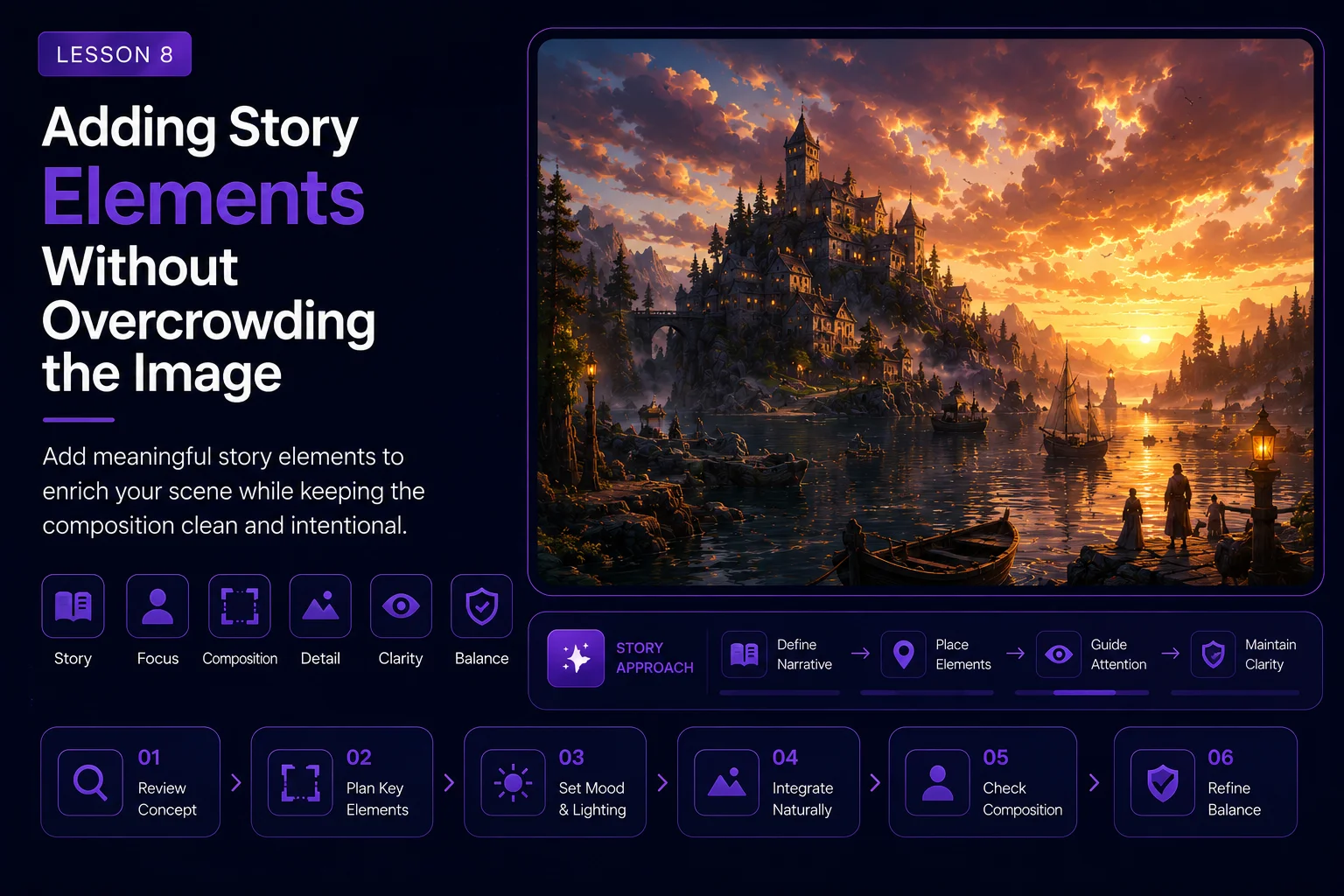
Adding Story Elements Without Overcrowding the Image
After turning Dream Island into a fantasy village, the next step is to add story. Story elements can make a wallpaper feel alive, memorable, and emotionally stronger.
But this stage is also risky. Too many additions can quickly make the image messy. A remaster can lose its focus if every part of the scene is filled with objects, lights, animals, weather effects, and dramatic details.
In this lesson, we will learn how to add story elements while keeping the image clean, readable, and connected to the original Dream Island composition.
What Are Story Elements?
Story elements are visual details that suggest life, movement, history, or atmosphere.
For Dream Island, useful story elements might include:
small boats on the water
warm lanterns near the shore
a simple bridge between islands
glowing windows in the village
birds or swans in the distance
soft chimney smoke
a dock or small pier
subtle falling stars
distant lights near the horizon
gentle mist around the village
These elements help the viewer imagine what is happening in the scene.
The goal is not to explain everything. The goal is to suggest a world.
Story Should Support the Main Image
The original Dream Island image is built around rocky islands, reflective water, and a dramatic sky. Those elements should still lead the composition.
Story details should support that foundation.
A good story element answers one of these questions:
How do people move through this island world?
Where does the warm light come from?
What makes the scene feel alive?
What adds scale without stealing focus?
What makes the wallpaper more memorable?
If an added object does not support the mood, composition, or worldbuilding, remove it.
The Danger of Overcrowding
AI tools often add too much when asked for a detailed fantasy scene. A prompt that includes houses, boats, bridges, lanterns, birds, smoke, stars, meteors, flowers, waterfalls, characters, and magic lights may produce an impressive image, but it can also become visually noisy.
Overcrowding causes problems:
the main island becomes hard to see
the water channel disappears
the sky loses its dramatic role
the image becomes too busy for a wallpaper
small details turn into artifacts
architecture becomes distorted
the original artwork becomes unrecognizable
A strong wallpaper needs breathing room.
Use the Three-Detail Rule
A practical way to control the image is to choose only three main story detail groups.
For example:
warm village lights
one bridge
a few small boats
This is usually enough to create story without clutter.
For another version, you might choose:
lantern-lit dock
swans on the water
subtle falling star
Do not add every idea at once. Create different versions and compare them.
Good Story Elements for Dream Island
Some story elements fit Dream Island better than others.
Boats
Small boats work well because the original image already has water as a major part of the composition. Boats make the water feel useful and lived-in.
Use restrained prompt language:
text add a few small wooden boats with warm lanterns, placed naturally on the reflective water, small scale, not dominating the scene
Lanterns
Lanterns create warm points of light. They help balance the cool sky and water.
Use them sparingly:
text add subtle warm lantern lights near the shore and docks, reflected softly in the water
Bridges
A bridge can connect islands and make the village feel believable.
Keep it simple:
text add one simple stone or wooden bridge connecting two rocky island sections, small and natural, not blocking the water channel
Wildlife
Small wildlife can add calm and scale, but it should stay subtle.
Possible additions:
distant birds
one or two swans
small silhouettes near the water
Avoid large animals or close-up creatures at this stage.
Sky Drama
The sky is already important in Dream Island. A little extra drama can work, but too much can overpower the scene.
Subtle options:
warm light breaks
distant stars
one faint falling star
soft cloud glow
Avoid using too many meteors, lightning bolts, giant moons, or magical portals unless you are making a separate dramatic alternate version.
Recommended Prompt
Use the fantasy village version as your reference image and add story in a controlled way.
text Enhance the Dream Island fantasy village reinterpretation with subtle story elements while preserving the original rocky island structure, reflective water channel, dramatic cloudy sky, and balanced wallpaper composition. Add warm glowing village windows, a few small lantern-lit wooden boats, one simple bridge connecting the rocky islands, soft mist over the water, subtle chimney smoke, and gentle warm reflections in the waves. Keep the scene cinematic, readable, atmospheric, and not overcrowded. Leave open space in the sky and water so the image can work as a wallpaper.
This prompt adds story, but it also protects the composition.
Recommended Negative Prompt
Use a negative prompt to prevent visual clutter.
text no crowded village, no too many boats, no large people, no close-up characters, no dragons, no monsters, no giant castle, no modern buildings, no neon signs, no readable text, no logos, no watermark, no excessive meteors, no lightning storm, no magical portal, no chaotic composition, no cluttered foreground, no distorted architecture, no broken bridge, no oversized objects
The negative prompt should remove the most common sources of overcrowding.
Create Story Variations
Instead of one overloaded prompt, create focused variations.
Variation A: Cozy Life
Focus on windows, lanterns, smoke, and small boats.
This version should feel warm and inviting.
Variation B: Quiet Mystery
Focus on mist, distant birds, soft light, and reflections.
This version should feel calm and atmospheric.
Variation C: Dramatic Sky
Focus on stronger clouds, a faint falling star, and warm horizon light.
This version should feel more epic, but still controlled.
By separating these directions, you can choose the strongest story mood instead of forcing every idea into one image.
Keep Wallpaper Use in Mind
A Skinbase wallpaper should not only look good as a small preview. It should also work on a desktop.
That means:
avoid clutter across the entire image
keep some calm areas for icons
preserve readable focal points
avoid too many tiny high-contrast details
make sure the image still looks good when cropped
keep the main subject clear at thumbnail size
Open sky, water, and soft mist are not empty space. They are useful visual breathing room.
Check the Focal Point
After adding story elements, look at the image quickly and ask:
Where does my eye go first?
For Dream Island, the viewer should still notice the main island or village area first. The boats, bridge, lanterns, and sky details should guide the eye, not fight for attention.
If every part of the image demands attention, reduce the number of details.
Common Problems
Too Many Boats
If the AI fills the water with boats, adjust the prompt:
text only two or three small boats, subtle scale, leave most of the water open and reflective
Too Many Lights
If the image becomes covered in glowing dots, use:
text few warm lanterns, restrained lighting, soft reflections, not a festival scene
Bridge Blocks the Composition
If the bridge becomes too large, use:
text small simple bridge in the middle distance, not dominating the scene, does not cover the water channel
Sky Becomes Too Chaotic
If meteors, storms, or magical effects take over, use:
text subtle sky drama only, soft cloud light, no excessive meteors or lightning
Image Stops Feeling Like Dream Island
If the scene becomes unrelated to the original, strengthen the preservation language:
text preserve original Dream Island structure, keep the rocky islands, reflective water, low camera angle, and dramatic cloudy sky as the foundation
Story Element Checklist
Before choosing the final version, review the image with this checklist:
The original island structure is still visible.
The water channel remains open and reflective.
The sky still has breathing room.
Story elements are small and controlled.
The village is readable, not crowded.
Boats, bridges, and lanterns support the scene.
There is no fake text, logo, or watermark.
The image still works as a wallpaper.
The mood is stronger than before.
The result still feels connected to Dream Island.
If the image passes this checklist, the story pass is successful.
Save a Clean Version and a Dramatic Version
It can be useful to save two different story directions.
Example:
dream-island-2026-story-clean-v1
dream-island-2026-story-dramatic-v1
dream-island-2026-story-selected
The clean version is usually better for wallpapers. The dramatic version may work well for course promotion, social media, or a comparison gallery.
Lesson Takeaway
Story elements can turn a beautiful remaster into a memorable world. But the best additions are controlled, intentional, and balanced.
For Dream Island, boats, lanterns, bridges, warm windows, mist, and subtle sky drama can add life without overwhelming the original island, water, and sky.
In the next lesson, we will compare all versions and choose the strongest final direction for the course.
Lesson navigation
Continue in order
Previous lesson
AI Remaster Lab: Dream Island 2001 → 2026 · Lesson 07
Creative Reimagining: Turning the Island into a Fantasy Village
Transform Dream Island into a fantasy village while preserving the original island structure, water, sky, and mood.
Next lesson
AI Remaster Lab: Dream Island 2001 → 2026 · Lesson 09
Comparing Versions and Choosing the Best Final
Learn how to compare every Dream Island remaster version and choose the strongest final image for publication.