
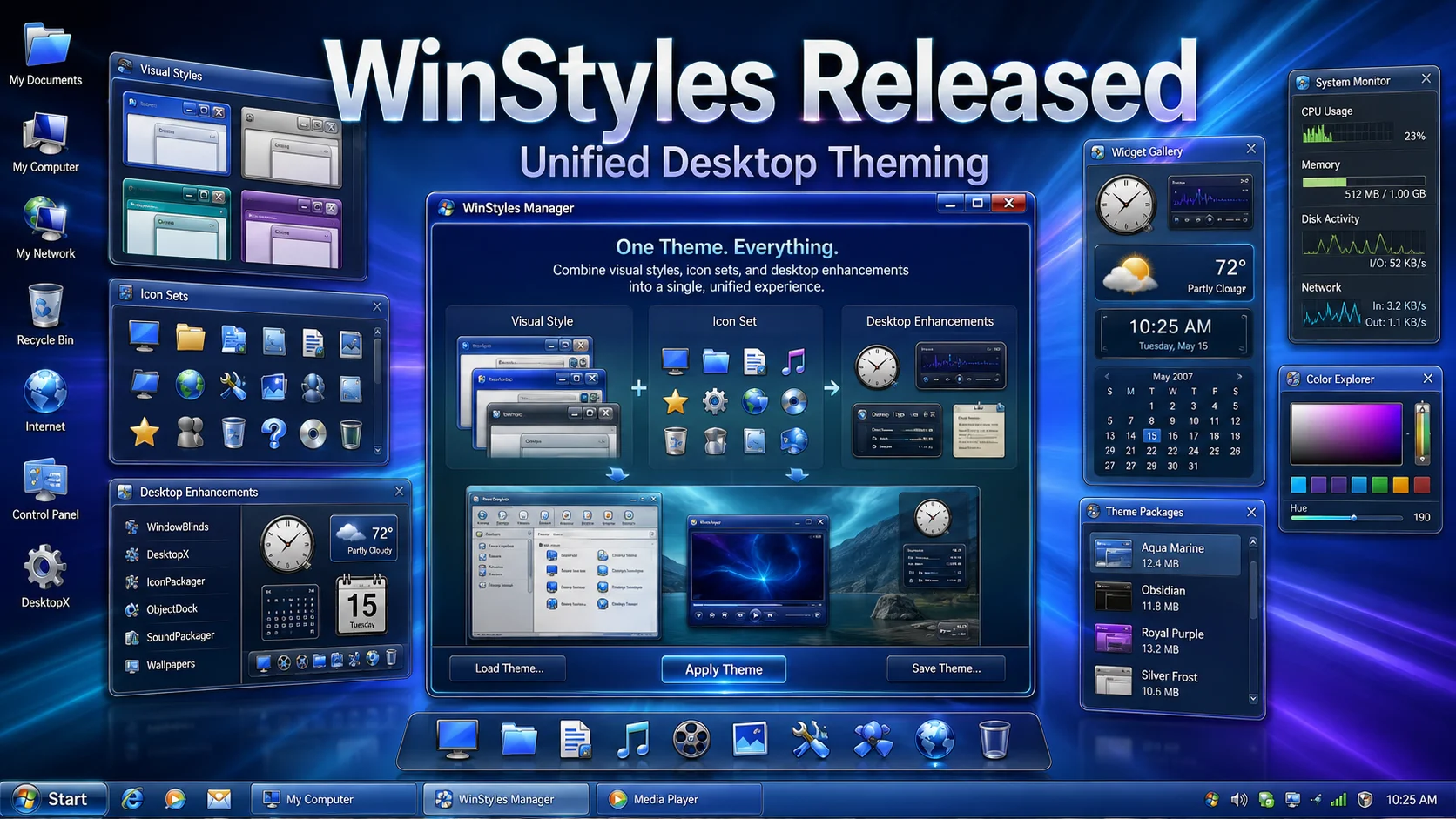
Stardock has released WinStyles, a desktop customization tool that brings Windows themes, skins, icons, and Object Desktop components together into one unified theming system.
Stardock has released WinStyles, a new desktop customization tool designed to make Windows theming easier, more complete, and more unified.
WinStyles extends Windows theming beyond the standard desktop appearance. It works with Stardock’s Object Desktop programs, including WindowBlinds, DesktopX, IconPackager, and other supported desktop enhancement tools. It can also work with third-party programs, allowing a single WinStyles theme to control more parts of the user’s desktop experience.
When a user applies a WinStyles theme, the program communicates with the installed customization tools and passes them the required skins, icons, themes, and related files. Each program then applies the correct visual elements to the part of the desktop it controls.
One of the most useful features is automatic program handling. If a user downloads a WinStyles theme but does not have a required Stardock component installed, WinStyles can download and install the missing program. For example, if a theme requires IconPackager and the user does not have it, WinStyles can fetch the latest version from Stardock and install it for them.
WinStyles also gives users a single location for managing multiple desktop enhancement programs. Instead of configuring WindowBlinds, DesktopX, IconPackager, and other tools separately, users can control them together through one unified theming system.
For desktop customization fans, this is an important release. WinStyles brings the idea of a complete desktop style closer to reality: window skins, icons, themes, widgets, and other visual elements working together as one package.
Users can download WinStyles from winstyles.com. WinStyles is also part of Stardock’s Object Desktop suite, available from objectdesktop.com.
Related Articles
Rainlendar 2.24.1 Released with Desktop Calendar Fixes
Rainlendar 2.24.1 is now available, bringing fixes for Linux scrolling, Windows installers, QuickAdd input, and dark-mode help pages.
Blender 5.1 Released, 5.2 LTS Coming Next
Blender 5.1 has been released with workflow refinements, Grease Pencil improvements, rendering updates, shader workflow enhancements, a...
Inkscape 1.4.4 Release Candidate Available for Testing
Inkscape 1.4.4 RC is available for testing with crash fixes, bug fixes, performance improvements, updated translations, Windows on Arm...
Krita 5.3 Released with Major Creative Tool Improvements
Krita 5.3 has been released with a rewritten text system, OpenType support, comic panel improvements, fill-tool gap closing, faster liq...
Conversation
1 Comment
Keep the discussion focused on the article. Safe markdown formatting is supported for signed-in members.
24 years ago