
Article
Lesson content
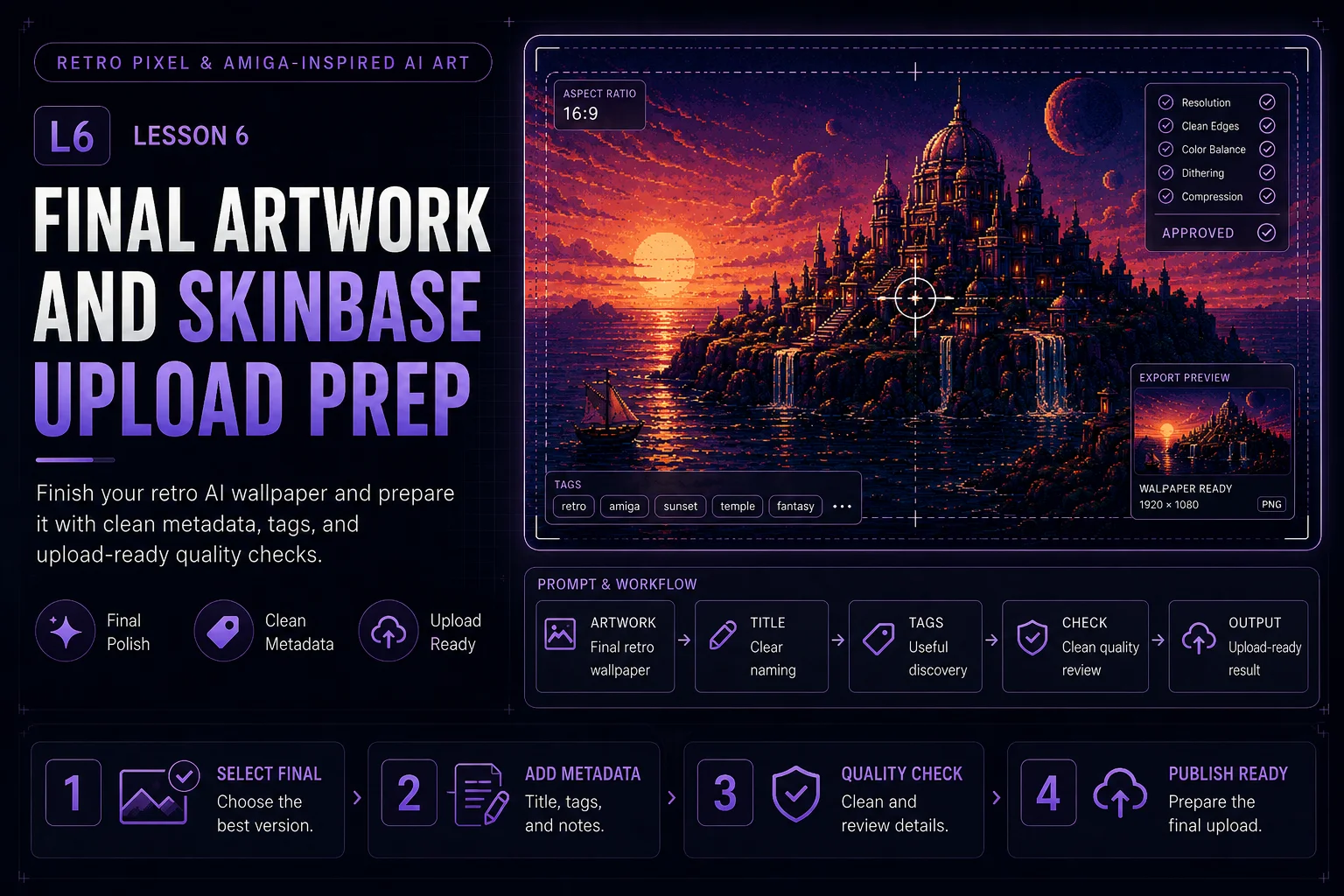
Final Artwork and Skinbase Upload Prep
You have now explored the visual DNA of Amiga-inspired art, written cleaner retro prompts, controlled your palette, used dithering and copper-style gradients, and composed your image as a real wallpaper.
This final lesson brings everything together. The goal is to finish one retro AI wallpaper and prepare it for a clean Skinbase upload.
What You Are Creating
Your final result should be one polished retro-inspired wallpaper.
It should have:
-
a clear subject
-
a limited color palette
-
controlled dithering
-
a strong focal point
-
wallpaper-friendly negative space
-
no random text or logos
-
no copied game art or known characters
-
a useful title, description, and tags
The image does not need to be perfect. It should be intentional, readable, and ready to present.
Step 1: Choose Your Final Direction
Start by choosing one direction from the course.
Good final artwork themes:
-
Fantasy island at sunset
-
Sci-fi city over reflective water
-
Alien landscape with two moons
-
Abstract demoscene grid world
-
Chrome object over a copper gradient sky
-
Retro temple silhouette with a glowing horizon
Pick one idea and keep it focused. Do not try to include every retro effect in one image.
Weak direction:
text A retro pixel fantasy sci-fi city with robots, spaceships, castles, waterfalls, planets, pyramids, chrome text, neon grids, explosions, and many details.
Better direction:
text A lonely futuristic island city rises from dark reflective water under a violet and orange copper sunset sky.
A clear idea is easier to prompt, judge, and upload.
Step 2: Build the Final Prompt
Use the full prompt structure from the course:
text Subject + scene + retro style + palette + texture + composition + restrictions
Example final prompt:
text A lonely futuristic island city rises from dark reflective water under a violet and orange copper sunset sky, retro 16-bit inspired computer art, Amiga-inspired visual mood, limited navy, violet, cyan, and copper palette, chunky pixel structure, subtle dithering, copper-style gradient atmosphere, clean island silhouette, strong focal point, spacious dark sky for wallpaper use, readable at thumbnail size, no text, no logos, no watermark, no photorealism, no copied game art.
This prompt gives the AI a complete creative direction while still leaving room for variation.
Step 3: Generate Several Variations
Do not stop at the first image. Generate several versions and compare them.
Look for:
-
strongest silhouette
-
cleanest palette
-
best composition
-
least visual clutter
-
best thumbnail readability
-
most useful wallpaper layout
-
fewest AI artifacts
Sometimes the best image is not the most detailed one. For retro wallpaper art, clarity is often better than complexity.
Step 4: Inspect the Image Carefully
Before preparing the upload, inspect the image at full size.
Check for common AI problems:
-
random letters or fake text
-
strange logos or symbols
-
broken geometry
-
messy pixel noise
-
too many colors
-
over-sharpened details
-
blurry focal point
-
unreadable composition
-
unwanted faces or characters
-
copied-looking game or brand elements
If the image has obvious fake text, logos, or strange marks, generate a cleaner version or edit them out before upload.
Step 5: Check Wallpaper Usability
A good Skinbase wallpaper should work on a desktop, not only as an art preview.
Ask:
-
Is there enough calm space for icons?
-
Is the focal point too close to the edge?
-
Is the image too busy everywhere?
-
Does it work in landscape format?
-
Is the image comfortable to look at for longer than a few seconds?
-
Does the contrast make desktop icons hard to read?
-
Does it still look good as a small thumbnail?
Useful final prompt additions:
text wallpaper-friendly negative space, clean icon-safe area, balanced desktop background, not overcrowded
Step 6: Prepare a Clean Title
A good title should be short, memorable, and connected to the artwork.
Avoid generic titles like:
text AI Image 01 Retro Wallpaper Pixel Art Test Fantasy Scene
Better title examples:
text Copper Island Violet Starport Neon Blitter Sky Pixel Horizon Dream Machine Coast Retro Sun Temple Dithered Moonrise Cyan Grid City
The title should feel like an artwork, not a file name.
Step 7: Write a Short Description
The description should explain the image without overloading the viewer.
Good description structure:
text One sentence about the scene. One sentence about the style or technique. One sentence about the mood or wallpaper use.
Example:
text A futuristic island city rises from reflective water beneath a copper sunset sky. The artwork uses a limited violet, cyan, and orange palette with subtle dithering and retro computer-art atmosphere. Designed as a clean Amiga-inspired wallpaper with strong silhouette and spacious negative space.
Keep it clear and honest. Do not claim that the image was made on original hardware if it was created with AI.
Step 8: Choose Useful Tags
Tags help people discover your artwork on Skinbase. Use tags that describe the image, style, mood, and subject.
Suggested tags:
text retro, pixel-art, amiga-inspired, 16-bit, demoscene, copper-gradient, dithering, sci-fi, fantasy, wallpaper, ai-art
Choose only the tags that match the image. Too many unrelated tags can make the upload feel careless.
For a fantasy island:
text retro, pixel-art, amiga-inspired, fantasy, island, sunset, copper-gradient, wallpaper, ai-art
For a sci-fi city:
text retro, pixel-art, amiga-inspired, sci-fi, city, neon, demoscene, cyan, wallpaper, ai-art
For an abstract scene:
text retro, demoscene, abstract, chrome, grid, copper-gradient, pixel-art, wallpaper, ai-art
Step 9: Keep the Source Prompt
Save your final prompt somewhere. This is useful for learning, future variations, and possible prompt-pack publishing.
Recommended notes:
-
final prompt
-
negative prompt or restrictions
-
chosen palette
-
image size
-
model or tool used
-
date created
-
manual edits made
-
final title and tags
This makes your creative process easier to repeat.
Step 10: Respect Originality
Amiga-inspired does not mean copying famous games, demo groups, logos, characters, or screenshots.
Before upload, ask:
-
Does this look too close to a known game?
-
Does it include a recognizable logo?
-
Does it copy a specific character?
-
Does it imitate a living artist too directly?
-
Does it contain fake signatures or watermarks?
For Skinbase Academy practice, the safest direction is original retro-inspired artwork.
Good phrasing:
text inspired by classic 16-bit computer art
Avoid phrasing like:
text exactly like [specific game or artist]
Final Upload Checklist
Before uploading your final artwork, check:
-
The image is landscape and wallpaper-ready.
-
The subject is clear.
-
The palette feels controlled.
-
Dithering supports the image instead of adding noise.
-
The composition has enough negative space.
-
There is no random text, logo, or watermark.
-
The image does not copy known artwork.
-
The title is clean and memorable.
-
The description is short and useful.
-
The tags match the image.
-
The prompt and source notes are saved.
Example Upload Package
Title:
text Copper Island
Description:
text A lonely futuristic island city rises from reflective water beneath a copper sunset sky. The artwork uses a limited violet, cyan, and orange palette with subtle dithering and retro computer-art atmosphere. Designed as a clean Amiga-inspired wallpaper with strong silhouette and spacious negative space.
Tags:
text retro, pixel-art, amiga-inspired, 16-bit, demoscene, copper-gradient, sci-fi, island, wallpaper, ai-art
Final prompt:
text A lonely futuristic island city rises from dark reflective water under a violet and orange copper sunset sky, retro 16-bit inspired computer art, Amiga-inspired visual mood, limited navy, violet, cyan, and copper palette, chunky pixel structure, subtle dithering, copper-style gradient atmosphere, clean island silhouette, strong focal point, spacious dark sky for wallpaper use, readable at thumbnail size, no text, no logos, no watermark, no photorealism, no copied game art.
Mini Exercise
Create your final upload package with these fields:
text Title: Description: Tags: Final prompt: Palette: Main subject: Wallpaper-safe area: What I would improve next:
This turns the lesson from simple image generation into a reusable creative workflow.
Lesson Outcome
By the end of this lesson, you should have one finished retro AI wallpaper concept prepared with a clear title, description, tags, and upload-ready quality checklist for Skinbase.
Lesson navigation