
Article
Lesson content
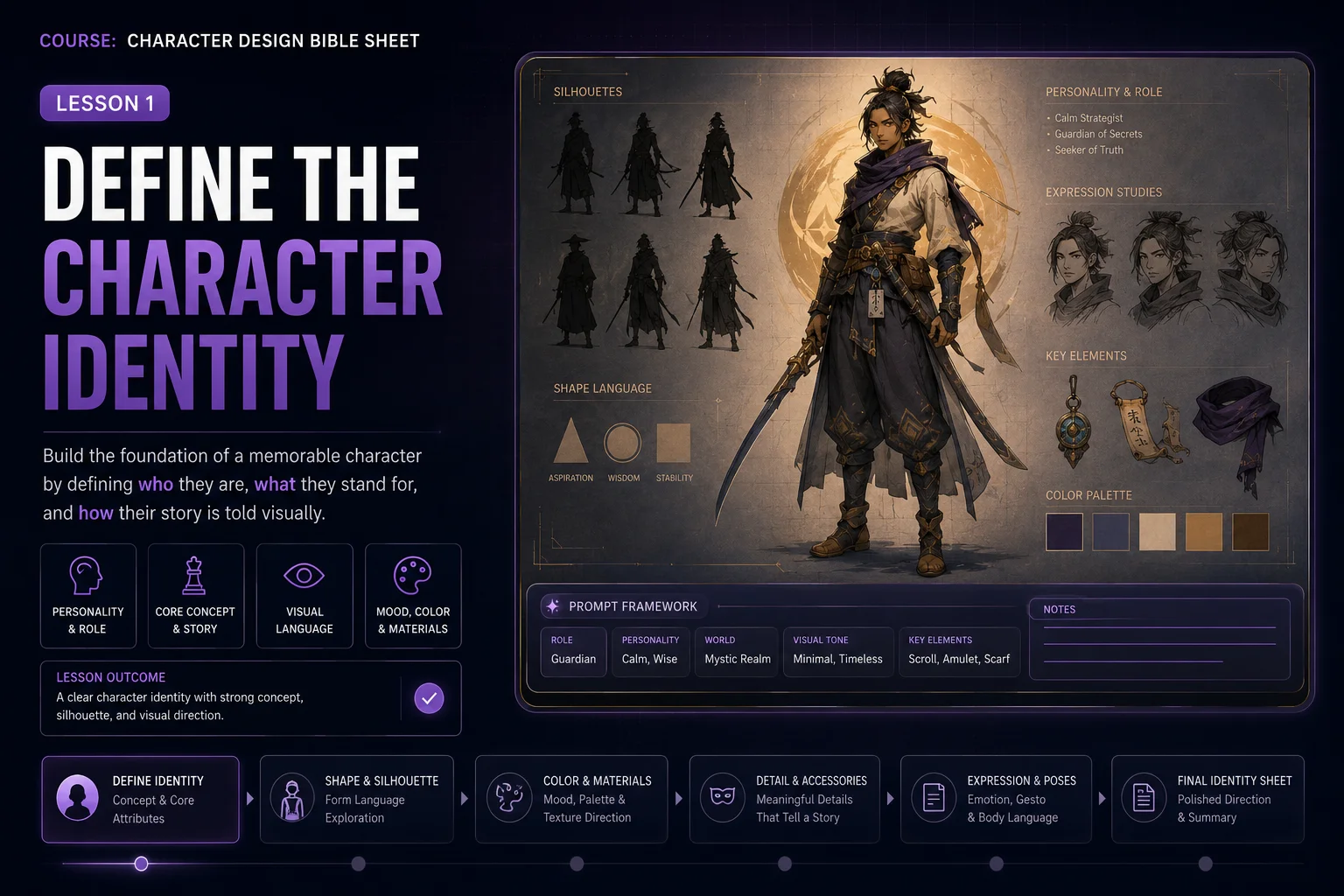
Define the Character Identity
A strong character bible sheet starts before the image is generated. If the character idea is vague, the sheet will usually become inconsistent: the face changes, the outfit changes, the accessories shift, and the final result feels like several different characters instead of one design.
In this lesson, you will create a clear character identity brief. This brief becomes the foundation for the full character design bible sheet in the next lesson.
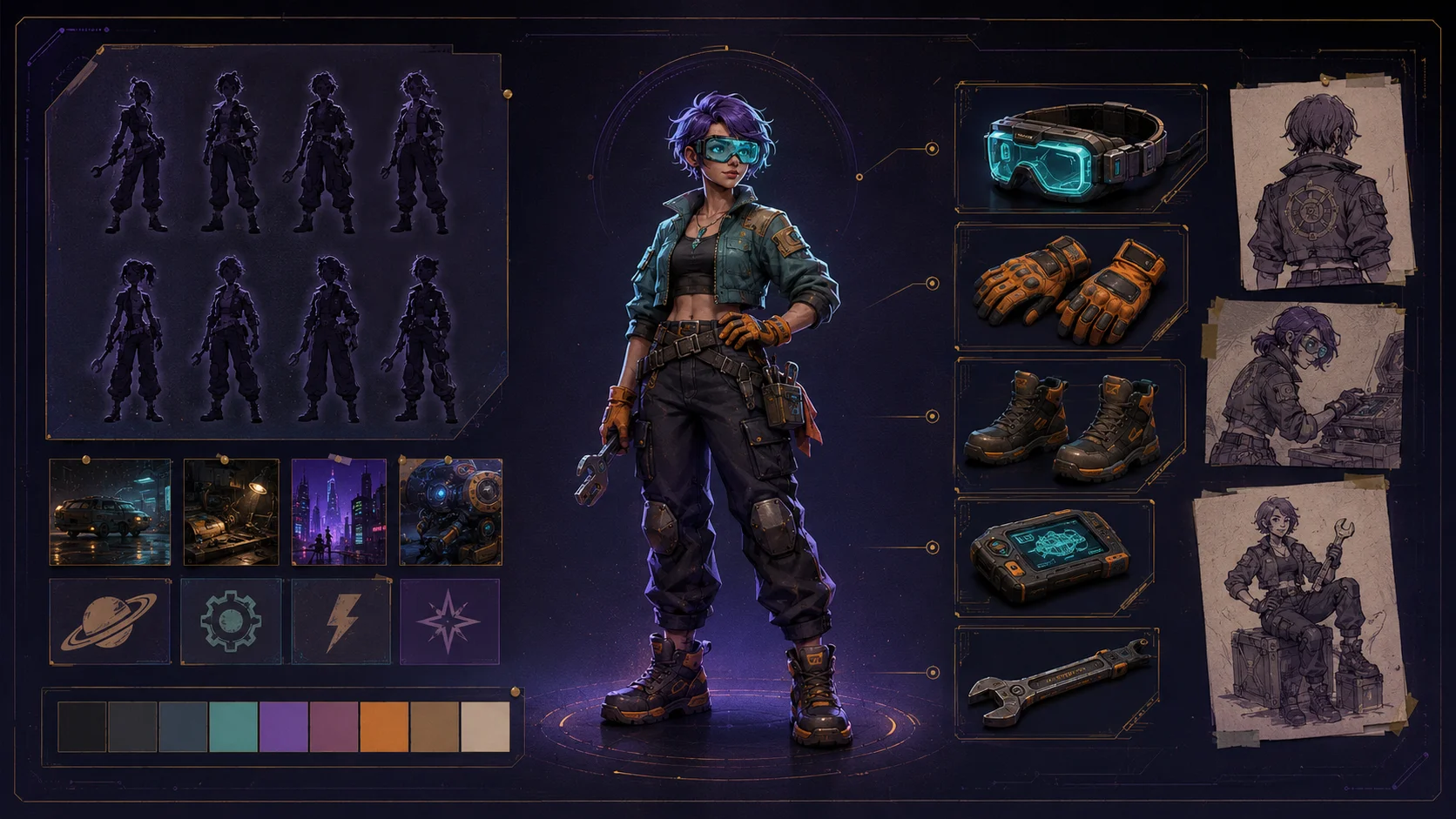
What Is a Character Identity Brief?
A character identity brief is a short description that defines who the character is, how they look, and what must stay consistent across every view.
It does not need to be long. It needs to be specific.
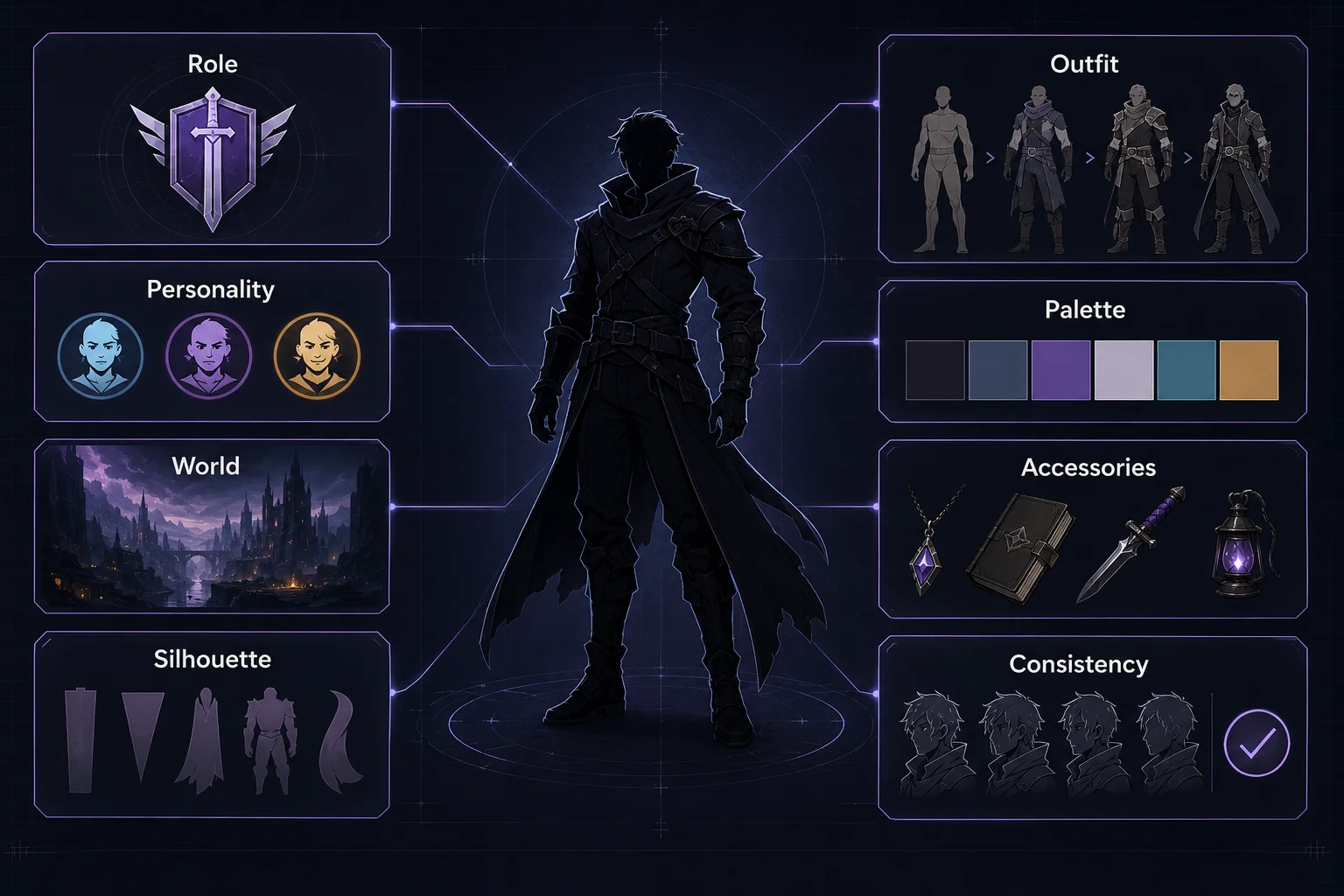
A useful brief answers questions like:
Who is this character?
What is their role?
What kind of world do they belong to?
What is their personality?
What is their silhouette?
What colors define them?
What outfit pieces are important?
What accessories should repeat across all views?
What details must not change?
The goal is to give the AI enough structure to keep the character recognizable.
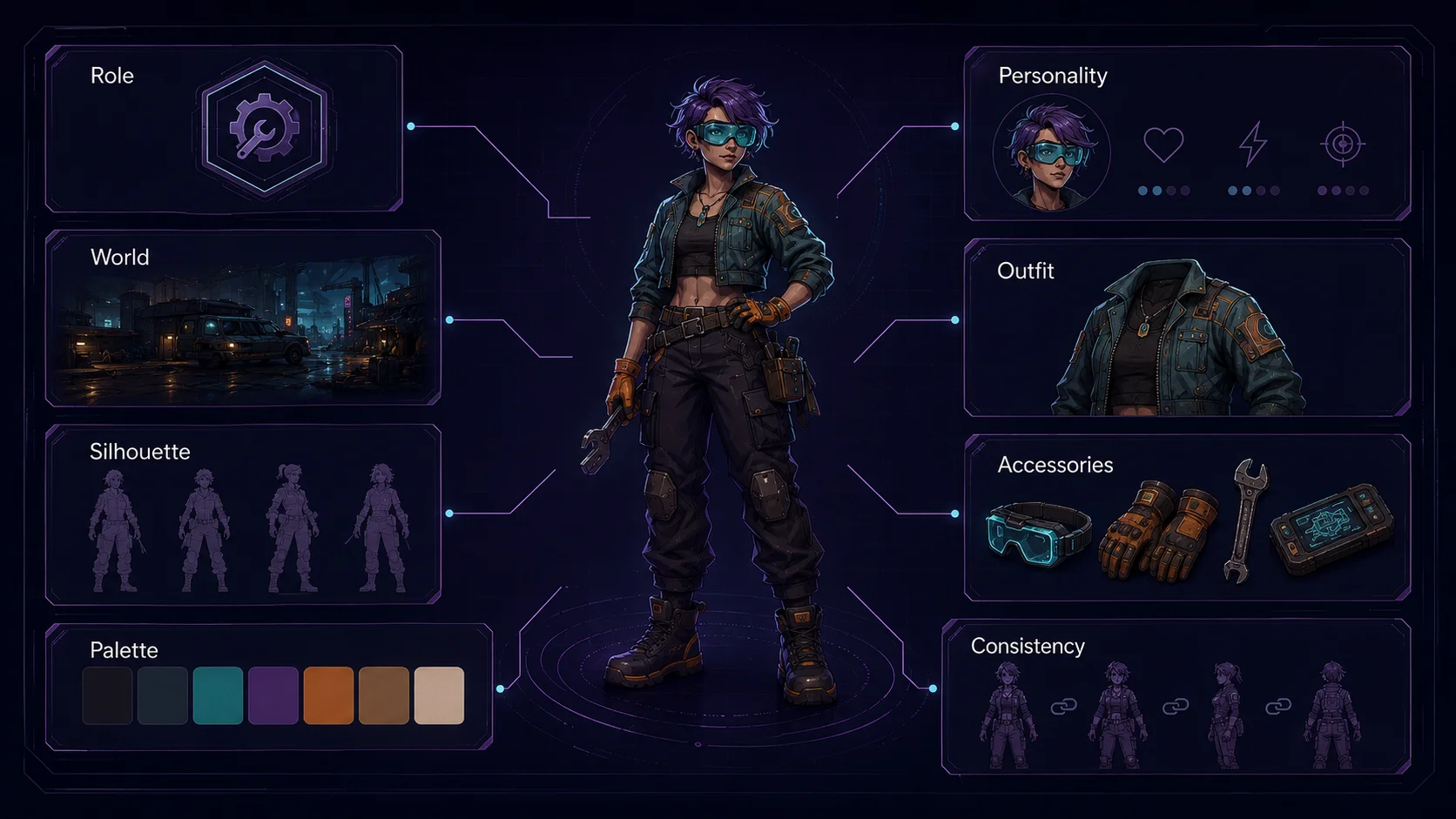
Start With the Character Role
The role is the simplest way to anchor the character.
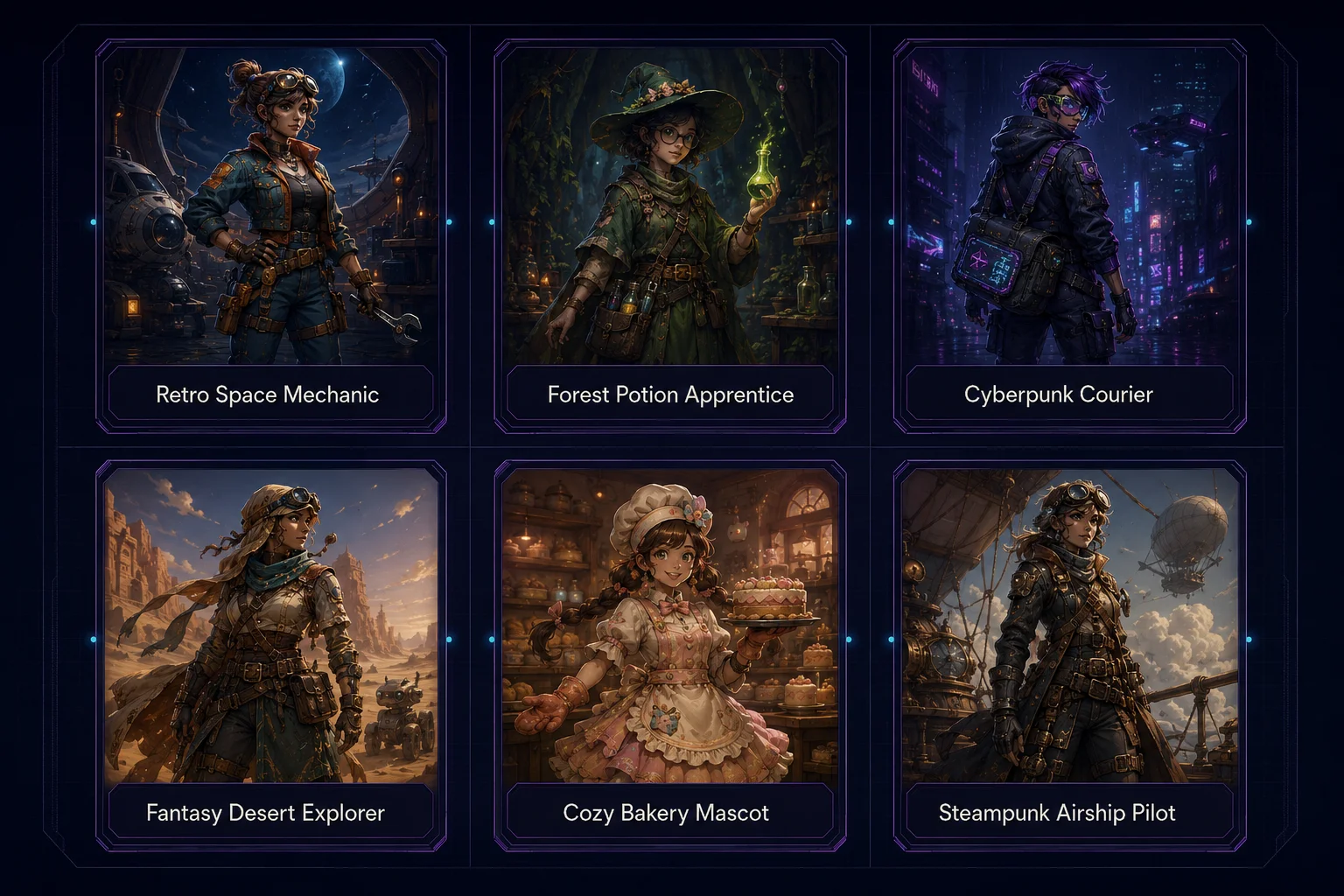
Good role examples:
retro space mechanic forest potion apprentice cyberpunk courier fantasy desert explorer cozy bakery mascot post-apocalyptic survivor arcade game shop owner steampunk airship pilot
Avoid roles that are too vague:
cool character beautiful hero fantasy person anime girl sci-fi guy
A clear role gives the design direction.
Add Personality
Personality affects posture, expression, outfit choices, and accessories.
Good personality words:
cheerful
cautious
stubborn
elegant
nervous
brave
playful
mysterious
practical
calm
energetic
Example:
A cheerful but stubborn retro space mechanic who looks practical, clever, and slightly messy from workshop life.
This already creates a stronger character than simply saying "space mechanic".
Define the Visual Silhouette
The silhouette is the character's readable shape. It should be recognizable even before details are added.
Think about:
tall or short
compact or lanky
round or angular
soft or sharp
heavy coat or slim outfit
big hair or small helmet
large backpack or small tool belt
Example silhouette description:
Compact silhouette, short jacket, large gloves, rounded boots, small backpack, and oversized visor goggles.
This helps keep the character consistent across front, side, and back views.
Choose the Main Color Direction
A character bible sheet should include a palette later, but the identity brief should already define the main color mood.
Simple palette examples:
teal, orange, dark navy, cream highlights violet, black, silver, cyan accents forest green, warm brown, gold, ivory red jacket, dark pants, yellow scarf, steel tools
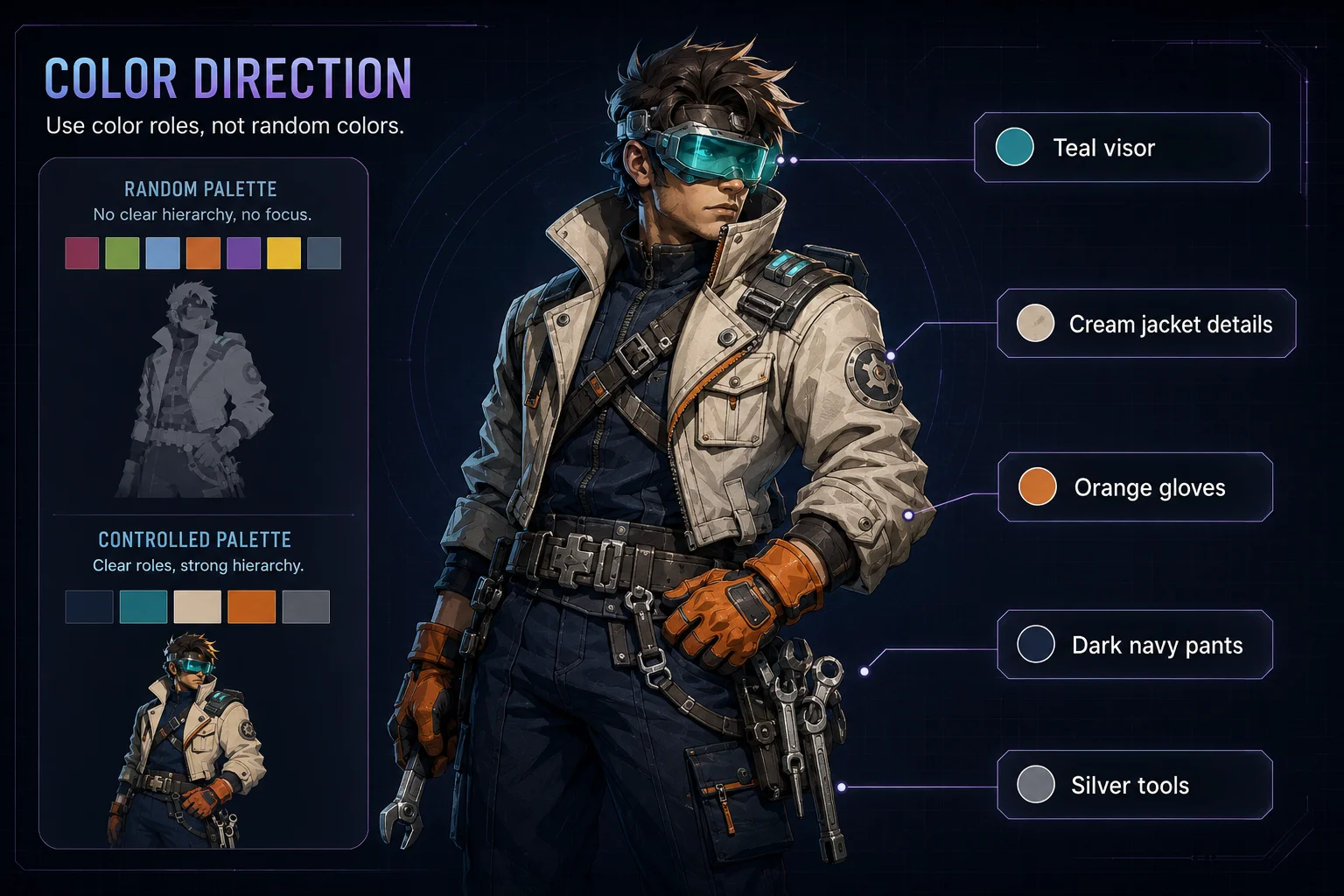
For better control, describe color roles:
teal visor, orange gloves, dark navy pants, cream jacket patches, silver tools.
This is stronger than just listing colors.
Define Outfit Anchors
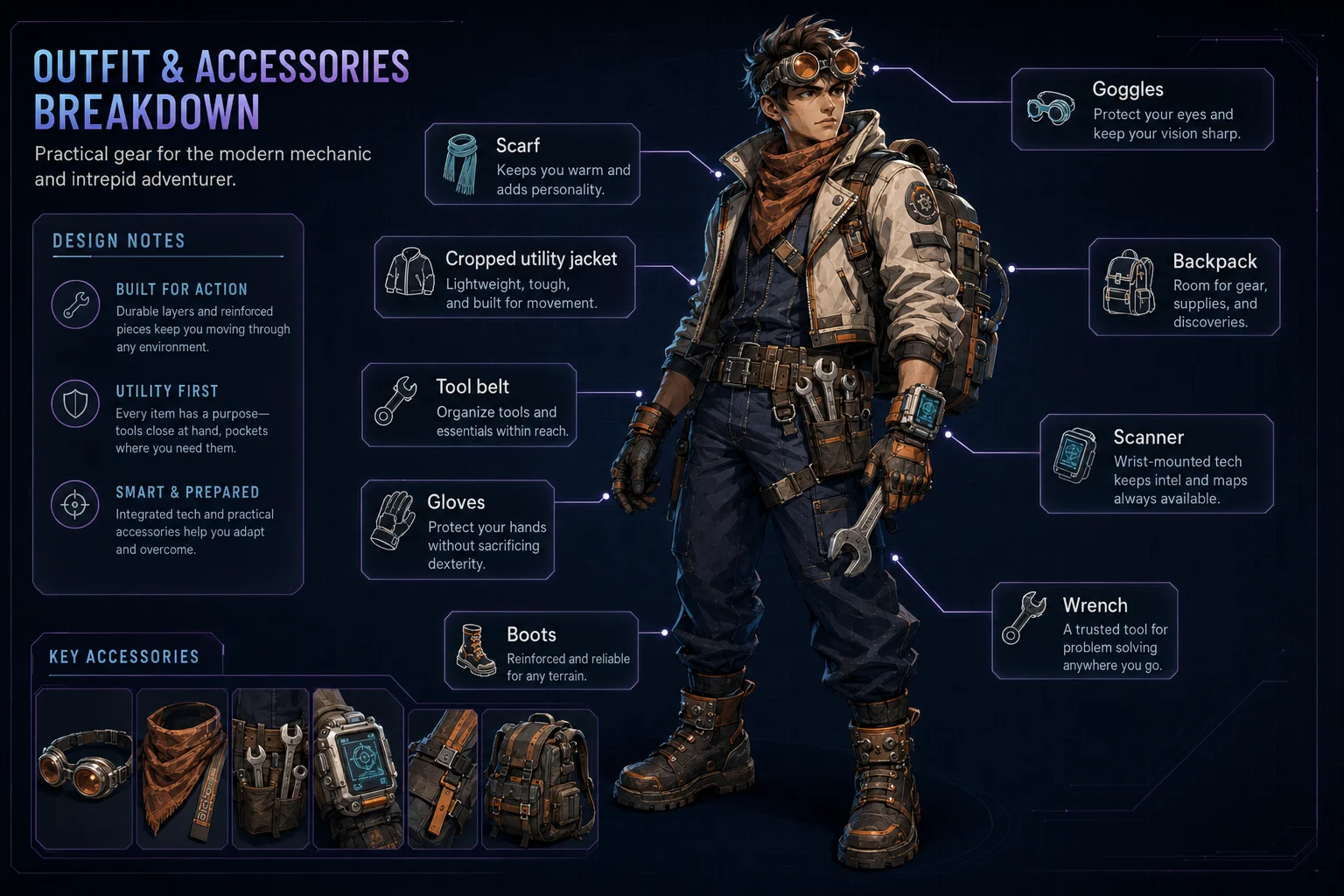
Outfit anchors are the pieces that should appear in every view.
Examples:
cropped utility jacket
scarf
goggles
tool belt
long coat
magnetic boots
shoulder bag
gloves
knee pads
helmet
cape
apron
A character can have outfit variants later, but the main design needs a stable base.
Example:
The character wears a cropped utility jacket, teal visor goggles, orange gloves, dark work pants, magnetic boots, and a small tool belt.
Add Accessories
Accessories make a character memorable, but too many accessories can make the sheet messy.
Choose two to five important accessories.
Good accessory examples:
small wrench, utility belt, portable scanner, patch-covered backpack, old data cassette
If an accessory is important, mention where it appears.
Example:
A small wrench hangs from the right side of the utility belt, and a compact scanner is attached to the left wrist.
Decide What Must Stay Consistent
This is one of the most important parts of the brief. AI tools may change details between views unless you clearly define consistency rules.
Useful consistency notes:
Keep the same face, hairstyle, body proportions, jacket shape, visor goggles, gloves, boots, and color palette across all views.
You can also define what should not change:
Do not change the character into a different age, outfit style, body type, or color scheme.
Avoid Overloading the Character
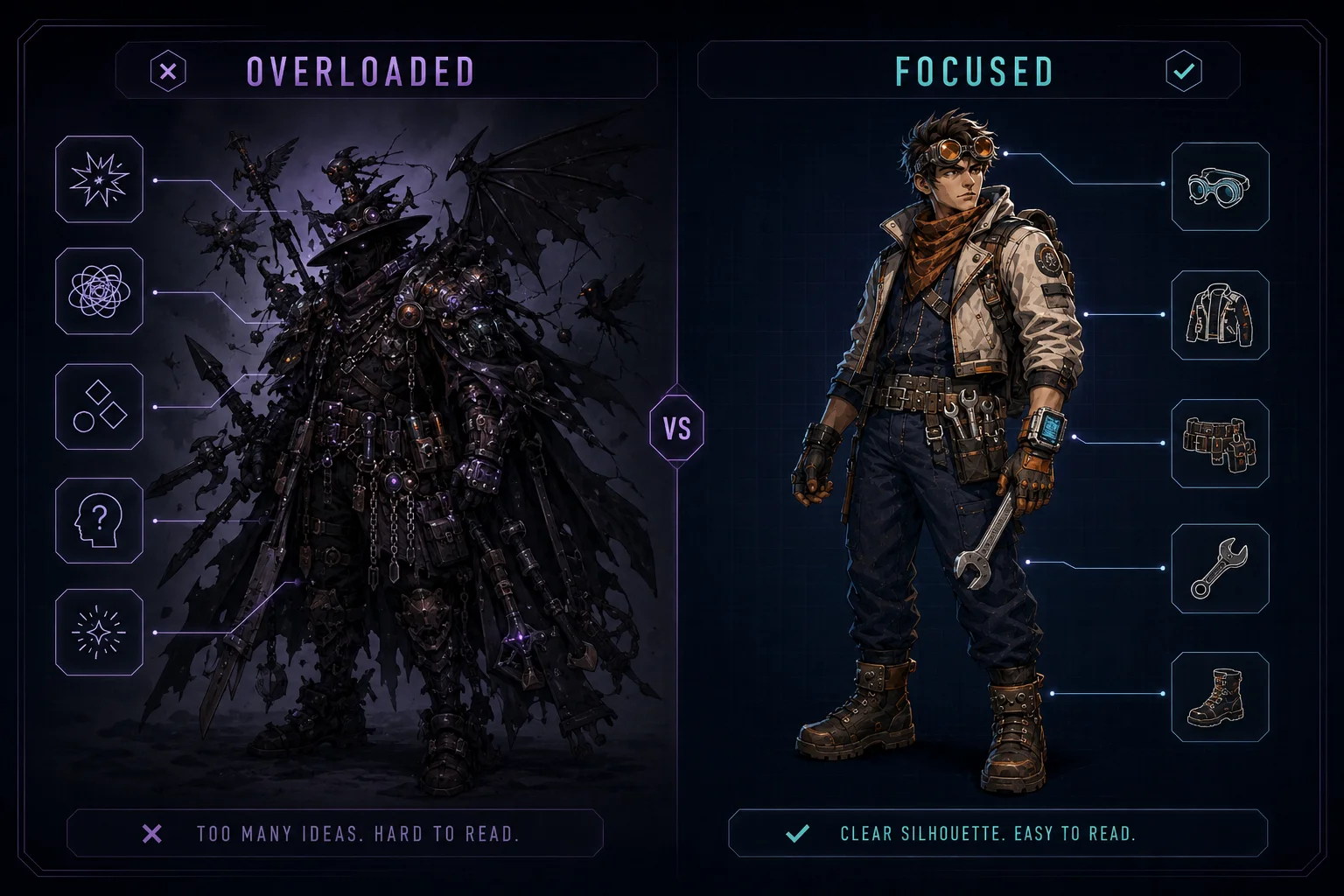
A character bible sheet needs clarity. If the character has too many ideas, the sheet may become confusing.
Weak concept:
A fantasy cyberpunk pirate astronaut wizard mechanic with dragon armor, neon wings, medieval boots, headphones, sword, laser gun, pet robot, and royal cape.
Better concept:
A cheerful retro space mechanic with teal visor goggles, orange gloves, a cropped utility jacket, dark work pants, magnetic boots, and a compact tool belt.
Simple is easier to make consistent.
Character Identity Brief Template
Use this template for your first character:
Character role:
Personality:
World or genre:
Age impression:
Body type and silhouette:
Face and hairstyle:
Main outfit:
Main colors:
Accessories:
Important consistency rules:
Mood keywords:
Example Character Brief
Character role: Retro space mechanic.
Personality: Cheerful, stubborn, practical, and clever.
World or genre: Colorful retro sci-fi workshop world inspired by old computer culture.
Age impression: Young adult.
Body type and silhouette: Compact silhouette, confident stance, rounded boots, large gloves, small backpack.
Face and hairstyle: Expressive friendly face, short violet hair, teal visor goggles pushed slightly forward.
Main outfit: Cropped utility jacket, dark work pants, orange gloves, magnetic boots, small tool belt.
Main colors: Teal visor, orange gloves, dark navy pants, cream jacket details, silver tools.
Accessories: Small wrench on the right side of the belt, compact wrist scanner, patch-covered mini backpack.
Important consistency rules: Keep the same face, hairstyle, visor goggles, jacket shape, gloves, boots, color palette, and compact body proportions across all views.
Mood keywords: Friendly, practical, retro sci-fi, workshop-ready, playful, game-ready.
Turn the Brief Into a Prompt
Once the brief is clear, you can turn it into a short character generation prompt.
Example:
Create one original retro space mechanic character. The character is cheerful, stubborn, practical, and clever, with a compact silhouette, expressive friendly face, short violet hair, teal visor goggles, cropped utility jacket, dark work pants, orange gloves, magnetic boots, small tool belt, small wrench, wrist scanner, and patch-covered mini backpack. Use a teal, orange, dark navy, cream, and silver color palette. Keep the same face, hairstyle, body proportions, outfit language, accessories, and colors consistent.
This prompt is now ready to become the foundation for a full character bible sheet.
Mini Exercise
Create your own character identity brief using the template below:
Character role: Personality: World or genre: Age impression: Body type and silhouette: Face and hairstyle: Main outfit: Main colors: Accessories: Important consistency rules: Mood keywords:
Then reduce it into one clean paragraph prompt.
Quality Checklist
Before moving to the next lesson, check your character identity:
Does the character have a clear role?
Is the personality easy to understand?
Is the silhouette readable?
Are the main colors defined?
Are the outfit anchors specific?
Are the accessories limited and memorable?
Are the consistency rules clear?
Is the concept simple enough to repeat across multiple views?
Lesson Outcome
By the end of this lesson, you should have a clear character identity brief that can guide a complete character design bible sheet in the next lesson.
Course navigation