
Article
Lesson content
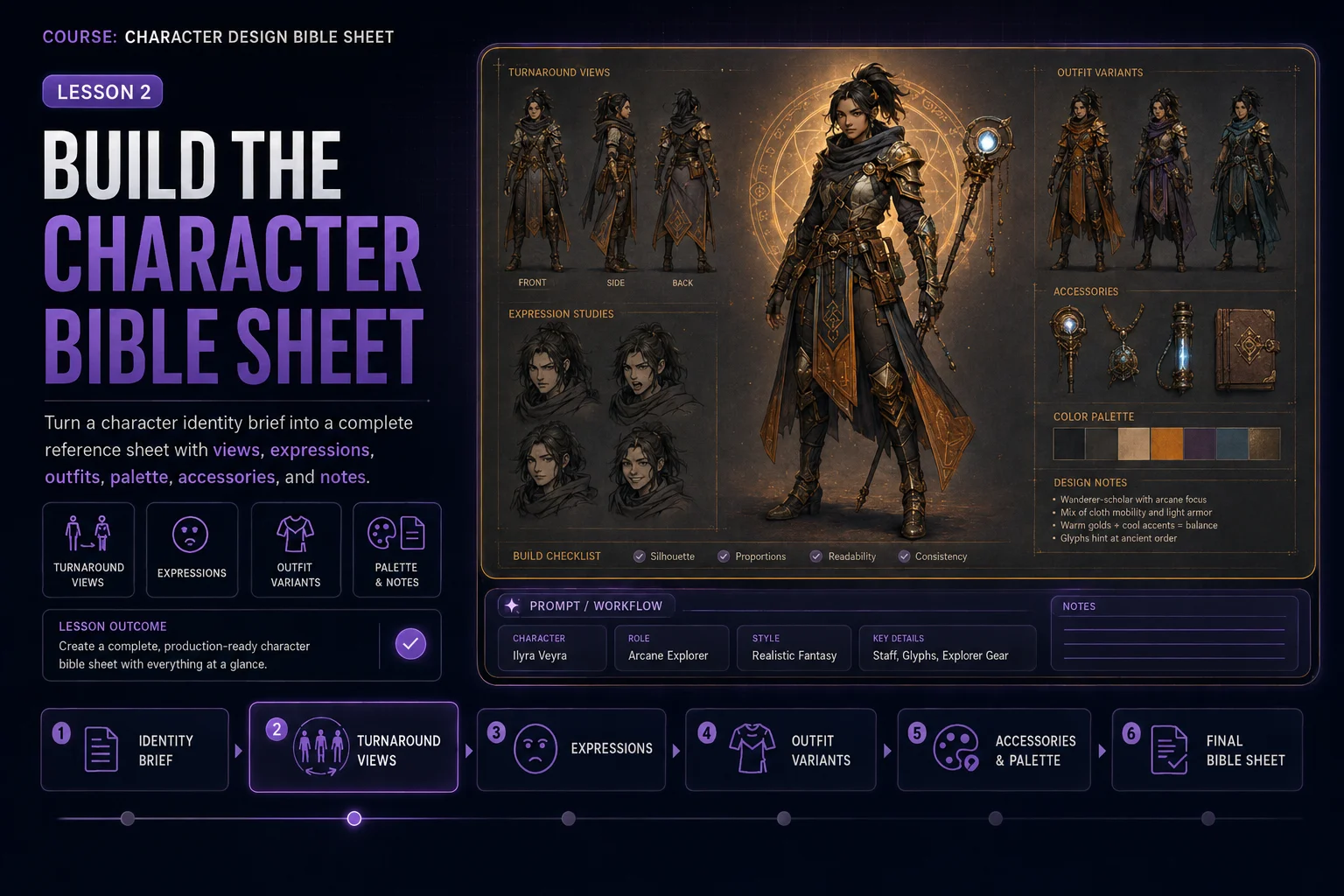
Build the Character Bible Sheet
In the previous lesson, you created a character identity brief. Now you will turn that brief into a structured character bible sheet.
A character bible sheet is more than one nice portrait. It is a practical reference document that shows how one character should look from different angles, how they express emotion, what outfit variants they can wear, what colors define them, and which accessories belong to the design.
The goal of this lesson is to create a clear, organized sheet that can guide future artwork, stories, game assets, mascots, avatars, or AI image generations.
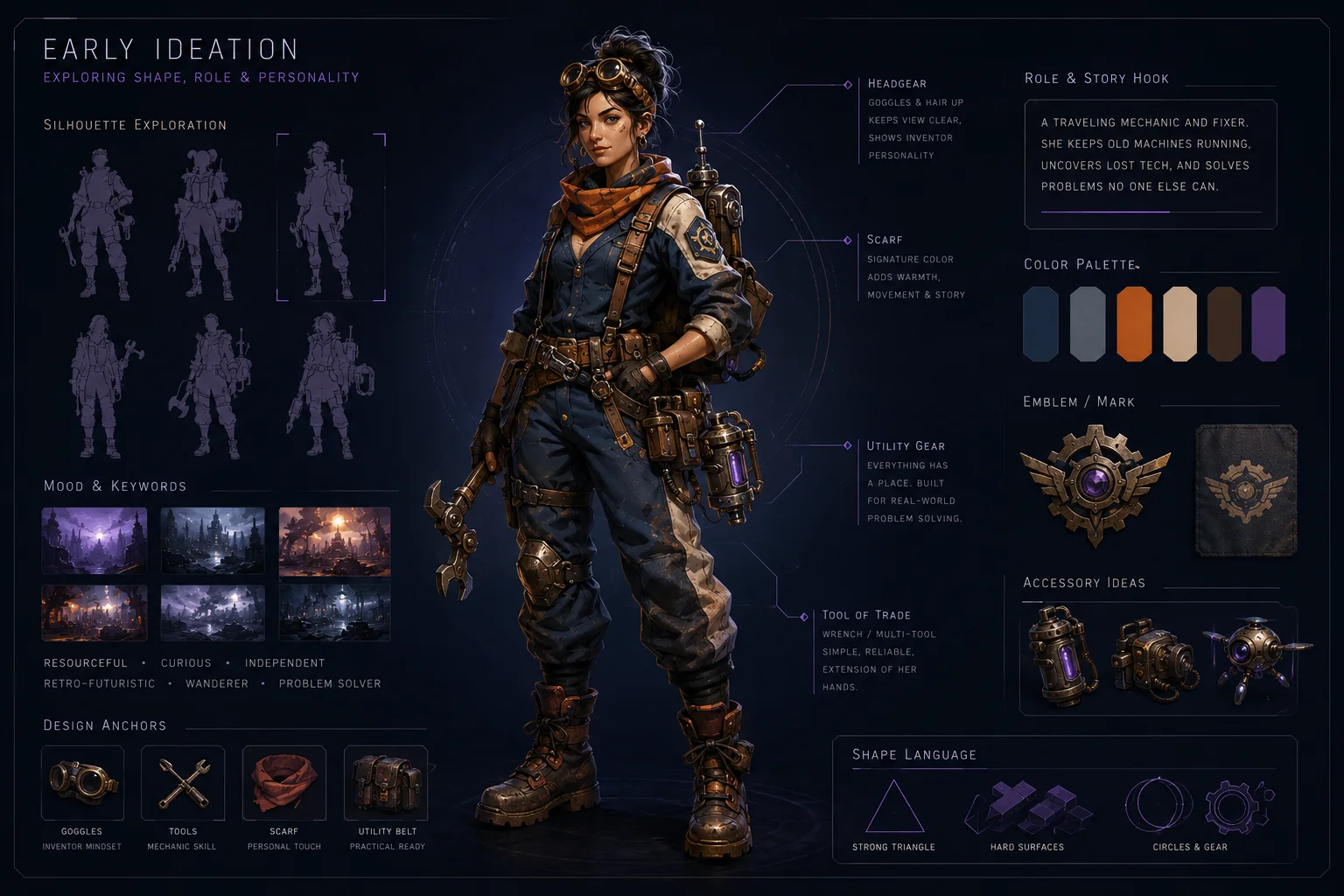
A character bible sheet turns one character idea into a complete visual reference system.
What Belongs on a Character Bible Sheet?
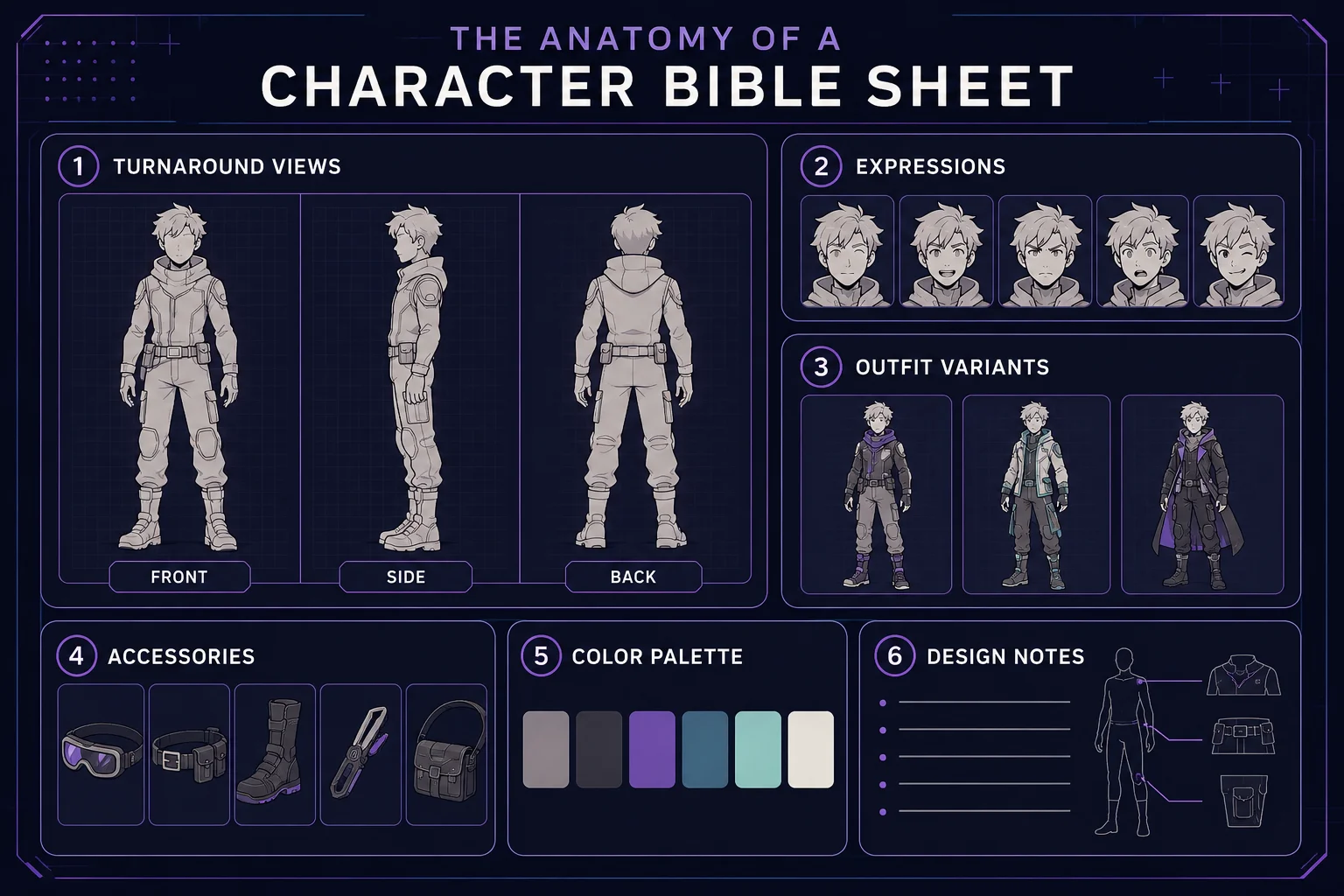
A useful beginner character bible sheet usually includes:
front view
side view
back view
expression sheet
outfit variants
color palette
accessories
design notes
Each section has a purpose. Together, they help keep the character consistent.
Start With One Character Only
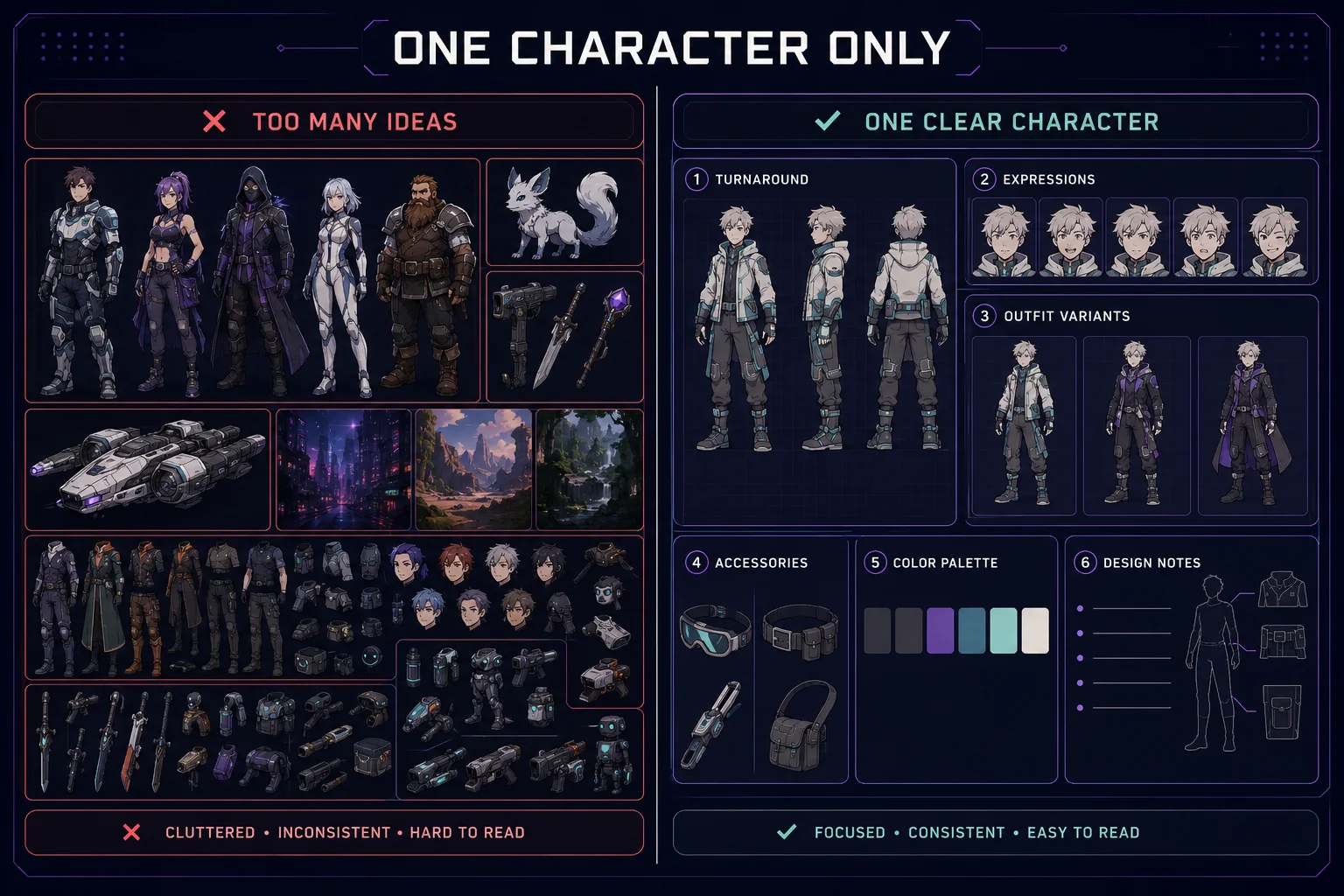
A common mistake is asking for too much at once. The bible sheet should focus on one character, not a group.
Weak direction:
Create a sheet with a hero, villain, robot friend, pet creature, spaceship, weapons, backgrounds, and many poses.
Better direction:
Create a complete character design bible sheet for one original retro space mechanic character.
One character gives the AI a better chance to keep the face, outfit, silhouette, and colors consistent.
Use a Clear Sheet Layout
The layout should be structured and easy to read.
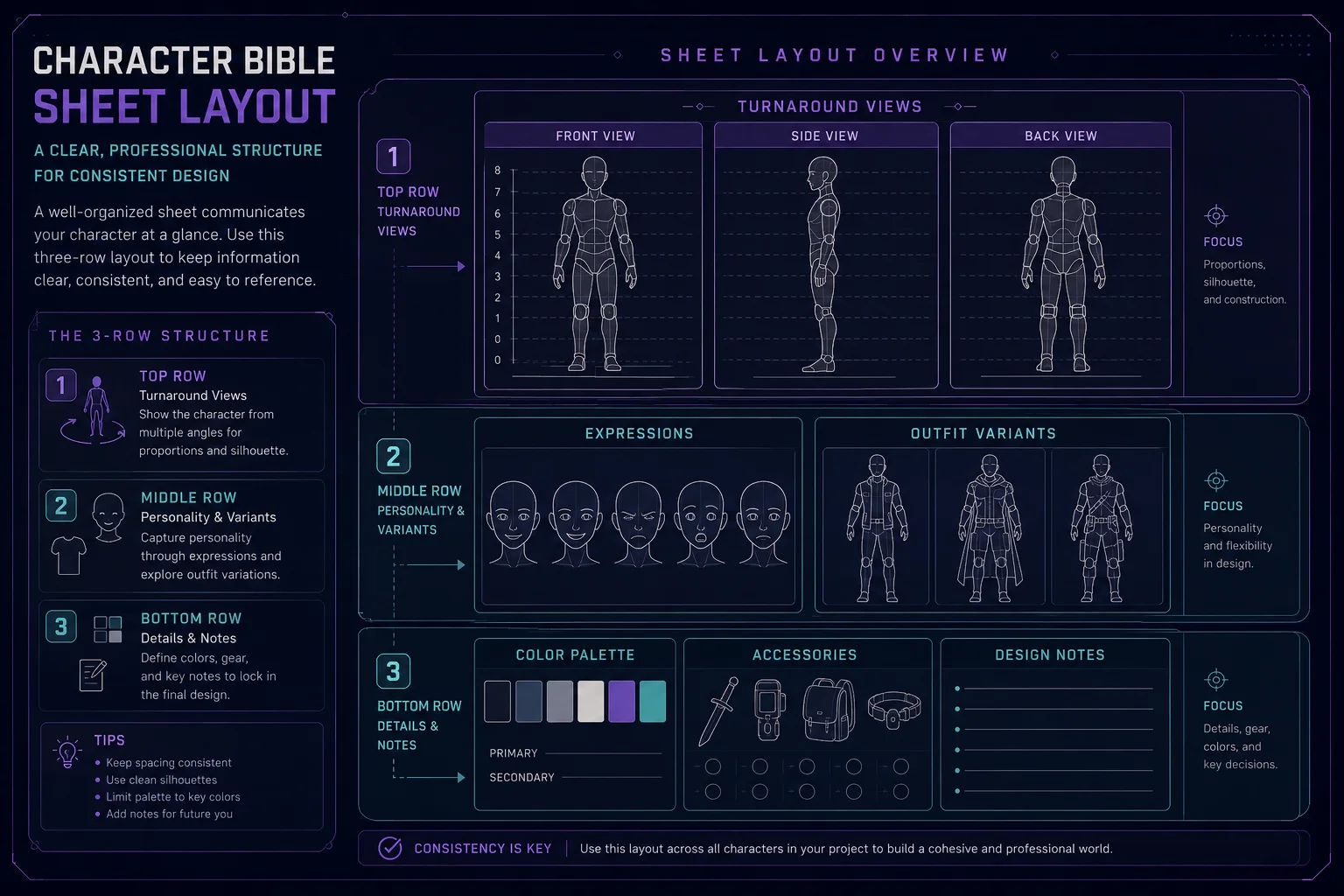
A good beginner layout can include:
Top row: Front view, side view, back view Middle row: Facial expressions and outfit variants Bottom row: Color palette, accessories, and design notes
This layout is simple, practical, and useful for future reference.
Define the Main Views
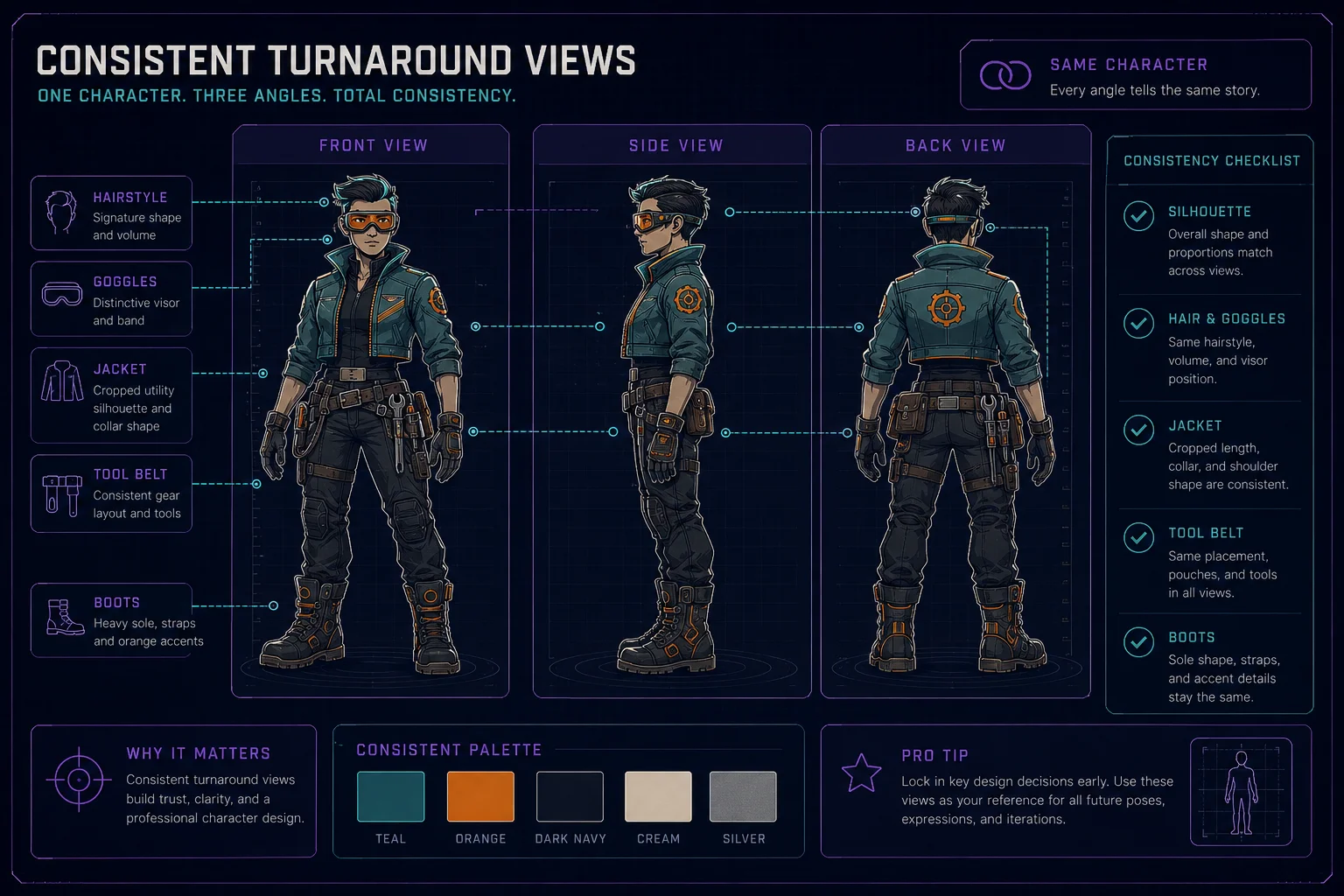
The front, side, and back views are the core of the sheet. They help show the full outfit and body shape.
When prompting, ask for:
front view, side view, and back view of the same character, consistent proportions, same outfit, same hairstyle, same accessories
Important consistency details:
same face shape
same hairstyle
same body proportions
same outfit structure
same shoes or boots
same accessories
same color palette
The character should look like the same person from different angles.
Add Expressions
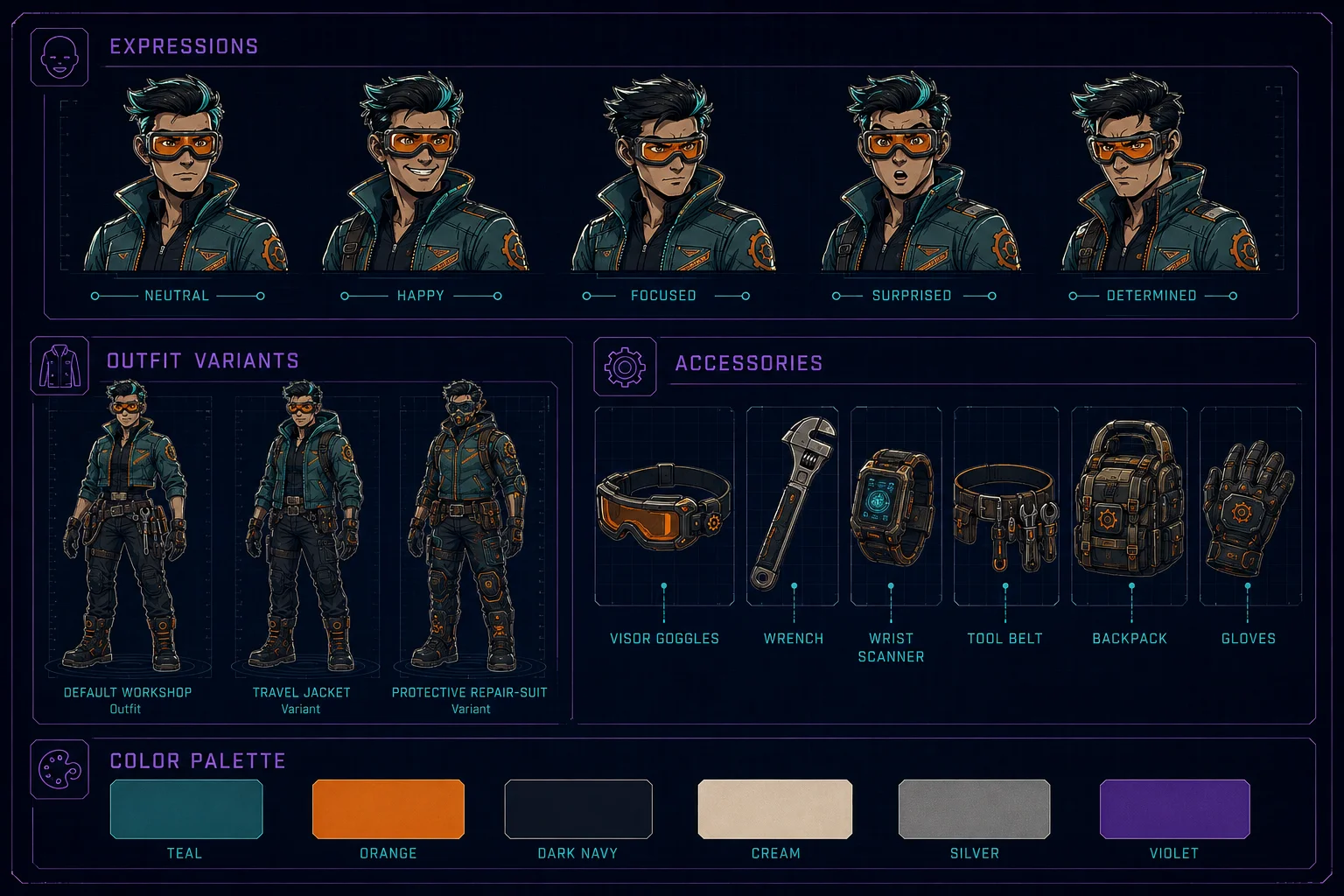
Expressions make the character feel alive. For a beginner sheet, five expressions are enough.
Useful expression set:
neutral, happy, focused, surprised, determined
For some characters, you can adjust the expressions:
calm, nervous, confident, annoyed, excited
Prompt phrase:
Include five small facial expression portraits showing neutral, happy, focused, surprised, and determined expressions while keeping the same face and hairstyle.
Add Outfit Variants
Outfit variants show how flexible the character design is. Keep them related to the main identity.
Good beginner variants:
default outfit
work outfit
travel outfit
formal outfit
weather variant
battle or adventure variant
Avoid making every variant look like a different character.
Prompt phrase:
Include three outfit variants that keep the same character identity, color palette, silhouette, and accessory language.
Example for a retro space mechanic:
default workshop outfit, travel jacket variant, protective repair suit variant
Add Accessories
Accessories should be shown clearly and separately. This helps you reuse the character later.
Good accessory section examples:
tool belt
goggles
scanner
backpack
gloves
boots
weapon or prop, if appropriate
mascot item
jewelry or charm
Prompt phrase:
Add a small accessories section showing the character's key props: visor goggles, wrench, wrist scanner, mini backpack, and magnetic boots.
Add a Color Palette
The palette should show the main colors of the character. It can be a row of clean swatches.
Beginner palette size:
5 to 7 color swatches
For example:
teal visor, orange gloves, dark navy pants, cream jacket details, silver tools, violet hair
Prompt phrase:
Include a clean color palette with 6 labeled swatches representing the main character colors.
If your AI tool struggles with readable labels, ask for clean swatches and add labels manually later.
Add Design Notes Carefully
Design notes are useful, but AI tools often create fake or unreadable text. To avoid messy fake writing, keep this section simple.
Good prompt direction:
Add a clean design notes area with short readable headings and simple note blocks, minimal text, no tiny paragraphs.
Safer direction if text quality is poor:
Add a design notes area using clean abstract note lines and simple icons, leaving space for real notes to be added later.
For Skinbase Academy practice, either approach is fine. If you need production-quality text, add the text manually in your design tool after generation.
Full Bible Sheet Prompt Template
Use this template:
Create a complete character design bible sheet for one original character.
Character identity: [Paste your character identity brief here.]
Sheet layout: Show the same character with front view, side view, back view, five facial expressions, three outfit variants, a color palette, accessories, and design notes.
Style: Clean premium character design sheet, game-ready concept art, consistent proportions, readable silhouette, polished studio presentation, professional art direction, clear sections, soft shadows.
Consistency rules: Keep the same face, hairstyle, body proportions, outfit language, accessories, and color palette across all views.
Important: One character only, no random extra characters, no logos, no watermark, no messy fake labels, no unreadable tiny text.
Practical Example Prompt
Create a complete character design bible sheet for one original retro space mechanic character.
Character identity: A cheerful but stubborn retro space mechanic from a colorful sci-fi workshop world. Young adult, compact silhouette, expressive friendly face, short violet hair, teal visor goggles, cropped utility jacket, dark navy work pants, orange gloves, magnetic boots, small tool belt, small wrench, wrist scanner, and patch-covered mini backpack. The palette uses teal, orange, dark navy, cream, silver, and violet. The mood is friendly, practical, playful, and game-ready.
Sheet layout: Show the same character with front view, side view, back view, five facial expressions, three outfit variants, a color palette, accessories, and design notes.
Style: Clean premium character design sheet, game-ready concept art, consistent proportions, readable silhouette, polished studio presentation, professional art direction, clear sections, soft shadows.
Consistency rules: Keep the same face, hairstyle, compact body proportions, teal visor goggles, cropped jacket, orange gloves, boots, tools, and color palette across all views.
Important: One character only, no random extra characters, no logos, no watermark, no messy fake labels, no unreadable tiny text.
How to Judge the First Result
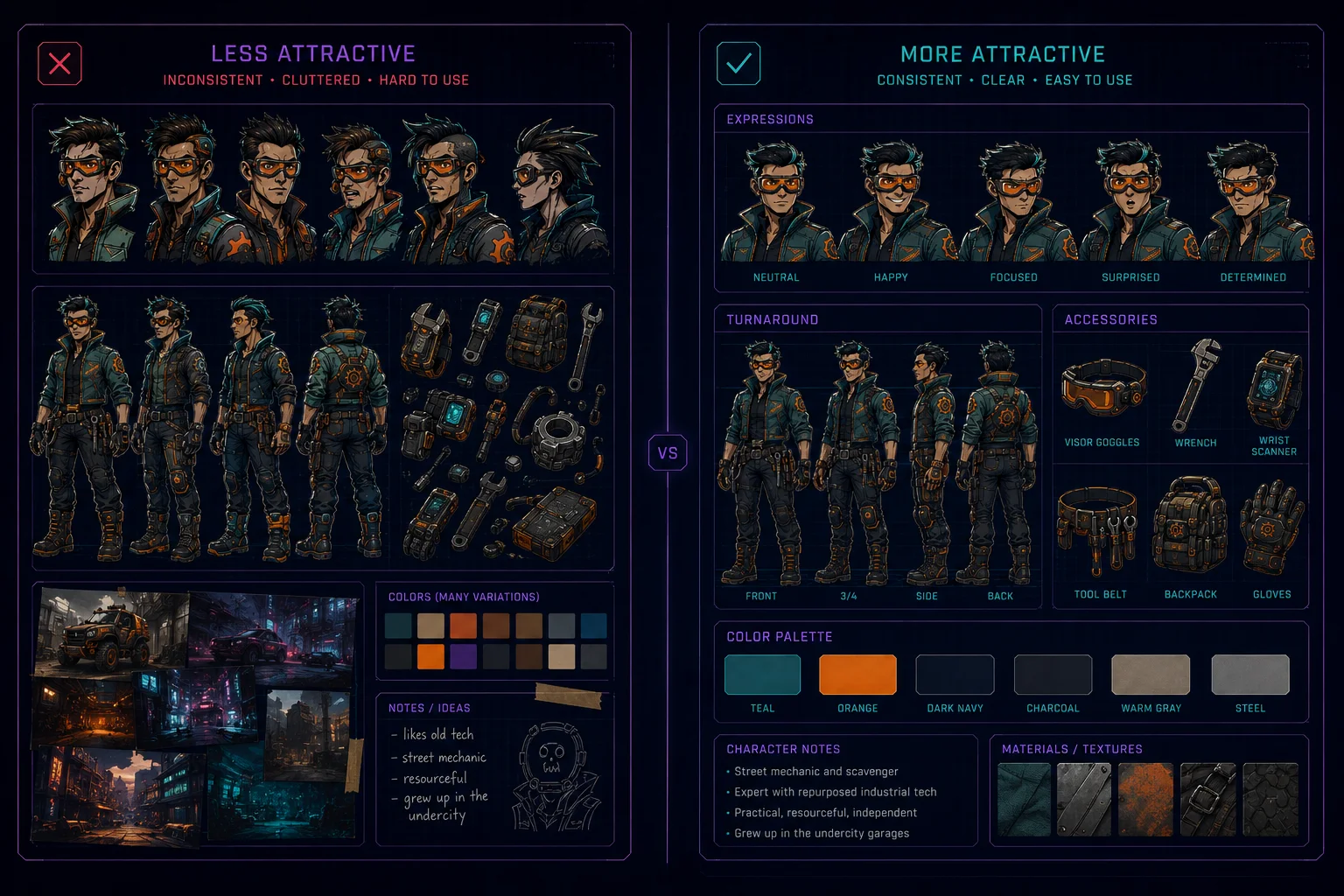
After generating the sheet, check it carefully. Do not accept the first result just because it looks attractive.
Look for:
Does the front view match the side and back views?
Is the face consistent?
Is the hairstyle consistent?
Are the outfit colors stable?
Are accessories repeated correctly?
Are the expression portraits the same character?
Are the outfit variants related to the same design?
Is the layout clean and readable?
Is there any fake text, logo, or watermark?
A beautiful sheet is not enough. It must be useful.
Common Problems and Fixes
Problem: The views look like different characters
Add:
same character across all views, consistent face, consistent hairstyle, consistent proportions, model-sheet consistency
Problem: The outfit changes too much
Add:
same base outfit structure, same jacket shape, same boots, same gloves, same accessory placement
Problem: The sheet is too cluttered
Add:
clean layout, generous spacing, organized sections, not overcrowded, professional reference sheet
Problem: The text is messy
Add:
minimal readable headings only, no tiny paragraphs, no random letters, leave note areas blank for manual text
Problem: The character is too generic
Add stronger identity details:
specific silhouette, unique accessory, clear palette, distinctive hairstyle, memorable outfit anchor
Suggested Section Labels
If your image tool handles text well, use simple labels:
Front View Side View Back View Expressions Outfit Variants Accessories Color Palette Design Notes
If it does not handle text well, ask for the same sections visually, but add the labels manually later.
Mini Exercise
Use your character identity brief from Lesson 1 and create one character bible sheet prompt.
Your sheet must include:
Front view Side view Back view Five expressions Three outfit variants Color palette Accessories Design notes area
Generate at least two versions and compare which one keeps the character most consistent.
Quality Checklist
Before moving to the final lesson, check your sheet:
Is there only one character identity?
Are the main views consistent?
Are the expressions recognizable as the same character?
Do outfit variants still belong to the same design?
Are the accessories clear and repeated correctly?
Is the palette useful?
Is the layout clean enough to reuse?
Are there no fake logos or watermarks?
Can this sheet guide future artwork?
Lesson Outcome
By the end of this lesson, you should have a complete character bible sheet prompt and at least one generated sheet that shows your character's views, expressions, outfits, palette, accessories, and design notes.
Course navigation
Continue this course
Previous lesson
Character Design Bible Sheet · Lesson 01
Define the Character Identity
Create a clear character identity brief before building the full design bible sheet.
Next lesson
Character Design Bible Sheet · Lesson 03
Finalize and Reuse the Character
Check consistency, document the final design, and prepare the character for future creative use.