
Article
Lesson content
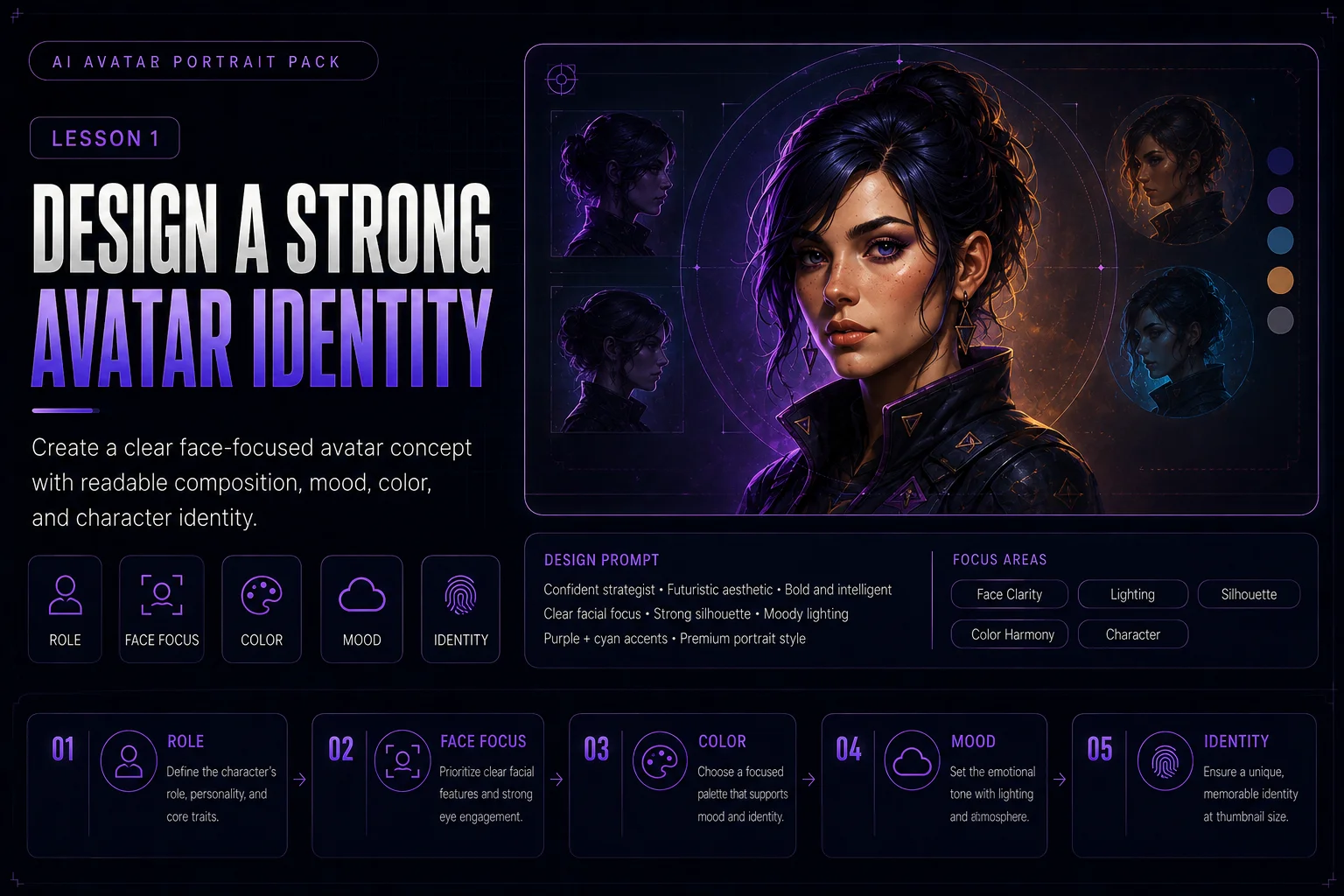
Design a Strong Avatar Identity
An avatar is small, personal, and highly visible. It may appear in a profile circle, author card, comment section, community page, social post, or creator profile. Because of that, an avatar must be clear at small size and still communicate personality quickly.
In this lesson, you will design one strong avatar identity before creating a full avatar pack in the next lesson.
What Makes a Good Avatar?
A good avatar is not just a cropped portrait. It is a compact visual identity.
A strong avatar should have:
-
a clear face or main subject
-
readable expression
-
simple composition
-
strong silhouette
-
recognizable colors
-
clean background
-
enough contrast
-
no tiny unreadable details
-
no random text, logos, or watermarks
The goal is to create an image that still works when it is displayed very small.
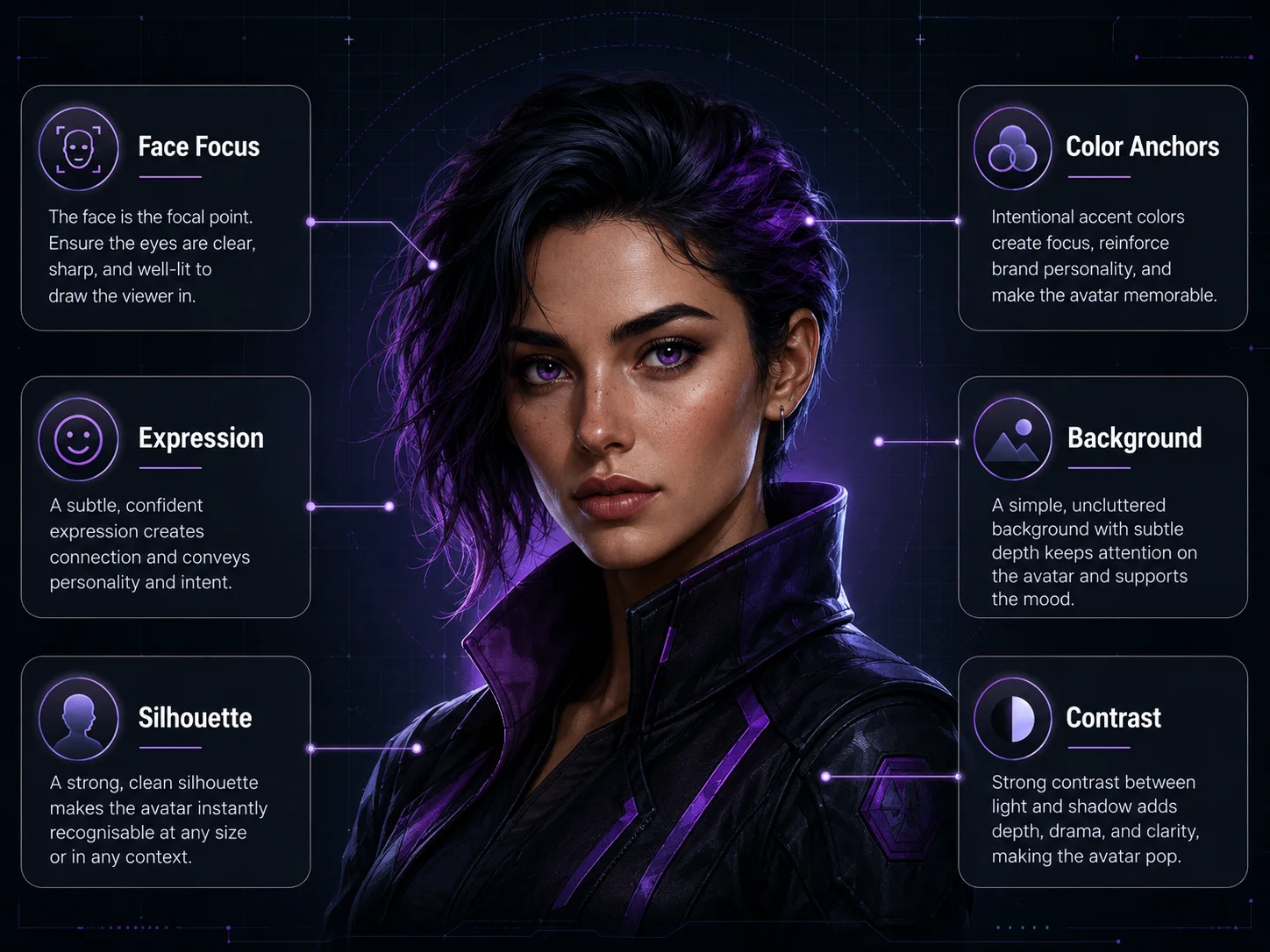
A strong avatar is a compact visual identity, not just a cropped portrait.
Start With the Avatar Role
Before writing a prompt, decide who the avatar represents.
Good avatar roles:
retro space mechanic AI wallpaper creator fantasy explorer cyberpunk courier cozy artist mascot robot assistant pixel-art game hero sci-fi academy mentor
Avoid vague directions like:
cool avatar nice profile picture beautiful character awesome AI portrait
A clear role gives the avatar a stronger identity.
Focus on the Face and Upper Body
Most avatars are shown in small boxes or circles. Full-body images often lose too much detail when cropped.
For avatar design, use:
text head and shoulders portrait bust portrait upper-body portrait profile avatar composition centered face clear facial expression
Example:
Head and shoulders portrait of a cheerful retro space mechanic with teal visor goggles, short violet hair, orange gloves near the collar, and a confident expression.
This is much stronger than asking for a full character scene.
Define the Expression
Expression is one of the fastest ways to communicate personality.
Good beginner expressions:
-
neutral
-
friendly
-
confident
-
focused
-
curious
-
determined
-
playful
-
calm
For a profile avatar, avoid expressions that are too extreme unless that is the point of the character.
Weak expression direction:
many emotions, dramatic face, crazy expression, intense mood
Better expression direction:
friendly confident expression, calm eyes, slight smile, approachable mood
Choose a Simple Background
The background should support the avatar, not compete with it.
Good background ideas:
-
dark gradient
-
soft studio glow
-
simple sci-fi panel
-
blurred workshop lights
-
subtle starfield
-
clean abstract shapes
-
soft color halo behind the head
Avoid busy backgrounds with too many objects, scenes, buildings, or tiny details.
Prompt phrases:
simple dark background soft purple glow behind the head clean profile-avatar background subtle abstract backdrop not cluttered
Use Recognizable Color Anchors
Avatar identity becomes stronger when the colors repeat clearly.
Good color anchors:
teal visor goggles orange gloves violet hair dark navy jacket cream jacket details silver tools
Color anchors help people recognize the character again in later images.
Example:
Use teal visor goggles, violet hair, orange gloves, dark navy clothing, and warm purple rim light as the main visual identity.
Keep the Silhouette Readable
Even in a portrait, silhouette matters. Hair shape, headgear, collar, scarf, goggles, hood, helmet, or shoulder armor can make the avatar recognizable.
Useful silhouette anchors:
-
spiky hair
-
big goggles
-
high collar
-
scarf
-
hood
-
helmet shape
-
shoulder armor
-
robot ears or antennae
-
distinctive hair outline
Prompt phrase:
text strong readable head silhouette, distinctive hair shape, clear goggles, high collar, clean outline
Avoid Avatar Clutter
A beginner mistake is adding too many accessories into a small portrait.
Weak avatar idea:
A full-body character with backpack, sword, robot, spaceship, city, planets, weapons, text, logo, glowing particles, and many details.
Better avatar idea:
A head and shoulders portrait of the same retro space mechanic, clear teal visor goggles, short violet hair, high collar, orange glove near the face, simple dark background, readable at small size.
For avatars, fewer strong details are better than many tiny details.
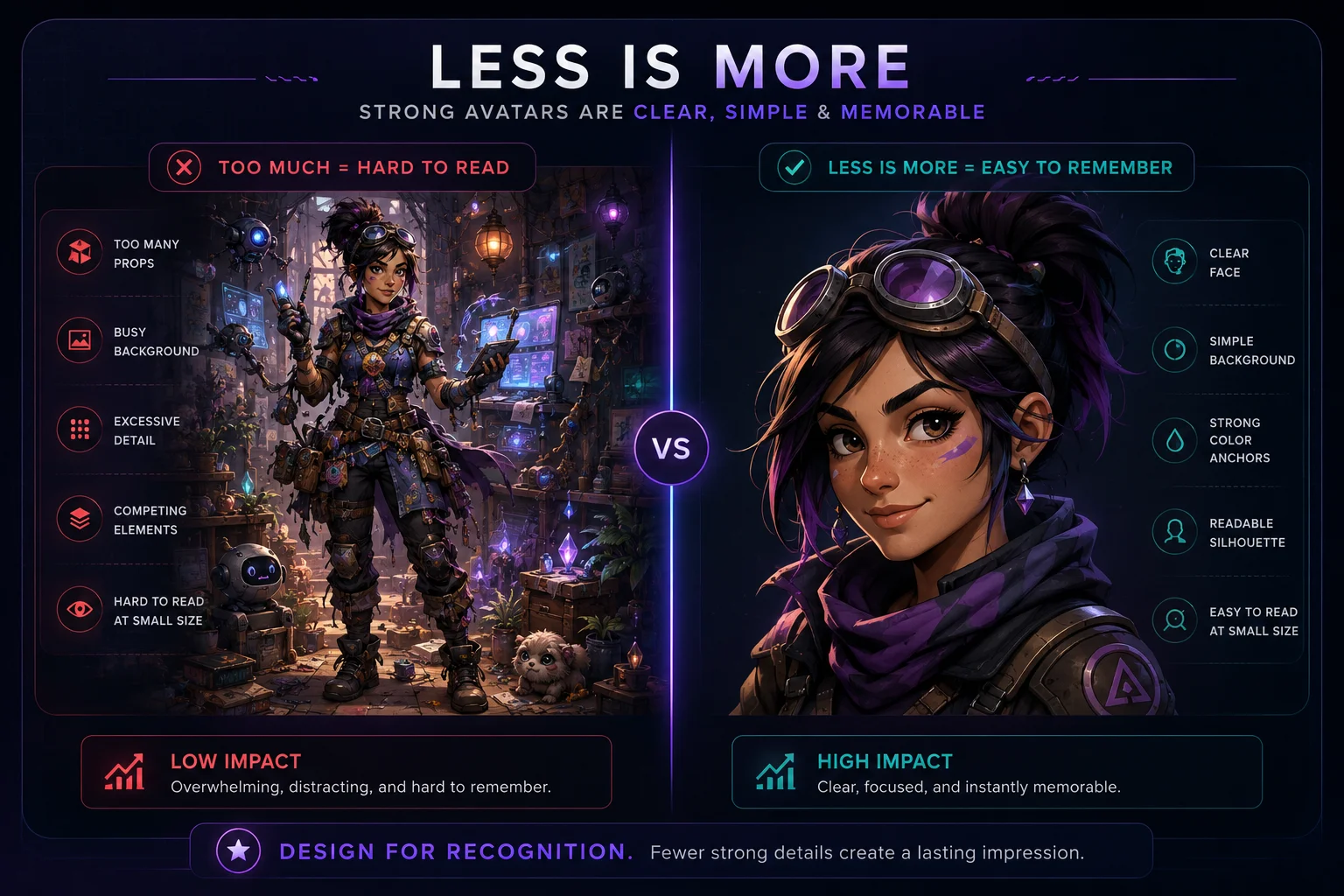
Fewer strong details work better than many tiny details in a small avatar.
Avatar Prompt Template
Use this structure:
Create a [portrait type] of [character role]. The character has [face, hair, expression, key accessories, outfit anchor, color anchors]. Use [background style], [lighting], and [composition]. Make it readable as a small profile avatar. No text, no logos, no watermark, no clutter.
Practical Example Prompt
Create a head and shoulders profile avatar portrait of an original retro space mechanic. The character has a friendly confident expression, short violet hair, teal visor goggles, a dark navy cropped utility jacket, orange gloves, and a high collar. Use a simple dark sci-fi background with soft purple and cyan rim lighting. Keep the face centered, the silhouette readable, and the colors clear. Make it work as a small circular profile avatar. No text, no logos, no watermark, no clutter.
Add Identity Rules
If this avatar comes from an existing character, add consistency rules.
Example:
Keep the same face, hairstyle, goggles, color palette, jacket style, and confident personality from the character reference.
This helps preserve identity when creating avatar variations later.
Check the Avatar at Small Size
After generating the avatar, view it small. If it only looks good large, it is not ready.
Check:
-
Is the face easy to see?
-
Is the expression readable?
-
Are the colors still clear?
-
Is the background too busy?
-
Does the silhouette stand out?
-
Does it work in a square crop?
-
Does it work in a circular crop?
-
Are there any random letters, logos, or artifacts?
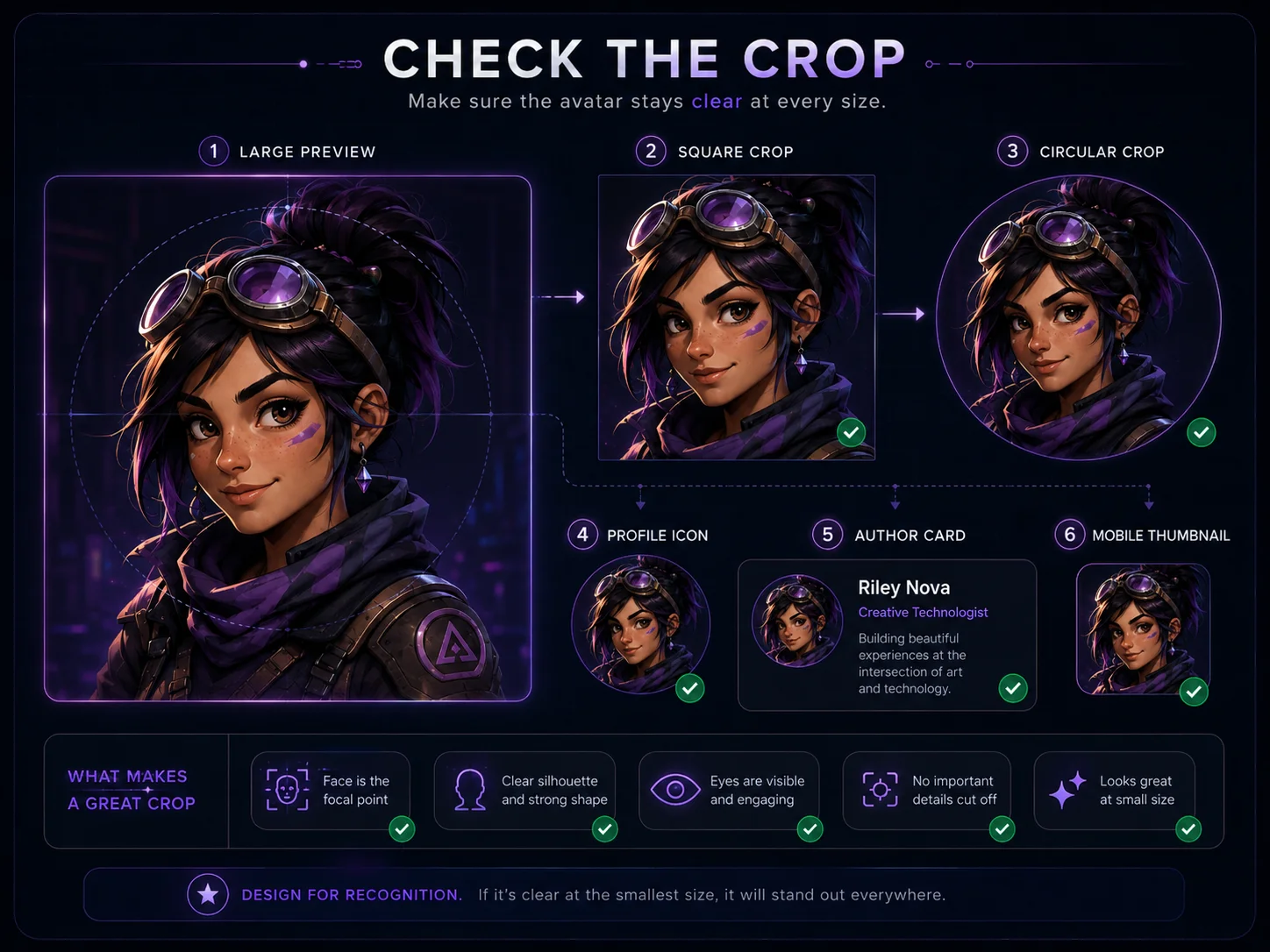
Always check whether the avatar still reads clearly in square, circular, and small profile crops.
Mini Exercise
Create one avatar identity prompt using this template:
Character role: Expression: Hair / head shape: Main accessory: Outfit anchor: Color anchors: Background: Lighting: Crop style: Consistency rules:
Then turn it into one clean prompt.
Example short brief:
Character role: retro space mechanic Expression: friendly and confident Hair / head shape: short violet hair Main accessory: teal visor goggles Outfit anchor: high-collar dark utility jacket Color anchors: teal, orange, dark navy, purple Background: simple dark sci-fi glow Lighting: purple and cyan rim light Crop style: head and shoulders avatar Consistency rules: same face, hair, goggles, jacket, and palette
Quality Checklist
Before moving to the next lesson, check your avatar concept:
-
Does it have a clear role?
-
Is the face the main focus?
-
Is the expression readable?
-
Are the color anchors clear?
-
Is the background simple?
-
Does the silhouette stand out?
-
Is it usable as a square or circular crop?
-
Does it avoid text, logos, and clutter?
-
Can the same identity be reused in several variations?
Lesson Outcome
By the end of this lesson, you should have one strong avatar identity prompt that can become the foundation for a consistent avatar portrait pack.
Lesson navigation