
Article
Lesson content
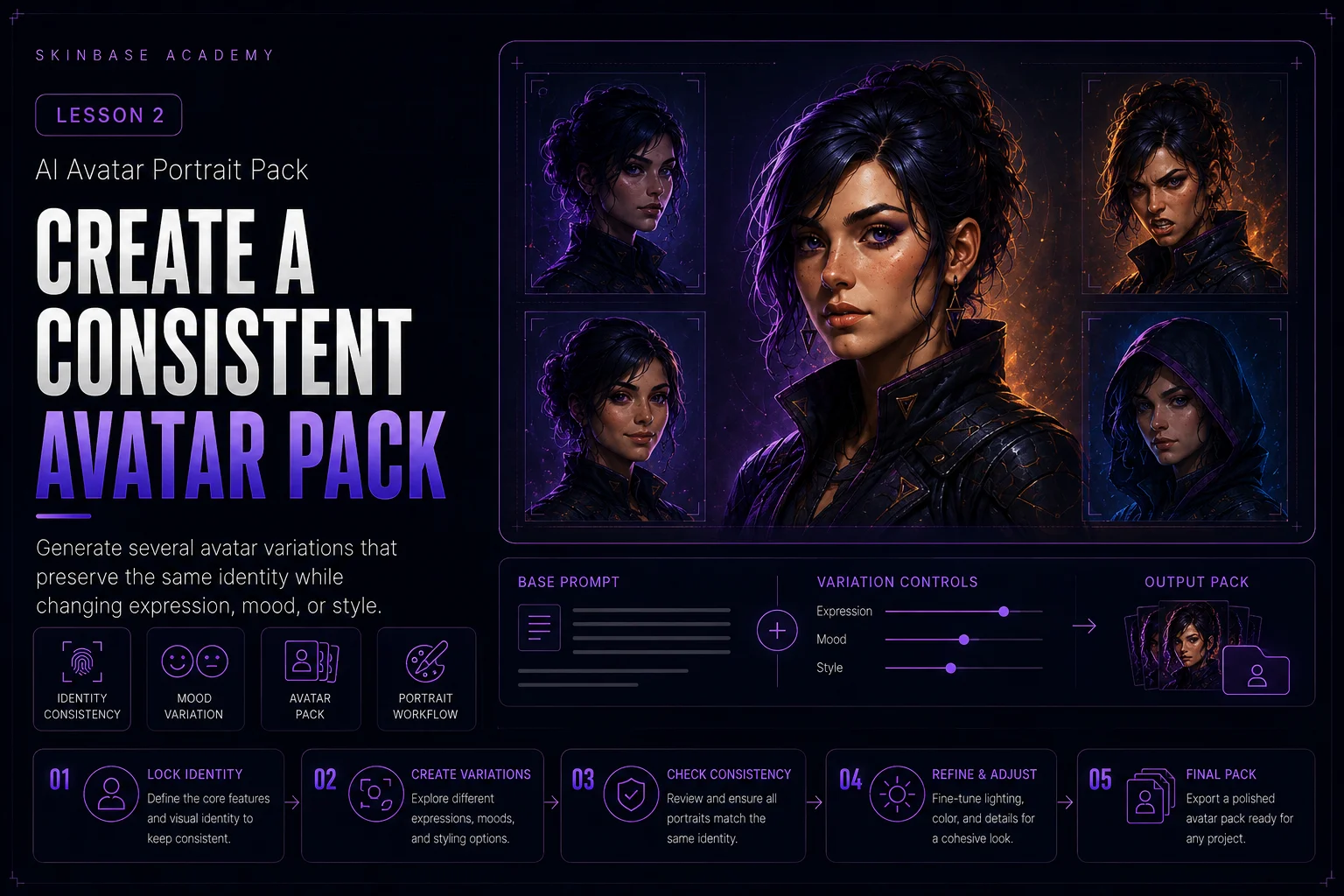
Create a Consistent Avatar Pack
In the previous lesson, you designed one strong avatar identity. Now you will turn that identity into a small avatar pack.
An avatar pack is a set of related profile images that feel like they belong to the same character or creator identity. The goal is not to create random portraits. The goal is to create useful variations while keeping the same face, style, color anchors, and visual mood.
What Is an Avatar Pack?
An avatar pack is a small collection of portraits based on one identity.
A beginner avatar pack can include:
-
neutral avatar
-
friendly avatar
-
focused avatar
-
serious avatar
-
cinematic avatar
-
stylized version
Each image can have a slightly different expression or mood, but the identity should stay recognizable.
The viewer should feel: this is the same character, just shown in different ways.
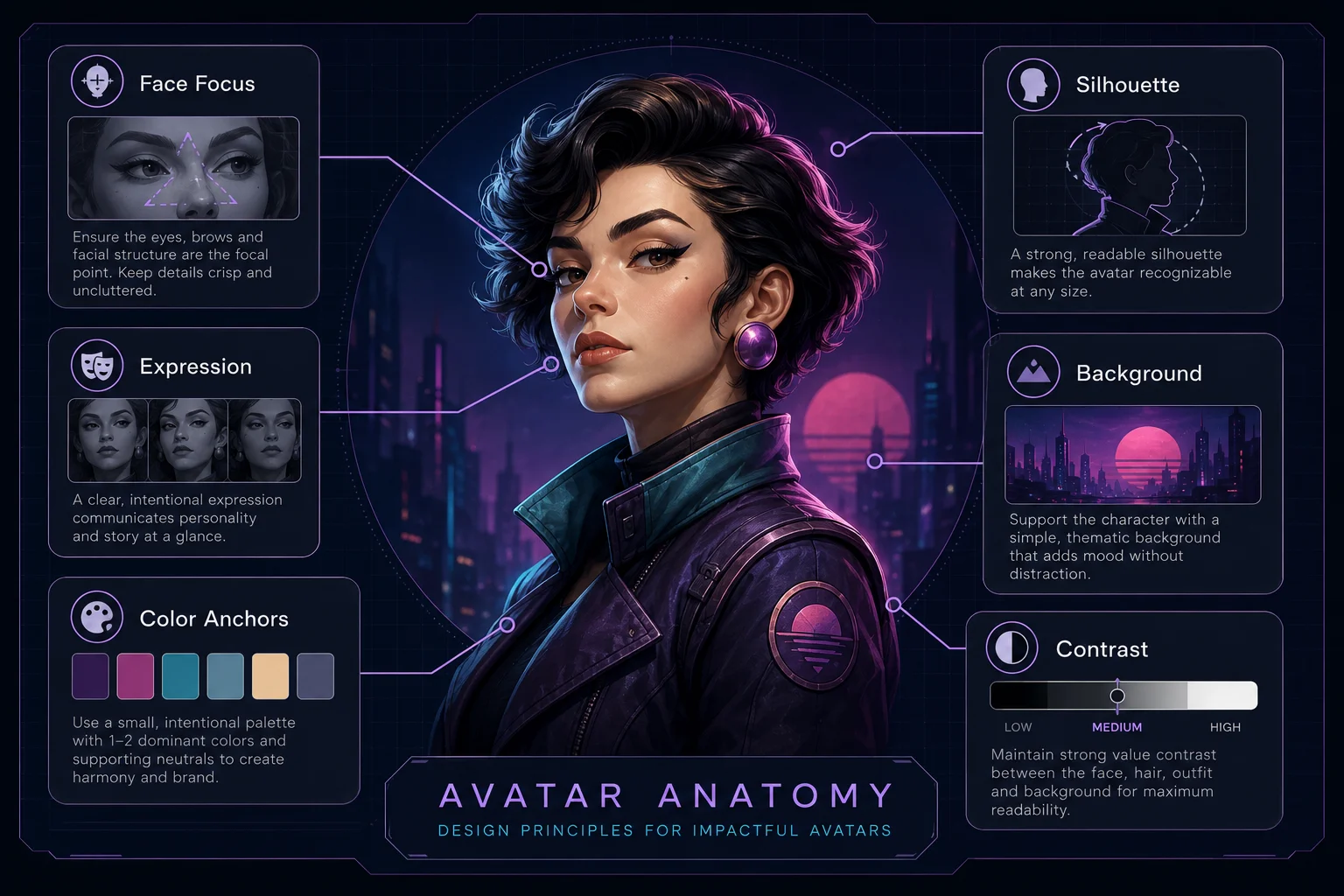
An avatar pack creates useful variations while keeping the same character identity recognizable.
Start With Your Base Avatar Prompt
Use the avatar identity prompt from Lesson 1 as your base.
Example base prompt:
Create a head and shoulders profile avatar portrait of an original retro space mechanic. The character has a friendly confident expression, short violet hair, teal visor goggles, a dark navy cropped utility jacket, orange gloves, and a high collar. Use a simple dark sci-fi background with soft purple and cyan rim lighting. Keep the face centered, the silhouette readable, and the colors clear. Make it work as a small circular profile avatar. No text, no logos, no watermark, no clutter.
This prompt defines the identity. For the pack, you should keep this identity and change only selected parts.
Decide What Must Stay the Same
Consistency starts with rules.
Keep these details stable:
-
same face
-
same hairstyle
-
same main accessory
-
same color anchors
-
same portrait crop
-
same basic lighting style
-
same background simplicity
-
same character role
-
same overall visual style
For our example character, the fixed details are:
short violet hair, teal visor goggles, dark navy jacket, orange gloves, friendly retro space mechanic identity, simple dark sci-fi background, purple and cyan rim lighting
These details should appear across the whole avatar pack.
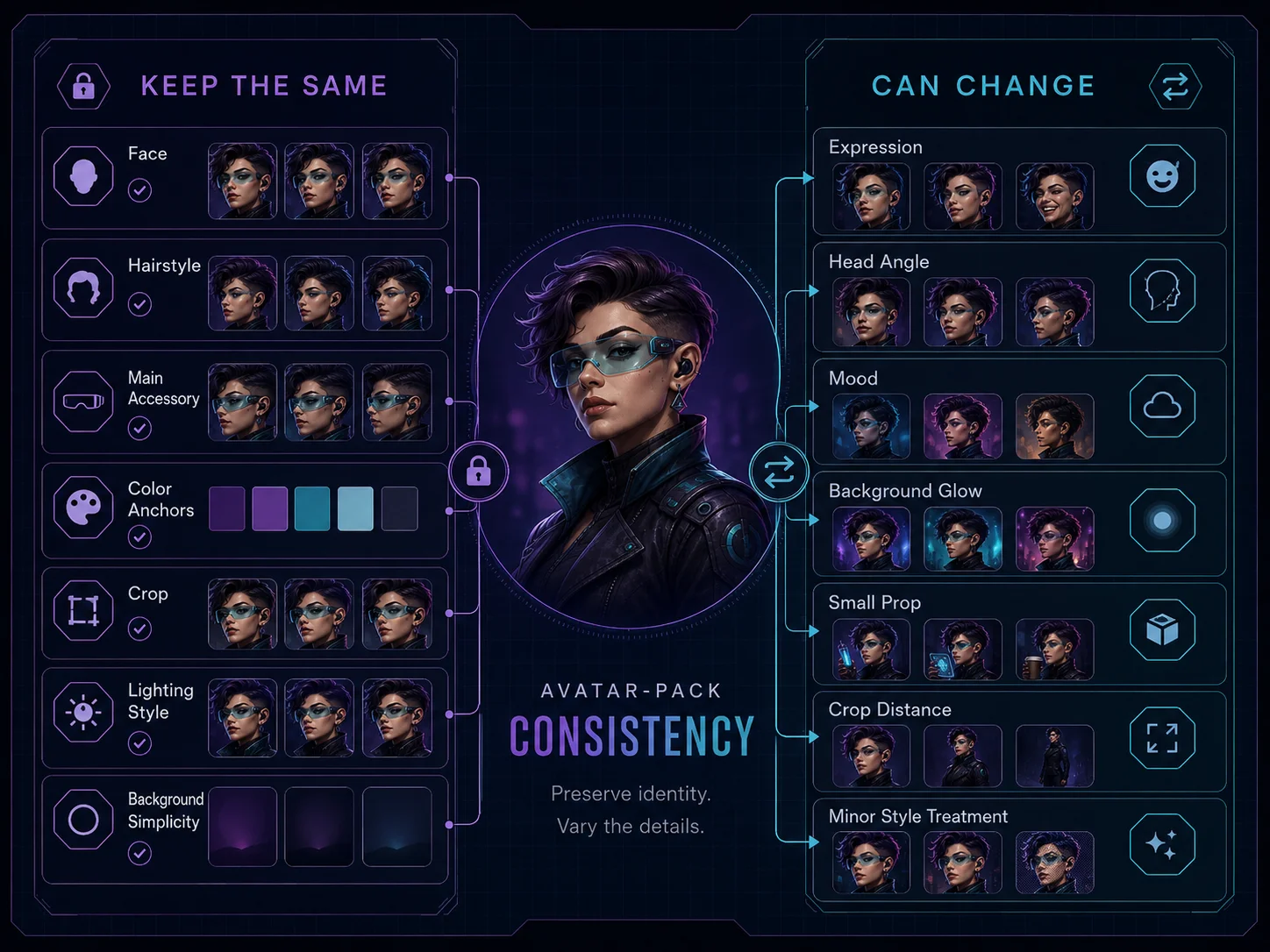
Keep identity anchors stable, then change only selected details to create controlled variation.
Decide What Can Change
A consistent pack still needs variation. Otherwise every avatar will feel identical.
Safe things to change:
-
expression
-
head angle
-
slight pose
-
lighting intensity
-
background glow
-
emotional mood
-
small prop near the face
-
crop distance
-
minor styling treatment
Avoid changing too much at once.
If you change the hairstyle, outfit, palette, background, expression, and style all at the same time, the avatar may become a different character.
Build a Small Pack Plan
Before generating, decide which versions you want.
A simple 6-avatar pack:
`text
-
Neutral profile avatar
-
Friendly smile avatar
-
Focused work avatar
-
Serious cinematic avatar
-
Playful creator avatar
-
Retro pixel-inspired avatar `
This gives enough variety without losing the character identity.
Avatar Variation Template
Use this template for each variation:
Create the same avatar character: [base identity]. Keep the same face, hairstyle, color palette, main accessory, outfit anchor, and profile-avatar composition. Variation: [expression or mood]. Background: [simple background change]. Style: [same core style]. No text, no logos, no watermark, no clutter.
This structure protects the identity while allowing creative changes.
Example Avatar Pack Prompts
1. Neutral Avatar
Create the same original retro space mechanic avatar character. Keep the same face, short violet hair, teal visor goggles, dark navy cropped utility jacket, orange gloves, high collar, and purple-cyan lighting. Show a calm neutral expression, centered head and shoulders profile avatar composition, simple dark sci-fi background, clean readable silhouette, no text, no logos, no watermark, no clutter.
2. Friendly Avatar
Create the same original retro space mechanic avatar character. Keep the same face, short violet hair, teal visor goggles, dark navy cropped utility jacket, orange gloves, high collar, and purple-cyan lighting. Show a friendly confident smile, centered head and shoulders profile avatar composition, simple dark sci-fi background with a soft cyan glow, clean readable silhouette, no text, no logos, no watermark, no clutter.
3. Focused Avatar
Create the same original retro space mechanic avatar character. Keep the same face, short violet hair, teal visor goggles, dark navy cropped utility jacket, orange gloves, high collar, and purple-cyan lighting. Show a focused workshop expression, slightly lowered eyebrows, subtle tool reflection in the visor, centered head and shoulders profile avatar composition, simple dark sci-fi background, no text, no logos, no watermark, no clutter.
4. Serious Cinematic Avatar
Create the same original retro space mechanic avatar character. Keep the same face, short violet hair, teal visor goggles, dark navy cropped utility jacket, orange gloves, high collar, and purple-cyan lighting. Show a serious cinematic expression with stronger rim light, centered head and shoulders profile avatar composition, simple dark background with purple glow, clean readable silhouette, no text, no logos, no watermark, no clutter.
5. Playful Creator Avatar
Create the same original retro space mechanic avatar character. Keep the same face, short violet hair, teal visor goggles, dark navy cropped utility jacket, orange gloves, high collar, and purple-cyan lighting. Show a playful creator expression with one orange glove raised near the chin, centered head and shoulders profile avatar composition, simple dark sci-fi background, clean readable silhouette, no text, no logos, no watermark, no clutter.
6. Retro Pixel-Inspired Avatar
Create the same original retro space mechanic avatar character. Keep the same face, short violet hair, teal visor goggles, dark navy cropped utility jacket, orange gloves, high collar, and teal-orange-purple color identity. Create a clean retro pixel-inspired avatar version with readable face, simple dark background, subtle pixel texture, strong silhouette, no text, no logos, no watermark, no clutter.
Keep the Crop Consistent
Avatar packs look better when the crop is similar.
Use the same framing language in each prompt:
text head and shoulders portrait, centered face, profile-avatar composition, readable as a small circular crop
If one avatar is full body and another is close-up, the pack may feel inconsistent.
Keep the Background Simple
The background can vary slightly, but it should not become the main subject.
Good variations:
simple dark background soft cyan glow purple rim light subtle sci-fi panel glow muted abstract gradient small starfield texture
Avoid:
busy city background large spaceship battle crowded room many objects readable text logos complex scenery
The avatar should remain the focus.
Use a Pack Consistency Checklist
After generating your avatars, compare them as a group.
Check:
-
Do they look like the same character?
-
Is the face consistent?
-
Is the hairstyle consistent?
-
Are the main colors repeated?
-
Are the key accessories still visible?
-
Is the crop similar?
-
Do they work as small thumbnails?
-
Are the backgrounds simple?
-
Is there any random text, watermark, or logo?
A strong avatar pack should feel unified even when the expressions are different.
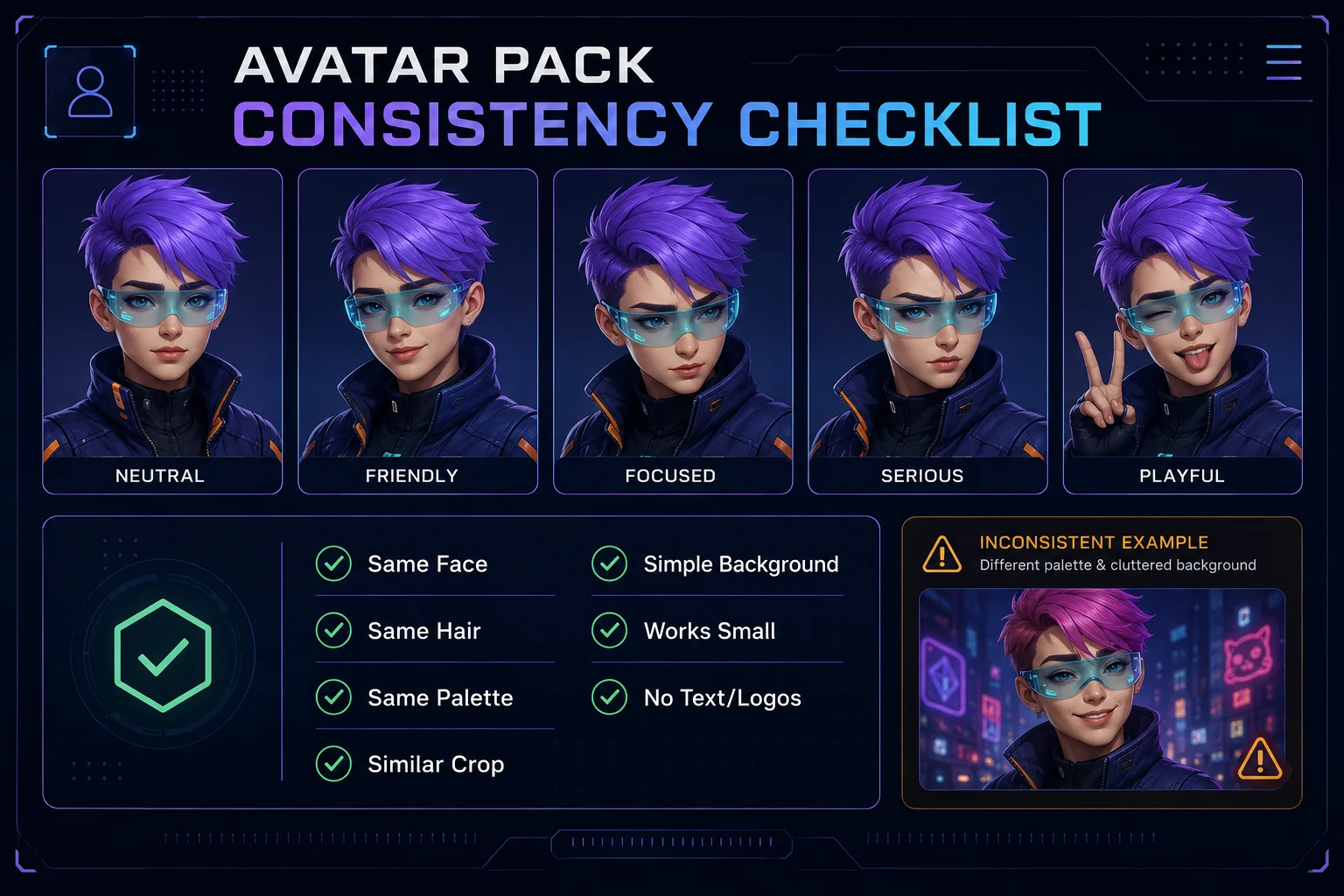
A strong avatar pack feels unified even when the expressions and moods are different.
Common Problems and Fixes
Problem: The avatars look like different people
Add:
text same character identity, same face, same hairstyle, same facial structure, same age impression, same color palette
Problem: The style changes too much
Add:
same visual style across the avatar pack, consistent lighting, consistent portrait composition
Problem: The images are too busy
Add:
text simple background, clean profile avatar composition, no clutter, readable at small size
Problem: The avatar does not crop well
Add:
centered head and shoulders portrait, works as a square crop, works as a circular profile avatar
Problem: The character loses key details
Add:
visible teal visor goggles, visible violet hair, visible dark navy jacket collar, visible orange glove detail
Mini Exercise
Create a 4-avatar beginner pack from your base identity.
Use these four variations:
-
Neutral
-
Friendly
-
Focused
-
Cinematic
For each one, keep the same:
face, hairstyle, main accessory, color palette, crop, background simplicity, and visual style
Then compare all four images together and choose the strongest pack.
Suggested Skinbase Upload Package
Title:
Retro Space Mechanic Avatar Pack
Description:
A consistent AI avatar portrait pack based on one original retro space mechanic character. The set explores neutral, friendly, focused, and cinematic expressions while preserving the same face, hairstyle, palette, accessories, and profile-avatar composition.
Tags:
ai-avatar, avatar-pack, character-design, portrait, profile-image, retro-sci-fi, ai-character, creator-avatar
Final Quality Checklist
Before finishing the course, check your avatar pack:
-
The avatars look like the same character.
-
The face and hairstyle stay consistent.
-
The main colors repeat clearly.
-
The crop works as a square and circle.
-
The backgrounds are not too busy.
-
Each variation has a different purpose.
-
No image has random text, logos, or watermarks.
-
The pack feels useful for profiles, creator cards, or community identity.
Lesson Outcome
By the end of this lesson, you should have a small consistent avatar pack with several usable variations built from one clear avatar identity.
Lesson navigation