


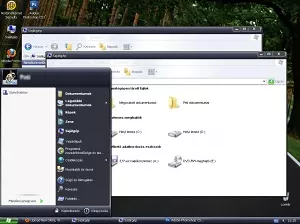
Vista XP 1.2 by EmperorPenguin
 emperorpenguin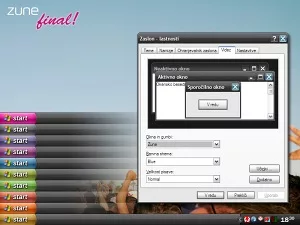
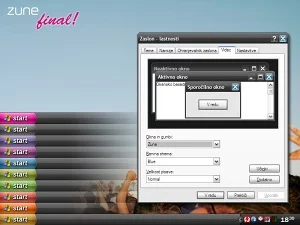
I fixed it as much as I knew how to :)
Drop a reaction so other people instantly see whether this piece hits with love, fire, wow, or a quick clap.
I insatlled zune.exe from the download but when i go to change to it in setting it wont recognise it.. i am currently using a old zune but i cant get any of the colours to work.. what should i do?
First off, Love the theme. I have 1 question, when I load the new mod into the Zune folder, I lose the "Zune Style" in the windows & buttons dropdown & all my windows go to a classic type view, am I doing something wrong? Thanks
First off, Love the theme. I have 1 question, when I load the new mod into the Zune folder, I lose the "Zune Style" in the windows & buttons dropdown & all my windows go to a classic type view, am I doing something wrong? Thanks
First off, Love the theme. I have 1 question, when I load the new mod into the Zune folder, I lose the "Zune Style" in the windows & buttons dropdown & all my windows go to a classic type view, am I doing something wrong? Thanks
@UrsusHorribilis you need to patch your uxtheme.dll located in c:\windows\system32, i recommend to use UXTheme Multi-Patcher 5.0 to patch the dll. google it! after the patch, install again this "MODDED", not originaly made by microsoft zune theme. comprende? 😂
ok i figured you why this didn´t work for me, it doesn´t have a theme file but now what am i supposed to do?? :(
Sign in to join the conversation.
emperorpenguin yingjunjiu
 nova28
 nova28
 nova28
 navigatsio
 navigatsio
 navigatsio
 navigatsio
 navigatsio
 navigatsio
 navigatsioemperorpenguinyingjunjiunova28nova28nova28navigatsionavigatsionavigatsionavigatsionavigatsionavigatsionavigatsioemperorpenguinyingjunjiunova28nova28nova28navigatsionavigatsionavigatsionavigatsionavigatsionavigatsionavigatsio
We use essential cookies to keep you logged in and protect your session. With your permission we also load advertising cookies from third-party networks. Learn more ↗